Page | 11Wi-Fi Wind Station
Your station provides most functionality when connected to the La Crosse View app. However it is fully
functional as a standalone station.
Here we have included the details for various functions of your station:
• Adjustable Backlight
• Settings Menu
• Wind Speed Readings and History
• Temperature/Humidity Readings and HI/LO Records
• Feels Like Temperature
• Temperature Trend Arrows
• Low Battery Indicators
• Sensor Reception Indicator
• Sensor ID’s and Sensor Search
• Delete Sensor
• Factory Restart Station
Your station has 5 levels of brightness for the backlight:
• Press and release the LIGHT button to adjust the backlight at 5 levels of intensity.
Levels: OFF = 0% | level 1 = 1.5% | level 2 = 20% | level 3 = 50% | level 4 = 100%.
FEATURES OF YOUR WEATHER STATION
ADJUSTABLE BACKLIGHT
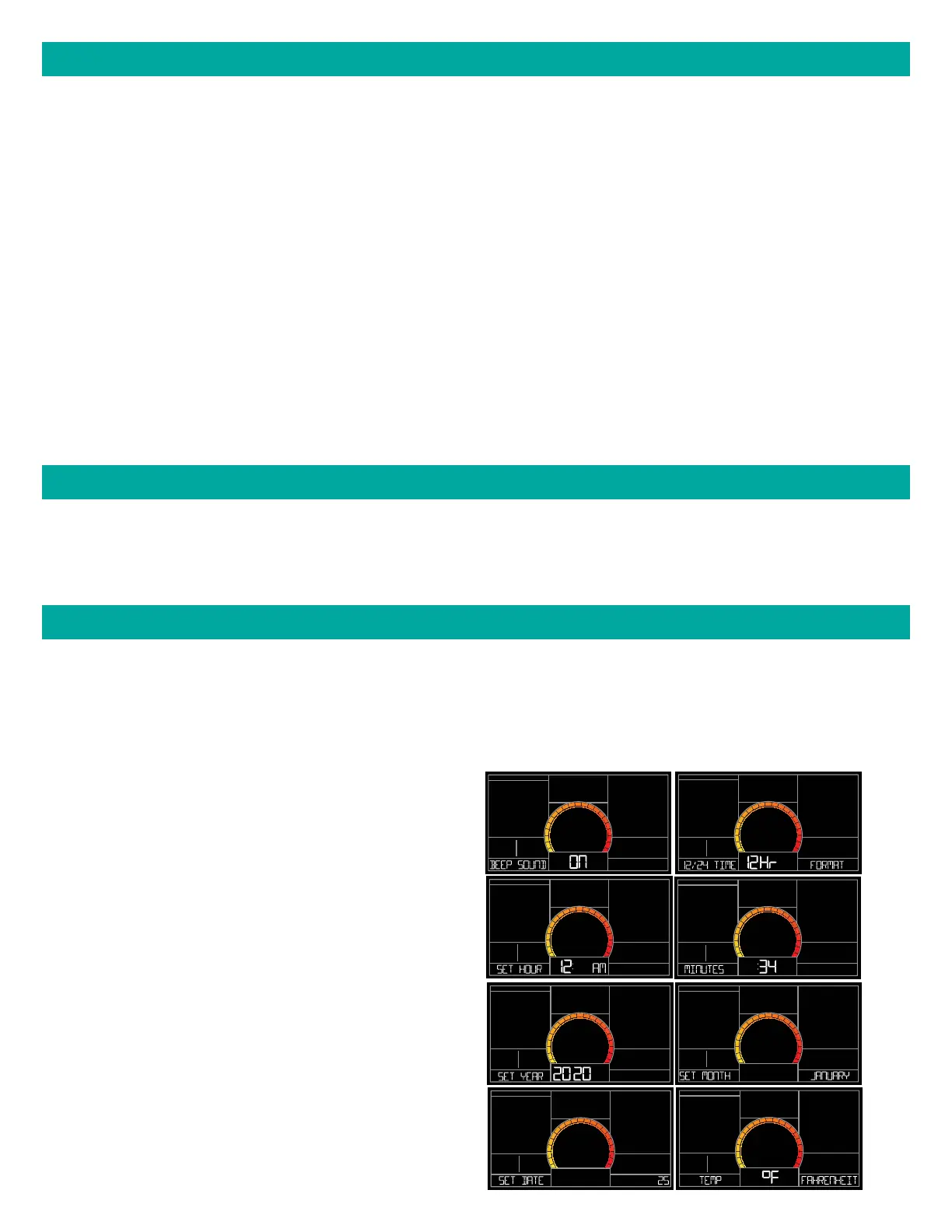
1. Hold the SET button for 3 seconds to enter settings menu.
2. Press and release the + or - buttons to adjust the flashing values. Hold to adjust quickly.
3. Press and release the SET button to confirm and move to the next item.
Note: Press and release the LIGHT button any time to exit settings.
SETTINGS MENU
Settings menu order:
• BEEP ON | OFF
• 12/24 hour format
• Hour
• Minutes
• Year
• Month
• Date
• Fahrenheit | Celsius















 To Next Page