Page 3Page 2
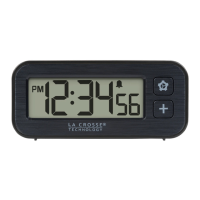
Mini Digital Alarm Clock
with Timer and Magnetic Back
Model: W72432
POWER UP
1. Insert 1 “AAA” battery into your Clock.
2. Enter the Settings Menu to adjust the Time settings.
3. Position on a wall, cabinet, or desktop.
SETT I N G S ME N U
Important: Press and release or hold than release one button at a
time when setting your clock.
1. Hold the button to enter the Settings Menu.
3. Press the button to adjust the flashing values. Hold to adjust
quickly.
4. Press the button to confirm adjustments and move to the
next item or exit.
Settings Menu Order:
12/24 Format
• Hour • Minutes • Seconds
Hanging Hole
Battery
Compartment
MagnetMagnet
LOW BATTERY IND ICATOR
When the Battery Indicator shows above the seconds, replace
the clock’s battery.
CUSTOM DISPLAY MODES
The Stopwatch will count up from 0 to 9 hours, 59 minutes, and 59
seconds.
1. Press and release the button until Stopwatch shows.
2. Press and release the button to start or stop the stopwatch
counting.
3. Hold the button to reset the stopwatch to zero.
STOPWATCH
Press and release the button to toggle through Time, Alarm
Time, and Stopwatch modes. Your clock will stay on the selection.
TIME STOPWATCHALARM TIME
Counting Up Reset
DC: 053124

 Need help?
 General








 To Next Page