
 Need help?
Do you have a question about the La Crosse Technology W85746-BHG and is the answer not in the manual?
This document describes the La Crosse Technology Model W85746-BHG Digital Atomic Wall Clock, an instruction manual detailing its functions, setup, and maintenance.
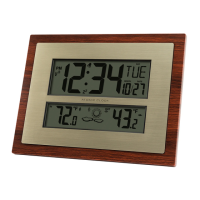
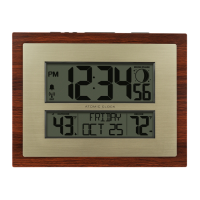
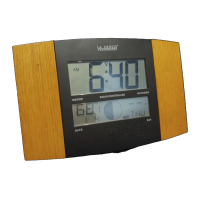
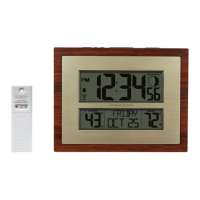
The La Crosse Technology Digital Atomic Wall Clock is a radio-controlled timepiece that displays the current time, date, and weekday. It also features indoor and outdoor temperature readings, a perpetual calendar, and a weather forecast function with trend arrows. The clock is designed to receive atomic time signals (WWVB) for accurate timekeeping and includes an alarm function with a snooze feature. An outdoor sensor transmits temperature data wirelessly to the main clock unit.
To begin, insert two new AA batteries (not included) into the TX141v2 outdoor sensor, ensuring correct polarity. A red LED will flash during transmission. Next, insert two new AA Alkaline batteries (not included) into the main clock unit, also observing correct polarity. After approximately five minutes, place the outdoor sensor in a shaded location. The maximum range for the sensor is 300 feet (91 meters) in open air. If the outdoor temperature area on the clock displays dashes after three minutes, remove the batteries from both units and restart the setup process.
To enter the time set mode, press and hold the "°F/°C" button. Use the "+" or "-" buttons to adjust values and press "°F/°C" again to confirm each adjustment and move to the next setting. The settings order includes WWVB Reception (On/Off), Time Zone (Atlantic, Eastern, Central, Mountain, Pacific, Alaska, Hawaiian), DST Indicator (On/Off), 12/24 Hour Time Format, Hour, Minutes, Year, Month, and Date. The day of the week is set automatically. To exit the time set mode, press the "°F/°C" button or wait 20 seconds for it to exit automatically.
The clock can display temperatures in either Fahrenheit or Celsius. Press the "°F/°C" button to toggle between the two temperature units.
To set the alarm, hold the "ALARM" button. The letters "AL" will appear in the weekday area. Use the "+" or "-" buttons to adjust the alarm time. Press the "ALARM" button to confirm adjustments and move to the next item. To view the alarm time, press the "ALARM" button once. To activate the alarm, press "ALARM" again; a bell icon will appear. To deactivate the alarm, press "ALARM" a third time; the bell icon will disappear. The alarm features a crescendo sound and will sound for two minutes before automatically shutting off.
When the alarm sounds, press the "SNOOZE" button to silence it for 10 minutes; "Zz" will appear on the display. To stop the alarm for one day while in snooze mode, press the "ALARM" button.
The clock can search for the atomic time signal. To start or stop the atomic time signal search, hold the "-" button. The WWVB icon will flash during the search. For more information about WWVB, refer to www.nist.gov/pml/div688/grp40/wwvb.cfm.
The unit predicts weather conditions for the next 12 hours based on changes in atmospheric pressure. The forecast is approximately 70-75% accurate. The weather forecast icons include Sunny, Partly Sunny, Cloudy, Rainy, and Stormy (with blinking raindrops). These icons indicate whether the weather is expected to improve or worsen, not necessarily specific conditions. The clock features an "Intelligent Weather Forecast" that learns and calibrates barometric pressure over 7-10 days to provide a more accurate personal forecast for your location.
Weather trend arrows indicate rising, steady, or falling pressure, suggesting improving, staying the same, or worsening weather. Temperature trend arrows update every 30 minutes or less, showing if the temperature has risen, remained steady, or fallen in the past three hours.
A solid icon indicates successful reception of the signal from the outdoor transmitter. The icon will flash when searching for the signal. If reception is unsuccessful, the icon will not be displayed.
The clock has a pullout stand for desk or table placement and hanging holes for wall mounting. For optimal WWVB reception, orient the clock with the front or back facing Fort Collins, Colorado. Place the clock at least six feet away from electronics such as cordless phones, gaming systems, televisions, microwaves, and routers. Ensure the clock is within range of the outdoor sensor. The maximum transmitting range in open air is 300 feet (91 meters); obstacles like walls, windows, stucco, concrete, and large metal objects can reduce this range. Mount the outdoor sensor on a north-facing wall or in a well-shaded area, preferably under an eave or deck rail. The maximum transmitting range for the sensor to the clock is over 300 feet (91 meters) in open air, not including walls.
A low battery icon will appear on the display to indicate low battery levels for either the clock or the sensor. If the icon appears in the outdoor temperature section, replace the batteries in the outdoor sensor. If it appears in the indoor temperature section, replace the batteries in the clock.
Do not mix old and new batteries, or different types of batteries (Alkaline, Standard, Lithium, or Rechargeable). Always use the correct size and grade of battery for the intended use. Replace all batteries in a set at the same time. Clean battery contacts on both the device and the batteries before installation. Ensure batteries are installed with correct polarity (+ and -). Remove batteries from equipment if it will not be used for an extended period and promptly remove expired batteries.
If the outdoor temperature shows dashes, remove the batteries from both the digital clock and the sensor. Press any button 20 times to discharge residual power. After 15 minutes, return to Step 1 of the initial setup process.
La Crosse Technology, Ltd. provides a 1-year limited warranty from the date of purchase, covering manufacturing defects in materials and workmanship. For questions or online help (manuals and FAQs), contact customer support at 1-608-782-1610 or visit www.lacrossetechnology.com/support. Product registration is available at www.lacrossetechnology.com/support/register. Full warranty details can be found at www.lacrossetechnology.com/warranty_info.pdf. The warranty address is La Crosse Technology, Ltd, 2830 S. 26th St., La Crosse, WI 54601. The product is protected under U.S. Patents: 5,978,738 | 6,076,044 | RE43903.
 General
| Display Type | LCD |
|---|---|
| Power Source | Battery |
| Snooze | Yes |
| Type | Atomic Digital Wall Clock |
| Batteries | 2 AA (not included) |
| Features | Atomic time, indoor temperature and humidity |
| Humidity Range | 20% to 95% |
| Time Display | 12/24 Hour |
| Time Zone Setting | Yes |
| Atomic Time Reception | Yes |







 To Next Page