EasyManua.ls Logo

La Crosse Technology WS-8035 - User Manual

La Crosse Technology WS-8035
25 pages
Print Icon
To Next Page IconTo Next Page
Loading...
WS-8035
Wireless 433 MHz
Wireless Weather Station
Instruction Manual

Questions and Answers

  • L
    Larry LarsonJul 31, 2025
    Why is outdoor temperature/humidity not displayed on my La Crosse Technology Weather Station?
    • A
      Allison BrownJul 31, 2025
      If your La Crosse Technology Weather Station isn't showing outdoor temperature/humidity, try these steps: * Remove and reinsert batteries, starting with the remote thermo/hygro sensor, then the indoor weather station. * Ensure the remote thermo/hygro sensor is closer to the indoor weather station. * Make sure all batteries are new. * Eliminate nearby interfering electrical sources such as computer monitors, TVs, headphones, or speakers. Remember the signal travels in a straight line, and electrical interference along that path can disrupt it.
  • B
    Brenda ArmstrongAug 8, 2025
    What to do if temperature, humidity, or air pressure is incorrect on La Crosse Technology WS-8035 Weather Station?
    • S
      Shawn PierceAug 8, 2025
      If the temperature, humidity, or air pressure readings are incorrect on your La Crosse Technology Weather Station, try the following: * Check or replace the batteries. * If using multiple remote sensors, verify their locations using the corresponding 'boxed numbers'. * Move the station away from heat or cold sources. * Adjust the relative air pressure using a value from a reliable source like TV or radio.
  • P
    Phyllis BurchAug 15, 2025
    How to fix a faint LCD display on La Crosse Technology Weather Station?
    • C
      Christine ShieldsAug 15, 2025
      If the LCD on your La Crosse Technology Weather Station is faint: * Try increasing the LCD contrast to a higher level. * If that doesn't work, replace the batteries.
  • M
    mendezchristinaAug 23, 2025
    Why does my La Crosse Technology WS-8035 show '--' in the humidity display?
    • C
      crodgersAug 23, 2025
      The humidity display on your La Crosse Technology Weather Station shows '--' because the humidity is below 1% or above 99%. Also, this display appears when TX3U or TX3UP is used for remote temperature.

Summary

About WWVB Radio-Controlled Time

Quick Set-Up Guide

Detailed Set-Up Guide

Battery Installation

Guides users through installing batteries in both the remote sensor and indoor weather station for initial setup.

Start Up Sequence

Details the initial startup process, including the beep, LCD display, and sensor-station connection.

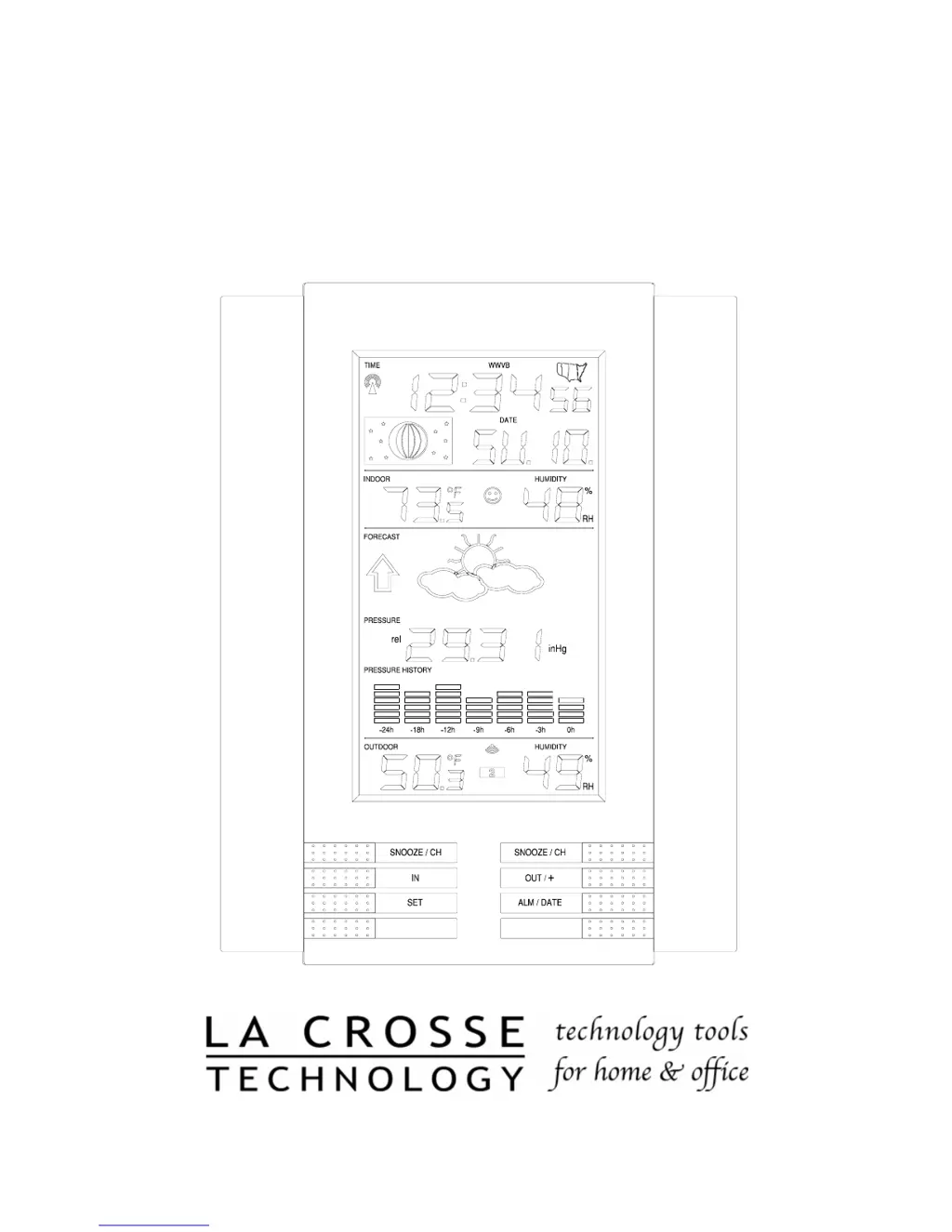
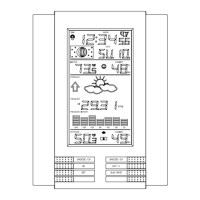
Explanation of LCD Information

Explains the various icons and data displayed on the weather station's LCD screen.

Function Key Layout

Illustrates and describes the purpose of each button on the indoor weather station.

Program Mode

Outlines the sequence for programming settings like time, date, units, and forecast sensitivity.

Features and Operations

Time Alarm Setting and Operation

Instructions on how to set, activate, and use the snooze function for the time alarm.

Moon Phase Display

Explains the 12 moon phases displayed and how they relate to the visible moon in the sky.

Min;Max Temperature and Humidity

Details how to view and reset the minimum and maximum indoor and outdoor temperature and humidity values.

Multiple Remote Temperature Sensors

Information on connecting and using up to three additional remote sensors for temperature and humidity monitoring.

Comfort Indicator

Explains the comfort indicator that displays a face based on indoor temperature and humidity levels.

Weather Forecast & Pressure Trends

Explains weather icons and pressure trend arrows indicating future weather.

Weather Tendency Arrows

Describes the meaning of upward and downward arrows indicating air pressure changes.

Barometric Air Pressure Reading

Explains how to read and calibrate the barometric air pressure displayed on the unit.

Air Pressure History Bar Chart

Details how to interpret the bar chart showing air pressure changes over the past 24 hours.

Mounting Instructions

Mounting the Remote Sensor

Provides instructions for mounting the remote thermo/hygro sensor using screws or adhesive tape.

Mounting the Indoor Weather Station

Explains how to mount the main indoor weather station unit, either free-standing or on a wall.

Maintenance and Care

Troubleshooting Guide

Faint LCD Display Issues

Solutions for when the LCD screen is faint or difficult to read.

No Outdoor Sensor Data

Troubleshooting steps for when the outdoor temperature and humidity readings are not displayed.

Incorrect Readings

Steps to resolve inaccurate temperature, humidity, or air pressure measurements.

Humidity Display Error

Explains the meaning of '--' in the humidity display and potential causes.

WWVB Time;Date Update Issues

Solutions for problems with the weather station not receiving or updating the WWVB time and date signal.

Product Specifications

Warranty Information

FCC Disclaimer

La Crosse Technology WS-8035 Specifications

General IconGeneral
Indoor Temperature Range32°F to 122°F (0°C to 50°C)
Power Source (Outdoor Sensor)2 x AA batteries (not included)
Display TypeLCD
BacklightYes
Wireless Frequency433 MHz
Temperature Resolution0.1°F/°C
Humidity Resolution1% RH
Transmission Range330 ft (100 meters) in open air
Update IntervalEvery 4 seconds
Time Display12/24 hour format
MemoryMin/Max Records

Related product manuals