EasyManua.ls Logo

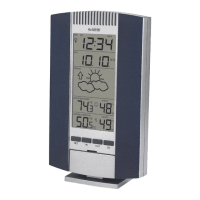
La Crosse Technology WS-7075U - User Manual

La Crosse Technology WS-7075U
23 pages
Print Icon
To Next Page IconTo Next Page
Loading...
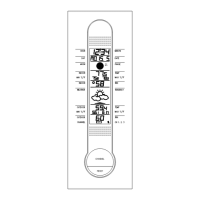
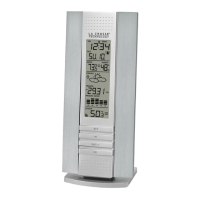
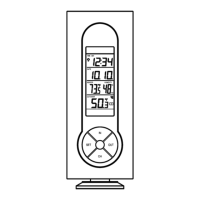
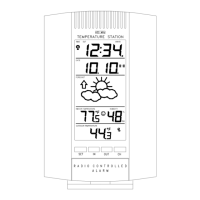
WS-7075U
Wireless 433 MHz
Radio-controlled Weather Station
Instruction Manual
Question and Answer IconNeed help?

Do you have a question about the La Crosse Technology WS-7075U and is the answer not in the manual?

Summary

Quick Set-Up Guide

Detailed Set-Up Guide

Battery Installation

Details the process for installing batteries in both the remote sender and the weather station.

Program Mode

Function Keys and Basic Time Settings

Covers button functions, 12/24 hour format, time zone, and DST settings.

Features of the WS-7075 U

Outdoor Temperature and Records

Alarm Function

Setting and Managing Alarms

Details on setting, activating, deactivating, snoozing, and stopping alarms.

Mounting

Troubleshooting

WWVB Time Signal Reception Issues

Addresses problems with receiving the WWVB time signal and provides solutions.

No Outdoor Temperature Displayed

Diagnosing and fixing issues where the outdoor temperature is not shown.

Summary

Quick Set-Up Guide

Detailed Set-Up Guide

Battery Installation

Details the process for installing batteries in both the remote sender and the weather station.

Program Mode

Function Keys and Basic Time Settings

Covers button functions, 12/24 hour format, time zone, and DST settings.

Features of the WS-7075 U

Outdoor Temperature and Records

Alarm Function

Setting and Managing Alarms

Details on setting, activating, deactivating, snoozing, and stopping alarms.

Mounting

Troubleshooting

WWVB Time Signal Reception Issues

Addresses problems with receiving the WWVB time signal and provides solutions.

No Outdoor Temperature Displayed

Diagnosing and fixing issues where the outdoor temperature is not shown.

La Crosse Technology WS-7075U Specifications

General IconGeneral
BrandLa Crosse Technology
ModelWS-7075U
CategoryWeather Station
LanguageEnglish

Related product manuals