EasyManua.ls Logo

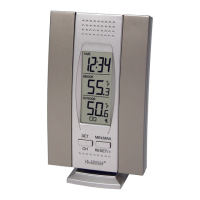
La Crosse Technology WS-7013U-IT - User Manual

La Crosse Technology WS-7013U-IT
28 pages
Print Icon
To Next Page IconTo Next Page
Loading...
1
WS-7013U-IT
Wireless 915 MHz
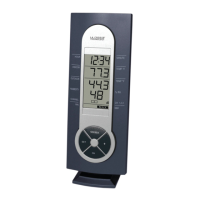
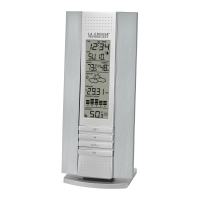
Temperature Station
Instruction Manual
Question and Answer IconNeed help?

Do you have a question about the La Crosse Technology WS-7013U-IT and is the answer not in the manual?

Summary

QUICK SETUP

Initial Placement and Battery Removal

Place station and sensor 3-5 feet apart. Remove batteries from both units for 10 minutes.

QUICK SETUP - Battery Insertion and Synchronization

Battery Insertion and Initial Synchronization

Insert batteries into sensor first, then station. Do not press buttons for 15 minutes for synchronization.

Completing Setup: Setting the Time

Completing Setup: Setting the Time - Minutes

DETAILED SETUP GUIDE

Battery Installation (One Sensor)

First, insert batteries into the Temperature sensor, then within 2 minutes, insert batteries into the Temperature Station.

DETAILED SETUP GUIDE - Sensor Battery Installation

Remote Temperature Sensor Battery Installation

Remove mounting bracket and cover. Install 2 AA batteries observing polarity. Replace cover.

Indoor Temperature Station Battery Installation Note

After installing batteries, do NOT press any buttons to avoid interfering with signal registration.

DETAILED SETUP GUIDE - Indoor Station Battery Installation

Indoor Temperature Station Battery Installation

Remove battery cover. Install 2 AAA batteries observing polarity. Replace cover. Wait 15 mins for display.

SETTING THE TIME

FEATURES

RESETTING MINIMUM & MAXIMUM TEMPERATURES

ADDING ADDITIONAL REMOTE SENSORS - Setup Part 1

Setting Up Additional Sensors (Part 1)

Remove batteries, discharge power. Insert sensor batteries, then station batteries within 2 mins. Wait for outdoor temp display.

ADDING ADDITIONAL REMOTE SENSORS - Setup Part 2

Setting Up Additional Sensors (Part 2)

Insert second sensor batteries within 45s of first. Check for channel 2 icon. Insert third sensor batteries.

TROUBLESHOOTING

TROUBLESHOOTING - Specific Issues

Faint LCD Display Issue

Replace batteries to resolve a faint LCD display.

No Outdoor Temperature Display Issue

Reinsert batteries, move sensor closer, check battery freshness, ensure clear signal path.

MAINTENANCE AND CARE - Warranty Notice

WARRANTY INFORMATION

WARRANTY INFORMATION - Service and Proof of Purchase

Warranty Service and Proof of Purchase

Contact La Crosse Technology for service. Proof of purchase required. Repairs may incur charges if not covered.

WARRANTY INFORMATION - Coverage and Exclusions

Warranty Coverage Details and Exclusions

Covers material/workmanship defects. Excludes damage from accident, misuse, neglect, or unauthorized alterations.

WARRANTY INFORMATION - Limitations and Contact

FCC ID and Regulatory Information

RF Exposure Compliance Statement

Mobile sensor requires separation distance of 20 cm (8 inches) from persons. Not co-located with other antennas.

FCC ID and Regulatory Information - Interference

Interference Prevention and Mitigation

If harmful interference occurs, user is encouraged to correct it by reorienting, increasing separation, or changing circuits.

Summary

QUICK SETUP

Initial Placement and Battery Removal

Place station and sensor 3-5 feet apart. Remove batteries from both units for 10 minutes.

QUICK SETUP - Battery Insertion and Synchronization

Battery Insertion and Initial Synchronization

Insert batteries into sensor first, then station. Do not press buttons for 15 minutes for synchronization.

Completing Setup: Setting the Time

Completing Setup: Setting the Time - Minutes

DETAILED SETUP GUIDE

Battery Installation (One Sensor)

First, insert batteries into the Temperature sensor, then within 2 minutes, insert batteries into the Temperature Station.

DETAILED SETUP GUIDE - Sensor Battery Installation

Remote Temperature Sensor Battery Installation

Remove mounting bracket and cover. Install 2 AA batteries observing polarity. Replace cover.

Indoor Temperature Station Battery Installation Note

After installing batteries, do NOT press any buttons to avoid interfering with signal registration.

DETAILED SETUP GUIDE - Indoor Station Battery Installation

Indoor Temperature Station Battery Installation

Remove battery cover. Install 2 AAA batteries observing polarity. Replace cover. Wait 15 mins for display.

SETTING THE TIME

FEATURES

RESETTING MINIMUM & MAXIMUM TEMPERATURES

ADDING ADDITIONAL REMOTE SENSORS - Setup Part 1

Setting Up Additional Sensors (Part 1)

Remove batteries, discharge power. Insert sensor batteries, then station batteries within 2 mins. Wait for outdoor temp display.

ADDING ADDITIONAL REMOTE SENSORS - Setup Part 2

Setting Up Additional Sensors (Part 2)

Insert second sensor batteries within 45s of first. Check for channel 2 icon. Insert third sensor batteries.

TROUBLESHOOTING

TROUBLESHOOTING - Specific Issues

Faint LCD Display Issue

Replace batteries to resolve a faint LCD display.

No Outdoor Temperature Display Issue

Reinsert batteries, move sensor closer, check battery freshness, ensure clear signal path.

MAINTENANCE AND CARE - Warranty Notice

WARRANTY INFORMATION

WARRANTY INFORMATION - Service and Proof of Purchase

Warranty Service and Proof of Purchase

Contact La Crosse Technology for service. Proof of purchase required. Repairs may incur charges if not covered.

WARRANTY INFORMATION - Coverage and Exclusions

Warranty Coverage Details and Exclusions

Covers material/workmanship defects. Excludes damage from accident, misuse, neglect, or unauthorized alterations.

WARRANTY INFORMATION - Limitations and Contact

FCC ID and Regulatory Information

RF Exposure Compliance Statement

Mobile sensor requires separation distance of 20 cm (8 inches) from persons. Not co-located with other antennas.

FCC ID and Regulatory Information - Interference

Interference Prevention and Mitigation

If harmful interference occurs, user is encouraged to correct it by reorienting, increasing separation, or changing circuits.

La Crosse Technology WS-7013U-IT Specifications

General IconGeneral
Display TypeLCD
Indoor Temperature Range32°F to 122°F (0°C to 50°C)
Outdoor Temperature Range-40°F to 140°F (-40°C to 60°C)
Wireless Range330 feet (100 meters)
Transmission Frequency915 MHz
Power SourceBattery
Sensor TypeWireless
Humidity Range1% to 99% RH
Indoor Humidity Range1% to 99% RH
Power Requirements (Base Station)2 x AA batteries
Power Requirements (Remote Sensor)2 AA batteries

Related product manuals