EasyManua.ls Logo

La Crosse Technology WS-9075U - User Manual

La Crosse Technology WS-9075U
19 pages
Print Icon
To Next Page IconTo Next Page
Loading...
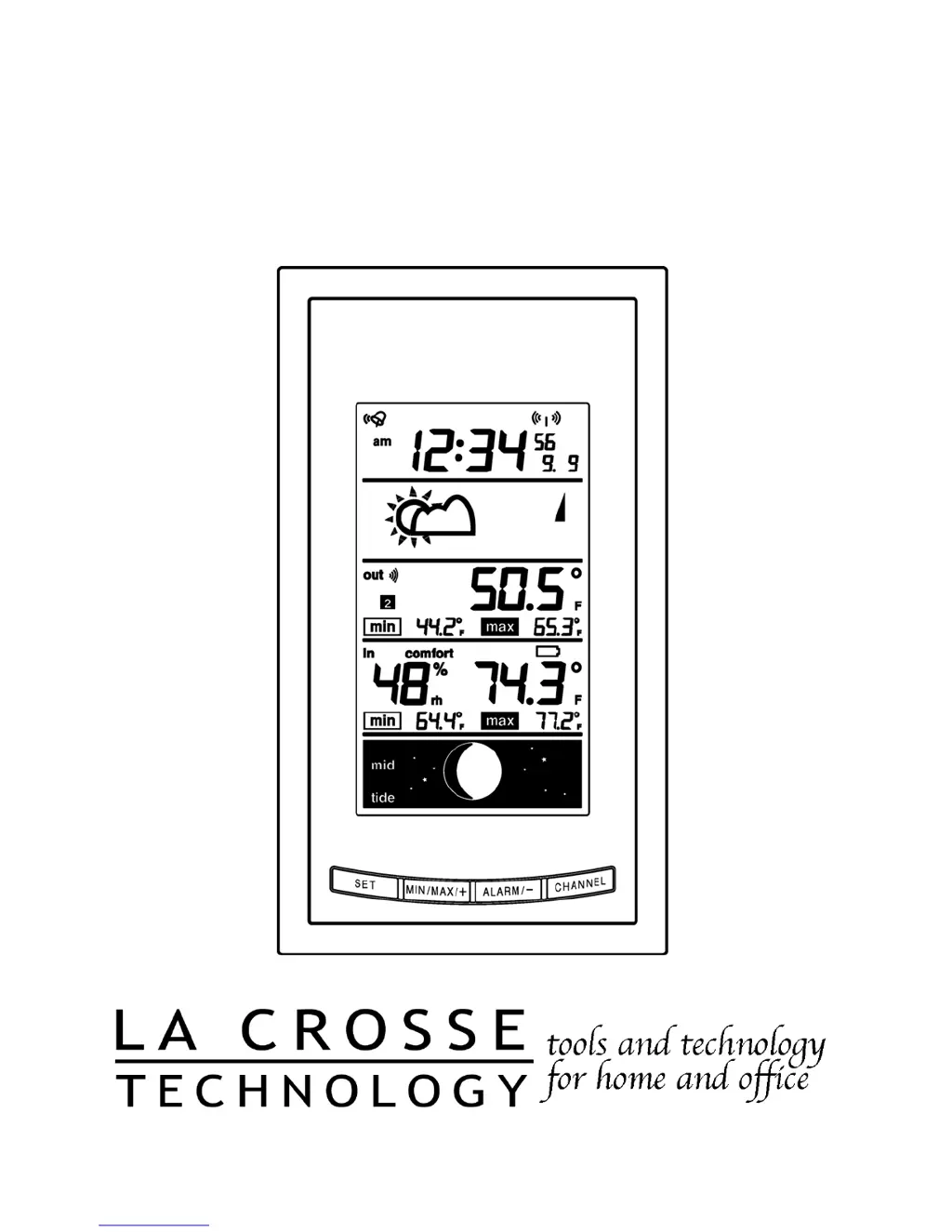
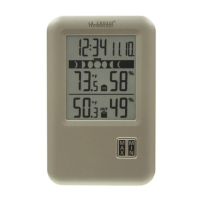
WS-9075U
Wireless 433 MHz
Radio-controlled Weather Station
Instruction Manual

Questions and Answers

  • C
    Connor FranklinAug 7, 2025
    What to do if no outdoor temperature is displayed on my La Crosse Technology Weather Station?
    • S
      stanleypadillaAug 7, 2025
      If your La Crosse Technology Weather Station isn't showing the outdoor temperature, first, try removing and reinserting all batteries, starting with the remote temperature sensor, then the indoor weather station. You can also bring the remote temperature sensor closer to the display. Ensure all batteries are new. Finally, position the remote temperature sensor and indoor weather station so the signal passes through no more than two or three walls.
  • B
    bibarraAug 13, 2025
    Why is the hour incorrect on my La Crosse Technology Weather Station?
    • C
      Cole CoxAug 13, 2025
      To address an incorrect hour display (while the minute and date are correct) on your La Crosse Technology Weather Station, ensure that you have selected the correct time zone and daylight saving time settings.
  • C
    callenAug 19, 2025
    What to do if the LCD is faint on my La Crosse Technology WS-9075U Weather Station?
    • R
      richardandersonAug 19, 2025
      If the LCD on your La Crosse Technology Weather Station is faint, try increasing the LCD contrast to a higher number. If that doesn't work, replace the batteries.
  • W
    William MendezAug 26, 2025
    How to fix no reception of WWVB time signal on La Crosse Technology WS-9075U?
    • S
      Stephen CaldwellAug 26, 2025
      If you're not getting a WWVB time signal on your La Crosse Technology Weather Station, try waiting overnight for the signal to come through. Also, ensure the weather station is at least 6 feet away from electrical devices like TVs or computers. You can also try removing the batteries for five minutes, then reinserting them and leaving the unit alone overnight without pressing any buttons.
  • I
    Ian DeanAug 31, 2025
    Why don't the temperatures match on my La Crosse Technology Weather Station?
    • J
      Jason SandovalSep 1, 2025
      Each temperature sensor is manufactured to be accurate to within 2 degrees plus or minus under normal conditions, so two sensors could differ by as much as 4 degrees. The indoor temperature sensor is less responsive to ambient air currents because of the shielding effect of the display's case, which can also act as a heat sink. The remote temperature/humidity sensor requires a different calibration curve than the indoor range, and error is usually greater at the extreme ends of a range.

Summary

About WWVB (Radio Controlled Time)

Quick Set-Up Guide

Detailed Set-Up Guide

Remote Temperature Sensor Battery Installation

Instructions for installing batteries in the remote sensor unit.

Indoor Weather Station Battery Installation

Instructions for installing batteries in the main weather station unit.

Program Mode

Programming Sequence and Default Settings

Outlines the order of settings and their factory default values.

Function Keys

Explains the purpose and operation of the device's function buttons.

Setting the LCD Contrast

Guide on adjusting the brightness and darkness of the LCD screen.

Time Zone Setting

Daylight Saving Time (DST) Setting

Radio-Controlled Time On;Off Setting

12 or 24 Hour Time Setting

Time Setting

Setting the Year, Day and Month

Selecting °F or °C

Setting the Forecast Sensitivity

Setting the Animation (Forecast Icons and Stars)

Features of the WS-9075 U

Weather Forecast

Weather Icons

Explanation of the different weather icons used for forecasting.

Weather Tendency Arrows

Interpretation of arrows indicating air pressure trends and weather changes.

Outdoor Temperature

Indoor Temperature, Humidity, and Comfort Level Indicator

Minimum and Maximum Temperature and Humidity Records

Viewing Outdoor Temperature Records

How to view the minimum and maximum outdoor temperature readings and their dates.

Viewing Indoor Temperature and Humidity Records

How to view min/max indoor temperature and humidity readings with dates.

Resetting Minimum and Maximum Records

Procedures for resetting recorded minimum and maximum temperature/humidity values.

Outdoor Channel Re-Learn Mode

Moon Phase

Time Alarm

Adding Remote Temperature Sensors (Optional)

Set-up of Multiple Units

Steps for installing batteries and setting up multiple remote sensors sequentially.

Viewing and Operating Multiple Remote Temperature Sensor Units

How to view data from different sensors and manage min/max records.

Mounting

Remote Temperature Sensor Mounting

Methods for mounting the remote sensor using screws or adhesive tape.

Indoor Weather Station Mounting (Screws)

Instructions for mounting the indoor station using screws to a wall.

Indoor Weather Station Foldout Table Stand

Troubleshooting

Maintenance and Care Instructions

Specifications

Warranty Information

FCC Disclaimer

La Crosse Technology WS-9075U Specifications

General IconGeneral
BrandLa Crosse Technology
ModelWS-9075U
CategoryWeather Station
LanguageEnglish

Related product manuals