La Crosse Technology, Ltd. Page 1
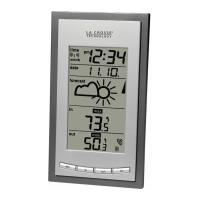
WS-9077U-IT FAQS
The links below will work in most PDF viewers and link to the topic area by clicking the link. We
recommend Adobe Reader version 10 or greater available at: http://get.adobe.com/reader
Contents
WS-9077U-IT FAQS .................................................................................................................. 1
Batteries ................................................................................................................................... 2
Forecast Station Factory Restart ............................................................................................ 2
Outdoor Temperature Sensor ................................................................................................. 2
Compatible Outdoor Sensors ................................................................................................. 2
Power Requirements .............................................................................................................. 2
Dashes shown for Outdoor Temperature ................................................................................ 3
Outdoor Temperature Changes Constantly ............................................................................ 3
Inaccurate Outdoor Temperature Reading ............................................................................. 3
Intermittent Outdoor Temperature .......................................................................................... 3
Outdoor sensor fell. Now it does not work. ............................................................................. 3
Outdoor Temperature Shows OFL .......................................................................................... 4
Outdoor Sensor Drains Batteries Quickly ............................................................................... 4
Fahrenheit/Celsius.................................................................................................................. 4
MIN/MAX Temperature Readings ........................................................................................... 4
Channels ................................................................................................................................ 4
Multiple Outdoor Sensors ....................................................................................................... 4
Mounting/Positioning Outdoor Sensor .................................................................................... 5
Position Forecast Station ........................................................................................................ 5
Distance/Resistance/Interference ........................................................................................... 5
Forecast Station ....................................................................................................................... 6
12-Hour or 24-Hour Time Format ........................................................................................... 6
Power Requirements .............................................................................................................. 6
Dashes, OFL or Stuck Indoor Temperature/Humidity ............................................................. 6
Inaccurate Indoor Temperature Reading ................................................................................ 6
Time is off by hours ................................................................................................................ 6
Weather Forecast icons inaccurate ........................................................................................ 7
Manually Set Time/Date: Program Menu ................................................................................ 7
No WWVB Tower Icon ............................................................................................................ 7
Forecast station has missing segments .................................................................................. 8
Smiling/Frowning face ............................................................................................................ 8
Forecast station is dim ............................................................................................................ 8
Forecast station has distorted or frozen display ...................................................................... 8

 Need help?
 General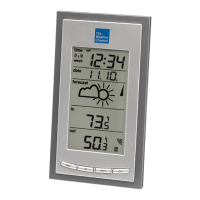



 To Next Page