1
Radio Controlled Color Weather Station
Model: WS6828 | Quick Setup Guide
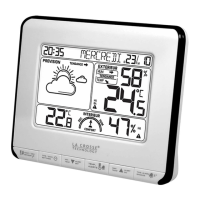
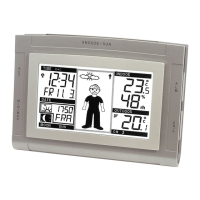
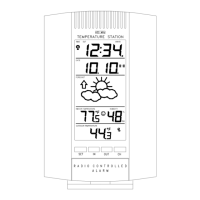
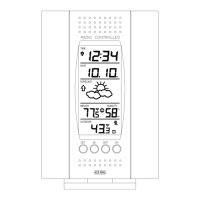
La Crosse Technology introduces a Radio Controlled Color Weather
Station that provides precise, real-time weather data straight from your
backyard. Monitor forecast and temperature trends and set high/low
temperature alerts. Animated color forecasts react to changing
barometric pressure. Monitor in/out temperature and humidity with daily
min/max records—all on one easy-to-read display with adjustable
brightness. Wireless transmission range of over 90 meters (300 ft.) in
open air, from transmitter to weather station.
Radio Controlled Color Weather Station
Setup Instructions Step-by-Step
STEP 1:
• Insert the 5-volt A/C power adapter into the
designated area on the weather station.
• Insert the A/C power adapter into a wall outlet for
continuous backlight (ON/OFF), and dimmer
feature.
STEP 2: (optional battery operation)
• Remove battery cover from the weather
station: slide tab left and pull out to remove the cover.
• Insert 3 AAA batteries (not included) into the
back of the weather station. Observe the
correct polarity (see marking inside the
battery compartment).
• The weather station will light up and show,
indoor temperature, humidity and time.
• (Press and release the HI/LOW/OFF button to illuminate the backlight
for 10 seconds when using only battery power.)
• Do Not Mix Old and New Batteries
• Do Not Mix Alkaline, Standard, Lithium or Rechargeable
Batteries
STEP 3:
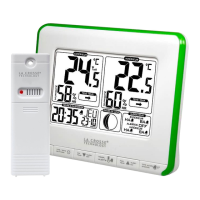
• Ensure that the transmitter is within 3 meters (10 ft.) of
the weather station.
• Remove battery cover from transmitter: slide the battery
cover down and lift off the front.
• Insert 2 AA batteries (not included) into the transmitter.
Observe the correct polarity.
• Within 3 minutes, the weather station will show readings
in the Outdoor temperature area on the LCD.
Note: Use Alkaline batteries (or Lithium for temperatures below - 20°F/-
28.8°C).
Troubleshooting
• If the weather station does not show the outdoor temperature after
three minutes, open the battery cover of the outdoor transmitter to
reveal the TX button. Push down on the TX button for three seconds to
send a wireless signal to the weather station.
• Hold the HEAT/DEW button for three seconds so the weather station
searches again for the outdoor transmitter.
• If the outdoor temperature does not show up after a second attempt,
remove the A/C power adapter and all batteries from both units and
start the setup process again.
• For optimal 433 MHz signal reception, the outdoor transmitter should
be placed within 90 meters (300 ft.) from the indoor weather station.
Buttons
Program Menu
Press and hold TIME SET key to enter setting mode. Use UP/DOWN
keys to select desired value.
• TIME ZONE: Time zone will display, selected time zone will blink,
press the UP or DOWN keys to set the desired time zone (setting
range is 0~+12, 0~-12). Confirm with the TIME SET button and move
to language.
• LANGUAGE: Language will show, the default is FR. Press and release
the UP or DOWN button to select the desired language: FR, IT, NE,
ES, DA, EN. Confirm with the TIME SET button and move to hour
format.
• 12/24 HOUR TIME: 12H will flash. Press and release the UP or DOWN
button to select 24H. Confirm with the TIME SET button and move to
the hour.
• HOUR: The hour will flash. Press and release the UP or DOWN button
to select the correct hour. Confirm with the TIME SET button and move
to the minutes.
• MINUTES: The minutes will flash. Press and release the UP or DOWN
button to adjust the minutes. Confirm with the TIME SET button and
move to the year.
• YEAR: The year will flash. Press and release the UP or DOWN button
to select the correct year. Confirm with the TIME SET button and move
to the month.
• MONTH: The month will flash. Press and release the UP or DOWN
button to select the correct month. Confirm with the TIME SET button
and move to the date.
• DATE: The date will flash. Press and release the UP or DOWN button
to select the correct date. Confirm with the TIME SET button and move
to °F/°C.
Note: The Day of the Week will set automatically when the year, month
and date are set.
• FAHRENHEIT/CELSIUS: C/F will flash. Press and release the UP or
DOWN button to select Fahrenheit or Celsius degrees. Confirm with
the TIME SET button and exit.
If no buttons are pressed in a 20 seconds period, set mode will time out
and return to live display mode, reflecting whatever adjustments were
made by user before timed out.
Alarm Setting
• ALARM HOUR: Hold ALARM button for three seconds to enter alarm
setting mode. The alarm hour will flash. Use the UP or DOWN button to
set the hour. Press and release the ALARM button.
• ALARM MINUTE: The alarm minutes will flash. Use the UP or DOWN
button to set the minutes. Press the ALARM button to exit.
Alarm Activate/Deactivate
• Press and release the ALARM button once to show Alarm Time.
• Press and release the ALARM button repeatedly to activate
or deactivate the alarm.
• The alarm icon appears when alarm is activated.

 Need help?
 General


 To Next Page