EasyManua.ls Logo

La Crosse Technology WS6282 - User Manual

La Crosse Technology WS6282
11 pages
Print Icon
To Next Page IconTo Next Page
Loading...
WS6282 User Manuals
Features:
DCF Radio controlled clock function
Radio control function can be switched ON and OFF
Time in optional 12/24 hour format
Perpetual Calendar Up to Year 2099
Day of week in 7 languages user selectable: English, German, Italian, French, Spanish,
Netherlands and Danish
Dual Alarm clock can be set on weekdays / weekends and daily
Snooze time setting (1~30Minute or OFF)
Low battery indicate
Indoor comfort indictor
Weather forecasting and air pressure detect
Ice alert
Moon phase
Window opening and closing prompt
Remote sensor temperature alert range set
Change trend display
Humidity measurable range: 20%RH ~ 95%RH
Temperature:
— Indoor temperature measurement ranges: -9.9°C (14.2°F) ~ 50°C (122°F)
— Outdoor temperature measurement ranges: -40°C (-40°F) ~ 70°C (158°F)
Temperature alternatively in °C or °F
Maximum /minimum value record of temperature and humidity
Wireless Outdoor Sensor:
—3 Channels selectable
— 433.92MHz RF transmitting frequency
— 60 meter transmission range in an open area
Barometric pressure:
— Barometric pressure measurement ranges: 8501100 mB/hPa (25.1032.48inHg)
— Pressure alternatively in mB/hPa or inHg
Power Supply:
Weather Station:
Question and Answer IconNeed help?

Do you have a question about the La Crosse Technology WS6282 and is the answer not in the manual?

Summary

Initial Operation and Radio Signal Reception

Initial Operation Steps

Guide for setting up the main unit and connecting to the outdoor sensor.

Radio Signal Reception Process

Details on the DCF radio control time receiving mode and signal status indicators.

Time and Alarm Settings

Manual Time Setting Procedure

Step-by-step instructions for manually setting the time and date.

Setting Daily Alarms

Instructions for configuring Alarm1 and Alarm2, including repeat periods and snooze time.

Turning Off Alarm Sound

Methods to stop the alarm sound once it begins ringing.

Advanced Functions

Snooze Function Operation

How to activate the snooze mode when the alarm sounds.

RF Transmission Procedure

Process for receiving temperature and humidity data from the remote sensor.

Maximum and Minimum Value Memory

How to view and reset recorded temperature and humidity maximum/minimum values.

Weather Forecasting Function

Explanation of how the weather forecast is calculated and its limitations.

Alerts and Display Features

Moon Phase Display

Information on the automatic display of the current lunar phase.

Ice Alert Function

Details on the ice alert symbol and temperature thresholds.

Outdoor Temperature Alert

How to set and manage upper and lower limit alerts for outdoor temperature.

Usage and Power Information

Comfort Level Indicator

Explanation of humidity levels and their corresponding comfort indicators.

Window Opening;Closing Prompt

System symbols that suggest opening or closing windows based on humidity.

Trend Display

Information on how temperature, humidity, and pressure trends are shown.

Background Lighting Control

How to adjust backlight brightness when using adapter or battery power.

AC;DC Power Supply Guidelines

Important safety and usage instructions for the power supply and device.

Summary

Initial Operation and Radio Signal Reception

Initial Operation Steps

Guide for setting up the main unit and connecting to the outdoor sensor.

Radio Signal Reception Process

Details on the DCF radio control time receiving mode and signal status indicators.

Time and Alarm Settings

Manual Time Setting Procedure

Step-by-step instructions for manually setting the time and date.

Setting Daily Alarms

Instructions for configuring Alarm1 and Alarm2, including repeat periods and snooze time.

Turning Off Alarm Sound

Methods to stop the alarm sound once it begins ringing.

Advanced Functions

Snooze Function Operation

How to activate the snooze mode when the alarm sounds.

RF Transmission Procedure

Process for receiving temperature and humidity data from the remote sensor.

Maximum and Minimum Value Memory

How to view and reset recorded temperature and humidity maximum/minimum values.

Weather Forecasting Function

Explanation of how the weather forecast is calculated and its limitations.

Alerts and Display Features

Moon Phase Display

Information on the automatic display of the current lunar phase.

Ice Alert Function

Details on the ice alert symbol and temperature thresholds.

Outdoor Temperature Alert

How to set and manage upper and lower limit alerts for outdoor temperature.

Usage and Power Information

Comfort Level Indicator

Explanation of humidity levels and their corresponding comfort indicators.

Window Opening;Closing Prompt

System symbols that suggest opening or closing windows based on humidity.

Trend Display

Information on how temperature, humidity, and pressure trends are shown.

Background Lighting Control

How to adjust backlight brightness when using adapter or battery power.

AC;DC Power Supply Guidelines

Important safety and usage instructions for the power supply and device.

Overview

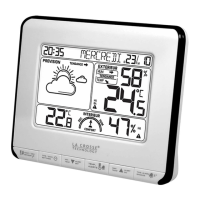
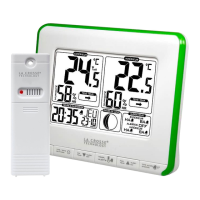
This document describes the WS6282 Weather Station, a device designed for home use to provide various environmental readings and time-related functions.

Function Description

The WS6282 Weather Station offers a comprehensive set of features, including:

  • DCF Radio Controlled Clock: Automatically synchronizes time, with the option to switch this function ON or OFF.
  • Time Display: Shows time in either 12-hour or 24-hour format.
  • Perpetual Calendar: Displays dates up to the year 2099.
  • Day of Week: User-selectable in 7 languages: English, German, Italian, French, Spanish, Dutch, and Danish.
  • Dual Alarm Clock: Can be set for weekdays, weekends, or daily use.
  • Snooze Function: Adjustable snooze time from 1 to 30 minutes, or can be turned OFF.
  • Low Battery Indicator: Alerts when batteries are low.
  • Indoor Comfort Indicator: Provides a visual representation of indoor comfort levels.
  • Weather Forecasting: Detects air pressure and provides weather forecasts.
  • Ice Alert: Notifies users of potential ice conditions.
  • Moon Phase Display: Automatically shows the current lunar phase.
  • Window Opening/Closing Prompt: Suggests when to open or close windows based on indoor/outdoor humidity.
  • Remote Sensor Temperature Alert: Allows setting of temperature alert ranges for the remote sensor.
  • Change Trend Display: Shows trends for temperature, humidity, and barometric pressure.
  • Temperature and Humidity Measurement: Measures indoor and outdoor temperature and humidity.
  • Max/Min Value Record: Records maximum and minimum values for temperature and humidity.

Important Technical Specifications

Temperature:

  • Indoor Measurement Range: -9.9°C (14.2°F) to 50°C (122°F)
  • Outdoor Measurement Range: -40°C (-40°F) to 70°C (158°F)
  • Units: Temperature can be displayed in °C or °F.

Humidity:

  • Measurable Range: 20%RH to 95%RH.

Wireless Outdoor Sensor:

  • Channels: 3 selectable channels.
  • RF Transmitting Frequency: 433.92MHz.
  • Transmission Range: Up to 60 meters in an open area.

Barometric Pressure:

  • Measurement Ranges: 850 to 1100 mB/hPa (25.10 to 32.48 inHg).
  • Units: Pressure can be displayed in mB/hPa or inHg.

Power Supply:

  • Weather Station: 2 x LR03 AAA batteries.
  • Adapter: DC5V 600mA.

Usage Features

Initial Operation:

  1. Open the main unit battery compartment cover.
  2. Insert 2 x AAA batteries, observing polarity.
  3. Upon battery insertion, all LCD icons will light up for 3 seconds, followed by a beep tone and indoor temperature/humidity detection.
  4. The main unit will attempt to connect to the outdoor remote sensor for up to 3 minutes, indicated by a flashing reception antenna symbol.
  5. Open the remote sensor battery compartment cover, select a channel using the switch, insert 2 x AAA batteries (observing polarity), press the "°C/°F" button to select the temperature unit, and close the cover.
  6. After successful connection to the outdoor sensor (up to 3 minutes), the unit enters DCF Radio control time receive mode, during which the backlight turns off. The backlight remains on after DCF reception is complete.

Reception of Radio Signal:

  • To manually enter DCF radio control receiving function, press and hold the "—" button. If using the adapter for power, the backlight will temporarily turn off during reception and return to previous brightness afterward.
  • In DCF receiving mode, the symbol will flash. If a valid signal is detected, the symbol will stop flashing and switch to a steady state after a few minutes, indicating the end of the receiving process.
  • A steady symbol indicates successful reception.
  • A flashing symbol indicates that the previous reception failed.
  • The clock automatically attempts synchronization with the DCF signal at 1:00 AM, 2:00 AM, and 3:00 AM to correct time deviations. If unsuccessful, it will retry every full hour, up to 5 times.
  • To stop searching for the radio signal during RC reception, press the "—" button once.

Manual Time Setting:

  1. Press and hold the button for 2 seconds. The "ON/OFF" indicator will flash.
  2. Use the "+" and "—" buttons to set the radio control function ON or OFF.
  3. Press the button to confirm and move to the next setting item. The sequence is: RCC ON/OFF → DST ON/OFF → Time zone → 12/24HR → HOUR → MINUTE → Format of DATE (D/M or M/D) → YEAR → MONTH → DATE → Language of WEEK → Temperature Unit (°C/°F) → Pressure unit (hPa/mb or inHg) → Current standard air pressure → Current weather.
  4. Press and hold "+" or "—" to adjust values quickly.
  5. Press the button to confirm the last item and exit setting mode.
  6. If 12-hour format is chosen, "PM" indicates post meridiem.

Setting Daily Alarms:

  1. Press the "—" button to toggle Alarm1 and Alarm2 ON or OFF.
    • A steady symbol indicates Alarm1 is ON.
    • A steady symbol indicates Alarm2 is ON.
    • A disappearing symbol means the corresponding alarm is OFF.
  2. Press the button once to display Alarm1 time (5 seconds), then press again to display Alarm2 time (5 seconds), then again to return to current time.
  3. When Alarm1 time is displayed, press and hold the button for 2 seconds until the Hour of Alarm1 flashes. Use "+" or "—" to set the required hour.
  4. Press the button to confirm and move to the next setting item. The sequence is: Hour of Alarm1 → Minute of Alarm1 → repeat period of Alarm1 → Snooze time of Alarm1.
  5. Repeat period rules: M-F (Monday to Friday), S-S (Saturday to Sunday).
  6. Snooze time can be set from 1 to 30 minutes or OFF. "OFF" disables the snooze function.
  7. Alarm2 time is set using the same method.
  8. If no operation occurs within 20 seconds, the device returns to normal time mode.
  9. Alarms sound for 2 minutes if not deactivated.

Turning OFF Alarm Sound:

  • When ringing, press any button except the "SNOOZE" button to stop the alarm.
  • When ringing, touch and hold the "SNOOZE" button for 2 seconds to stop the alarm.

Snooze Function:

  • When the alarm rings, touch the "SNOOZE" button once to enter snooze mode. The alarm will ring again after the set snooze time.

RF Transmission Procedure:

  • The main unit automatically receives temperature and humidity data from the remote sensor after batteries are inserted.
  • The remote sensor automatically transmits data to the main unit after batteries are inserted.
  • If the main unit fails to receive transmission (displaying "- -.-" and "--"), press and hold the "CH" button for 2 seconds. The RF icon will flash, and the main unit will rescan the channel's launch signal.
  • The main unit receives remote signals from up to 3 channels. Press "CH" to switch and display data from different channels. When the symbol appears, data from different channels will automatically display every 5 seconds.

Maximum/Minimum Numerical Value of Memory:

  • The main unit records maximum and minimum temperature/humidity values.
  • Press "+" once to display the maximum values. Press "+" again to display the minimum values. "MAX" or "MIN" will be displayed on the LCD.
  • To clear recorded maximum/minimum values, press and hold "+" for 3 seconds.
  • Memory values are automatically cleared at 0:00 every night.

Weather Forecasting Function:

  • The weather forecast is calculated from barometric pressure fluctuations. It may deviate from actual conditions.
  • Users are advised to consider local weather forecasting services as authoritative if discrepancies occur.
  • The weather station displays symbols for Sunny, Slightly cloudy, Cloudy, Rainy, and Snowy.

Moon Phase Display:

  • Automatically displays the current lunar phase, including New moon, Waxing half-moon, Half-moon, Waxing full moon, Full moon, Waning full moon, and Waning half-moon.

Ice Alert:

  • The ice alert symbol appears and flashes when the remote sensor temperature is between -1.0°C and 2.9°C (30.2°F and 37.3°F).

Outdoor Temperature Alert:

  • Press the "A" button to set the Outdoor temperature alert function ON or OFF for the currently displayed channel. To set other channels, press "CH" to switch.
  • "HI A" indicates the upper limit alert function is ON.
  • "LO A" indicates the lower limit alert function is ON.
  • "HI" or "LO A" disappearing means the alert function is OFF.
  • Press and hold "A" for 2 seconds to enter the setting mode for upper or lower limit values. The set item will flash. Use "+" or "—" to set the value. Press "A" to confirm and move to the next item. Press "CH" to set values for other channels.
  • When the outdoor temperature exceeds the set limit, the temperature value and corresponding icon will flash, and a beep reminder will sound as long as the temperature remains outside the limit.

Comfort Level:

  • Different comfort levels are calculated based on humidity and displayed as: < 35% (DRY), 35~44% (DRY), 45~65% (OK), 66~80% (WET), > 80% (WET).

Window Opening and Closing Prompt:

  • Based on indoor and outdoor absolute humidity calculations, symbols will remind users whether to open or close windows.
  • "OPEN" symbol: Recommended to open the window.
  • "CLOSE" symbol: Recommended to close the window.

Trend Displaying:

  • Displays current temperature, humidity, and barometric pressure, along with their trends, on the LCD.
  • After successful connection with the remote sensor, the main unit can display outdoor temperature/humidity and their change trends.

Background Lighting:

  • When using the adapter for power, press the button to adjust backlight brightness.
  • After dimming, touch the "SNOOZE/LIGHT" button once to jump to the brightest backlight for 15 seconds.
  • When powered only by battery (without adapter), touch the "SNOOZE/LIGHT" button once to turn on the backlight for 15 seconds.

Maintenance Features

About AC/DC Power Supply:

  • Do not use the device if the power supply or cable is damaged, in case of malfunction, or if the device has been damaged in any way.
  • Never use sharp objects to access the inside of the power supply. Do not disassemble the power supply or throw it into a fire.
  • Do not attempt to disassemble or modify the product or any of its components.
  • Avoid exposing the device to high temperatures or direct sunlight. Do not incinerate it.
  • Do not install the power supply near heat sources (radiators, hot air supply, ovens, amplifiers).
  • Do not store this product in temperatures exceeding -10°C to 70°C.
  • Do not use this product in temperatures exceeding 0°C to 40°C, as this may damage it or shorten its life.
  • Do not place the power supply near water or moisture sources (bathtubs, kitchen sinks, swimming pools, wet basements, damp locations). The device must not be exposed to splashes.
  • Do not place objects filled with water (e.g., vases) near the appliance.
  • Connect the power supply to an easily accessible DC outlet. Ensure the power cord is not crushed or pinched, especially at plugs, convenience receptacles, and connection points to the apparatus.
  • The supplied power supply is for indoor use only.
  • Do not place naked flame sources (e.g., lit candles) on or near the power supply.
  • Unplug the power supply during lightning storms or long periods of non-use to prevent damage.
  • Turn off the device before disconnecting the power cable.
  • The socket-outlet must be installed near the equipment and be easily accessible.

General Maintenance and Safety:

  • This device is not intended for use by people (including children) with reduced physical, sensory, or mental capabilities, or those lacking experience or knowledge, unless supervised or instructed by a responsible person.
  • Children should be supervised to ensure they do not play with the device.
  • If the power supply works abnormally, emits sounds, or odors, unplug it immediately and have it examined by a qualified repairer.
  • The product is not a toy. Keep out of reach of children.
  • No part of this manual may be reproduced without written authorization from the manufacturer.

Environmental Responsibility:

  • Electronic waste contains hazardous substances. Improper disposal damages the environment.
  • All electronic instruments must be recycled. Users should actively participate in the reuse, recycling, and recovery of electrical and electronic waste.
  • Unrestricted disposal of electronic waste can harm public health and environmental quality.
  • The product should not be thrown into general rubbish collection points.
  • Contact local or regional authorities for addresses of legal dumping grounds with selective collection.

Disclaimer:

  • The manufacturer and supplier are not responsible for incorrect readings or consequences arising from inaccurate readings.
  • This product is designed for home use only as an indication of temperature.
  • The specifications of this product may change without prior notice.

La Crosse Technology WS6282 Specifications

General IconGeneral
BrandLa Crosse Technology
ModelWS6282
CategoryWeather Station
LanguageEnglish

Related product manuals