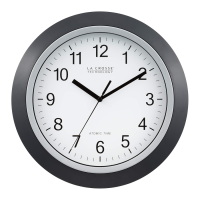
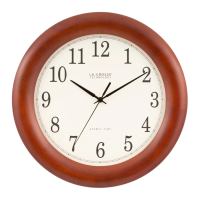
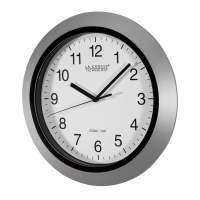
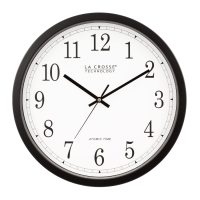
EasyManua.ls Logo

La Crosse Technology WT-3129S - User Manual

La Crosse Technology WT-3129S
4 pages
Print Icon
To Next Page IconTo Next Page
Loading...
Model: WT-3129S www.lacrossetechnology.com/support Page | 1
Model: WT-3129S
Instruction Manual
DC: 033115
12Atomic Wall Clock
Get Started
Step 1: Slide the switch to select a time zone.
Step 2: Insert 1 fresh AA, Alkaline battery according to the
polarity marked on the case.
Step 3: For the best reception, please place clock on a wall that
faces Ft. Collins, Colorado. During the night, your clock
will automatically set itself.
When the battery is installed, the hands will move to the 12:00
position and search for the radio signal.
If the radio signal is not received in the first 10 minutes, the
clock will start running from the 12:00 position and will
continue to run.
Do not attempt to reset the hands manually even though the
time on the clock is incorrect. The clock is synchronizing to
the WWVB signal and once the radio signal is decoded, the
hands will automatically adjust to the correct time. This may
take up to 5 nights if there is atmospheric interference.
Reset: If the clock does not respond to the various function
modes, press the RESET button on the movement case.
Question and Answer IconNeed help?

Do you have a question about the La Crosse Technology WT-3129S and is the answer not in the manual?

Summary

Get Started

Resetting the Clock

Instructions for resetting the atomic clock if it does not respond to function modes.

Position Clock

Manual Set Time

Set the clock manually

Instructions for manually adjusting the clock's time when radio signal reception is poor.

Troubleshooting

Daylight Saving Time

Manual WWVB Time Signal Search

Manual Signal Search

Procedure to manually initiate a WWVB signal search for time synchronization.

Frequently Asked Questions

Care and Maintenance

Warranty and Support Information

Summary

Get Started

Resetting the Clock

Instructions for resetting the atomic clock if it does not respond to function modes.

Position Clock

Manual Set Time

Set the clock manually

Instructions for manually adjusting the clock's time when radio signal reception is poor.

Troubleshooting

Daylight Saving Time

Manual WWVB Time Signal Search

Manual Signal Search

Procedure to manually initiate a WWVB signal search for time synchronization.

Frequently Asked Questions

Care and Maintenance

Warranty and Support Information

Overview

The La Crosse Technology WT-3129S is a 12-inch atomic wall clock designed for accurate timekeeping through radio control. Its primary function is to automatically synchronize with the WWVB radio signal broadcast from Fort Collins, Colorado, ensuring precise time without manual adjustment.

Function Description:

The core functionality of the WT-3129S revolves around its atomic timekeeping capability. Upon battery installation, the clock's hands will initially move to the 12:00 position and then begin searching for the WWVB radio signal. This signal, transmitted by the National Institute of Standards and Technology (NIST), carries highly accurate time information. Once the signal is received and decoded, the clock's hands will automatically adjust to the correct time for the selected time zone. This automatic synchronization process can take up to 5 nights, especially if there is atmospheric interference. If the radio signal is not received within the first 10 minutes, the clock will start running from the 12:00 position as a regular quartz clock until it successfully decodes the atomic signal. The clock also features automatic adjustment for Daylight Saving Time (DST) based on a special DST "bit" encoded in the WWVB transmission. Users in areas that do not observe DST can manually switch this feature off.

Usage Features:

The WT-3129S offers several user-friendly features for both automatic and manual operation:

  • Automatic Time Synchronization: The most significant feature is its ability to automatically set and maintain accurate time by receiving the WWVB radio signal. This eliminates the need for manual time adjustments, except in specific circumstances.
  • Time Zone Selection: A slide switch on the back of the clock allows users to select their desired time zone, ensuring the clock displays the correct local time after synchronization.
  • Manual Time Setting: In situations where the radio signal is weak or unavailable, the clock can be manually set. By holding the "SET" button for 3+ seconds, users can activate manual mode. The minute hand can be moved forward consistently by holding the "SET" button down, or in minute increments by rapidly pressing the button. The clock automatically exits manual mode if the "SET" button is not pressed for 6+ seconds.
  • Manual WWVB Signal Search: Users can initiate a manual search for the WWVB signal by holding the "WAVE" button down for 3+ seconds. During this process, the hands will reset to 12:00, and the clock will actively search for the signal. If successful, the clock will set itself automatically within 3-8 minutes.
  • Daylight Saving Time (DST) Control: The clock automatically adjusts for DST. However, a dedicated DST switch allows users in non-DST observing regions to disable this feature, preventing unwanted time changes.
  • Reset Function: A "RESET" button is provided on the movement case. If the clock becomes unresponsive or exhibits unusual behavior, pressing this button can restore its functionality.

Maintenance Features:

Proper maintenance ensures the longevity and accuracy of the WT-3129S:

  • Battery Replacement: The clock requires one fresh AA alkaline battery. It is recommended to change the battery every 24 months to maintain accuracy.
  • Battery Handling Guidelines:
    • Do not mix old and new batteries.
    • Do not mix alkaline, standard, lithium, or rechargeable batteries.
    • Always purchase the correct size and grade of battery suitable for intended use.
    • Replace all batteries of a set at the same time.
    • Clean battery contacts on both the clock and the batteries prior to installation.
    • Ensure batteries are installed with correct polarity (+ and -).
    • Remove batteries from the clock if it will not be used for an extended period.
    • Promptly remove expired batteries.
  • Optimal Placement for Signal Reception: For the best reception of the WWVB signal, the clock should be placed on a wall that faces Fort Collins, Colorado. The antenna is most effective when there is only one wall or window between the clock and the outdoors. It is also advised to keep the clock at least 6 feet away from other electronics such as cordless phones, wireless gaming systems, televisions, microwaves, routers, and baby monitors, as these can interfere with signal reception. Large office buildings, schools, hospitals, or buildings with metal roofs may also hinder reception.
  • Troubleshooting Guidance: The manual provides troubleshooting tips for common issues, such as the clock not receiving a time signal (suggesting battery check, location change, or weather interference) and hands spinning (indicating auto-correction or battery issues).
  • Warranty and Support: La Crosse Technology provides a 1-year limited warranty against manufacturing defects. Customer support is available via phone and online resources for product registration, warranty details, and general assistance.

La Crosse Technology WT-3129S Specifications

General IconGeneral
Display TypeLCD
Temperature DisplayIndoor and Outdoor
Temperature Unit°F/°C Selectable
Humidity Range1% to 99%
Snooze FunctionYes
Alarm FunctionYes
Case ColorBlack
TypeAtomic Clock
Time Display12/24 Hour
Time SourceRadio Signal
Temperature Range-40°F to 140°F
Wireless Outdoor SensorIncluded
Transmission Range330 feet
Power Source (Clock)AC Adapter or Batteries
Power Source (Sensor)2 "AA" Batteries (Not Included)
Power SourceAC adapter for clock, batteries for sensor

Related product manuals