EasyManua.ls Logo

La Crosse Technology WT-3161BK - User Manual

La Crosse Technology WT-3161BK
5 pages
Print Icon
To Next Page IconTo Next Page
Loading...
La Crosse Technology, Ltd Page 1
WT-3161BK FAQS
The links below will work in most PDF viewers and link to the topic area by clicking
the link. We recommend Adobe Reader version 10 or greater available at:
http://get.adobe.com/reader
CONTENTS
WT-3161BK FAQS ............................................................................................................... 1
Batteries ............................................................................................................................... 1
Atomic Clock Factory Restart ............................................................................................ 2
Supported Time Zones ....................................................................................................... 2
Time is Incorrect ................................................................................................................. 2
Clock is incorrect by Hours but minutes are correct..................................................... 3
Daylight Saving Time ......................................................................................................... 3
Manually Set Time .............................................................................................................. 3
How long will the battery last? ......................................................................................... 3
Can I shut off the WWVB signal? ..................................................................................... 4
Is there a booster antenna to receive the WWVB signal in a difficult location? ...... 4
Can I wire a control timing circuit to the La Crosse Technology
®
atomic clock? ..... 4
Why do the hands spin once or twice everyday? .......................................................... 4
Hands spin non-stop .......................................................................................................... 4
Hands jumps or jerks around the dial ............................................................................. 4
Hands stuck at certain time .............................................................................................. 4
Position the Clock ............................................................................................................... 4
BATTERIES
Question and Answer IconNeed help?

Do you have a question about the La Crosse Technology WT-3161BK and is the answer not in the manual?

Summary

Batteries

Battery Recommendations

Suggests name-brand alkaline batteries with minimum voltage of 1.48V and specific expiration dates for optimal performance.

Battery Life

A good AA Alkaline battery is expected to last over 12 months.

Atomic Clock Operation

Factory Restart Procedure

Restarts the atomic clock to its default state, involving battery removal, button presses, and time zone selection.

Supported Time Zones

The clock supports four North American time zones: Pacific, Mountain, Central, and Eastern.

Time Setting and Synchronization

Explains how the clock synchronizes with the WWVB signal, potentially taking up to 5 nights for automatic adjustment.

Manual Time Setting

Provides steps to manually set the clock's time using the SET button to advance the minute hand.

Daylight Saving Time Adjustment

Details how to adjust for DST, including checking the DST selector and potential signal reception delays.

Troubleshooting Time Issues

Time Incorrect (No WWVB Signal)

Indicates a non-receipt of the WWVB signal, possibly due to electrical storms or interference.

Hours Incorrect, Minutes Correct

Suggests holding the Time Zone button for 5 seconds and checking DST settings to resolve hour discrepancies.

Troubleshooting Hand Movement

Hands Spin Periodically

Hands spinning once or twice daily indicates auto-correction of time or potential battery issues.

Hands Spin Non-Stop

Continuous spinning suggests a low or overpowered battery or a potential movement issue.

Hands Jump or Jerk

Jerking hands indicate a low/overpowered battery or a potential movement replacement need.

Hands Stuck

Stuck hands may be due to a low/overpowered battery, bent hands, or a faulty movement.

Clock Placement and Reception

Signal Reception Issues

Addresses interference from electrical storms, repositioning the clock, and avoiding proximity to electronic devices.

Booster Antenna Compatibility

The clock cannot work with a booster antenna; opening the clock voids the warranty.

Control Timing Circuit

The atomic clock cannot operate on a control timing circuit; opening voids the warranty.

Clock Positioning

Designed for indoor/outdoor use, optimal indoor placement is near a window facing Colorado.

Summary

Batteries

Battery Recommendations

Suggests name-brand alkaline batteries with minimum voltage of 1.48V and specific expiration dates for optimal performance.

Battery Life

A good AA Alkaline battery is expected to last over 12 months.

Atomic Clock Operation

Factory Restart Procedure

Restarts the atomic clock to its default state, involving battery removal, button presses, and time zone selection.

Supported Time Zones

The clock supports four North American time zones: Pacific, Mountain, Central, and Eastern.

Time Setting and Synchronization

Explains how the clock synchronizes with the WWVB signal, potentially taking up to 5 nights for automatic adjustment.

Manual Time Setting

Provides steps to manually set the clock's time using the SET button to advance the minute hand.

Daylight Saving Time Adjustment

Details how to adjust for DST, including checking the DST selector and potential signal reception delays.

Troubleshooting Time Issues

Time Incorrect (No WWVB Signal)

Indicates a non-receipt of the WWVB signal, possibly due to electrical storms or interference.

Hours Incorrect, Minutes Correct

Suggests holding the Time Zone button for 5 seconds and checking DST settings to resolve hour discrepancies.

Troubleshooting Hand Movement

Hands Spin Periodically

Hands spinning once or twice daily indicates auto-correction of time or potential battery issues.

Hands Spin Non-Stop

Continuous spinning suggests a low or overpowered battery or a potential movement issue.

Hands Jump or Jerk

Jerking hands indicate a low/overpowered battery or a potential movement replacement need.

Hands Stuck

Stuck hands may be due to a low/overpowered battery, bent hands, or a faulty movement.

Clock Placement and Reception

Signal Reception Issues

Addresses interference from electrical storms, repositioning the clock, and avoiding proximity to electronic devices.

Booster Antenna Compatibility

The clock cannot work with a booster antenna; opening the clock voids the warranty.

Control Timing Circuit

The atomic clock cannot operate on a control timing circuit; opening voids the warranty.

Clock Positioning

Designed for indoor/outdoor use, optimal indoor placement is near a window facing Colorado.

Overview

This document provides a comprehensive FAQ and operational guide for the WT-3161BK Atomic Clock, manufactured by La Crosse Technology. It details the clock's functionality, setup, troubleshooting, and maintenance, emphasizing its radio-controlled timekeeping capabilities.

Function Description:

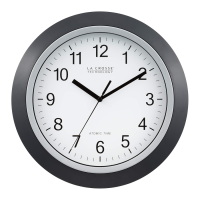
The WT-3161BK is an atomic clock designed to automatically synchronize its time with the WWVB radio signal broadcast from Fort Collins, Colorado. This ensures highly accurate timekeeping without manual adjustment, similar to a quartz clock when the signal is not received. It features an analog display with hour, minute, and second hands. The clock is suitable for both indoor and outdoor use, though optimal signal reception is achieved indoors near a window facing Colorado.

Important Technical Specifications:

  • Time Synchronization: Receives WWVB radio signal from Fort Collins, Colorado.
  • Power Source: Requires one AA, LR6 1.5 volt ALKALINE battery.
  • Battery Life: A good AA Alkaline battery is expected to last over 12 months.
  • Minimum Battery Voltage: Requires a minimum of 1.48V for proper performance.
  • Supported Time Zones: Pacific, Mountain, Central, and Eastern. La Crosse Technology does not offer analog clocks with more than these four time zones.
  • Geographic Scope: Works in North America for atomic timekeeping. Outside North America, it functions as a quartz clock if manually set.
  • Interference: Susceptible to interference from electrical storms, computers, TVs, air conditioners, other atomic clocks, large buildings, metal-roofed buildings, and rooms full of electrical/radio equipment.
  • Operating Environment: Designed for indoor or outdoor use. Optimal indoor placement is at least six feet away from other electrical appliances and near a window facing Colorado.

Usage Features:

  • Automatic Time Setting: The primary feature is automatic synchronization with the WWVB signal, typically setting itself overnight.
  • Manual Time Setting Button (A): Allows users to manually set the time. To activate manual mode, hold the SET button for 3+ seconds. The minute hand can be moved forward consistently by holding the SET button down, or step-by-step by rapidly pressing and releasing it. The clock automatically exits manual mode if the SET button is not pressed for 6+ seconds.
  • Time Zone Selection Buttons (B): Dedicated buttons for selecting Pacific (PMCE), Mountain (M), Central (C), and Eastern (E) time zones. Holding the Time Zone button for 5 seconds can correct time zone issues.
  • Daylight Saving Time Button (C): A small, unmarked gray button between the ET and CT buttons to toggle Daylight Saving Time (DST) on or off. The DST selector bar should be in the ON position for automatic DST adjustments.
  • Factory Restart Procedure:
    1. Remove the battery for 15 minutes.
    2. Press the Set button at least 20 times to clear memory.
    3. Slide the switch to select a time zone.
    4. Insert a fresh AA Alkaline battery.
    5. Position the clock on an exterior wall facing Fort Collins, Colorado, or near a window facing that direction. Note: After a restart, the hands will move to 12:00 and search for the signal. If no signal is received within 10 minutes, it will start running from 12:00. It may take up to 5 nights for the clock to decode the WWVB signal and adjust to the correct time.
  • Hands Movement:
    • Hands spinning once or twice daily indicates auto-correction. The hour hand should not spin more than twice around the clock.
    • Non-stop spinning, jumping, jerking, or hands stuck at a certain time often indicates a low or overpowered battery.

Maintenance Features:

  • Battery Replacement: Use a fresh, name-brand AA Alkaline battery with an expiration date at least six years in advance of the current year. Batteries dated earlier may lead to unstable performance.
  • Troubleshooting: The FAQ section provides solutions for common issues:
    • Time is Incorrect: Often due to non-receipt of the WWVB signal. Solutions include replacing batteries, performing a factory restart, repositioning the clock (facing Colorado, near a window, away from interference), and allowing up to 5 nights for signal reception.
    • Clock Incorrect by Hours but Minutes Correct: Typically a Time Zone issue; hold the Time Zone button for 5 seconds. Also, check DST setting.
    • Daylight Saving Time Issues: May take up to 5 nights for the clock to adjust. Check DST selector bar position and battery freshness. Reposition the clock for better signal reception.
    • Hands Spinning/Jumping/Stuck: Usually indicative of battery issues (low or overpowered). Replace the battery and perform a restart. If issues persist, the movement may need replacement. Check for bent hands if stuck.
  • Warranty: Opening the clock or movement voids the warranty. The clock cannot work with a booster antenna or be wired to a control timing circuit.

La Crosse Technology WT-3161BK Specifications

General IconGeneral
BrandLa Crosse Technology
ModelWT-3161BK
CategoryClock
LanguageEnglish

Related product manuals