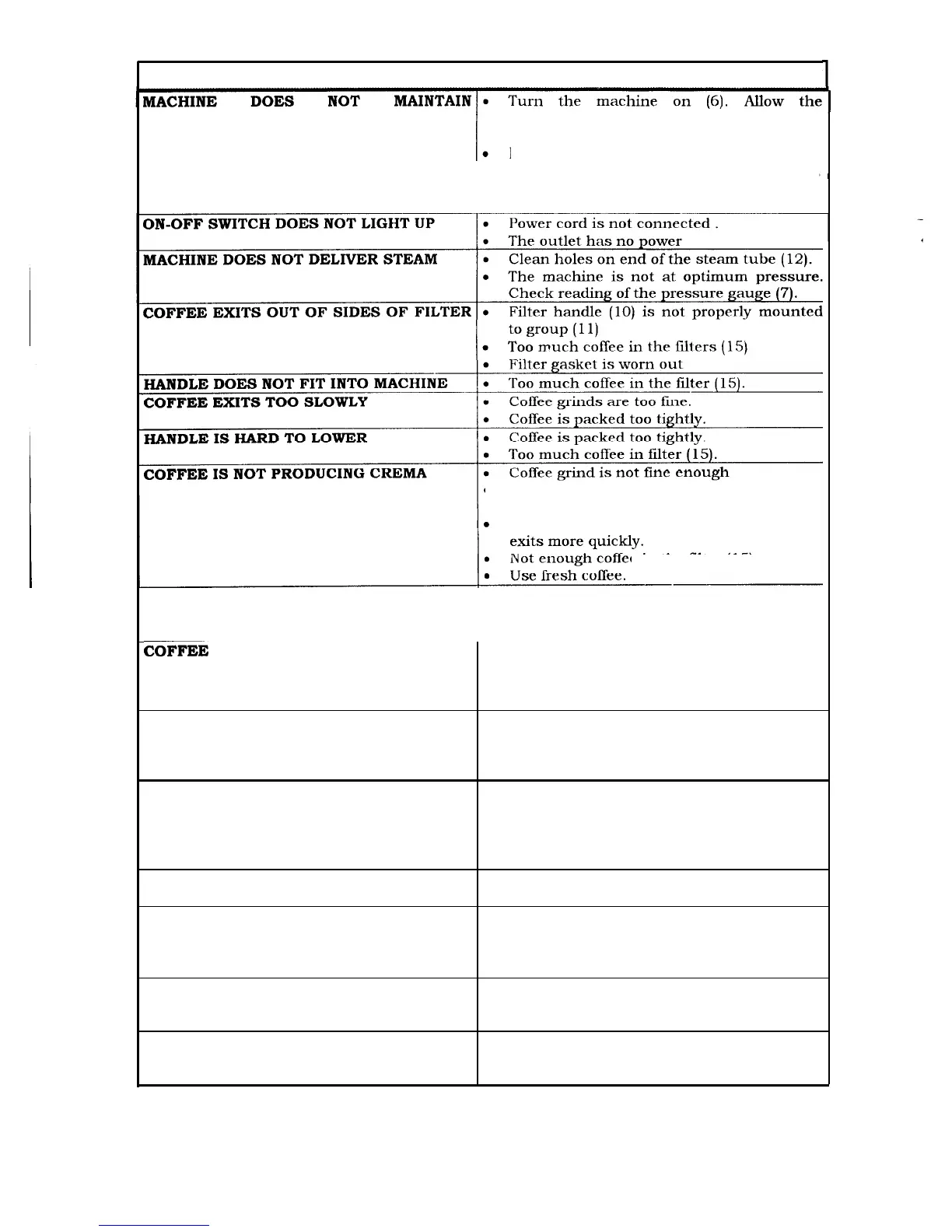
TROUBLE SHOOTING
PRESSURE
machine to reach temperature
green zone
in pressure gauge ( 7 )
Bleed air from steam tube (12) by opening
the steam knob (4). After steam has exited,
close steam knob and allow the machine to
reach pressure again
HANDLE
l
Allow lever (1) to remain raised longer. This
will allow more water to enter grinds.
Lower handle with more force so extract
e
in the
filter
(15)
Machine has not reached temperature.
COFFEE NOT HOT ENOUGH
Check that the gauge (7) is reading in the
COFFEE SPRAYED OUT WHEN HANDLE l
Allow excess coffee to drain out after coffee
WAS REMOVED
delivery.
.
Remove handle slowly to allow excess
steam to escape.
DIFFICULTY MAKING CAPPUCCINO
NO MILK COMES THROUGH
.
Use whole milk or 2% low fat milk. Do not
use skim milk. Milk should be cold, check
that the pressure gauge (7) is in the green
zone.
.
Aerator or tube are clogged with milk.
Disassemble areator. Clean,
assemble and replace. Clean out steam
tube holes wit-h a straight pin.
MILK EXITS VERY SLOWLY
.
Check that machine is at proper
operating temperature.
MILK EXITS FROM TOP OF AERATOR
l Make sure top cap of aerator is seated
properly and the pin is in the
down position.
MILK EXITS FROM BOTTOM OF l
Check that the clear tube is attached to the
AERATOR
aerator correctly.
MILK IS EXITING TOO WATERY:
.
Check that the boiler is not overfilled with
water.
6




 To Next Page