Digital Satellite Signal Quality Finder
Set Up Instructions
IS LAB SQ722 0520.PDF | P 1-5 |
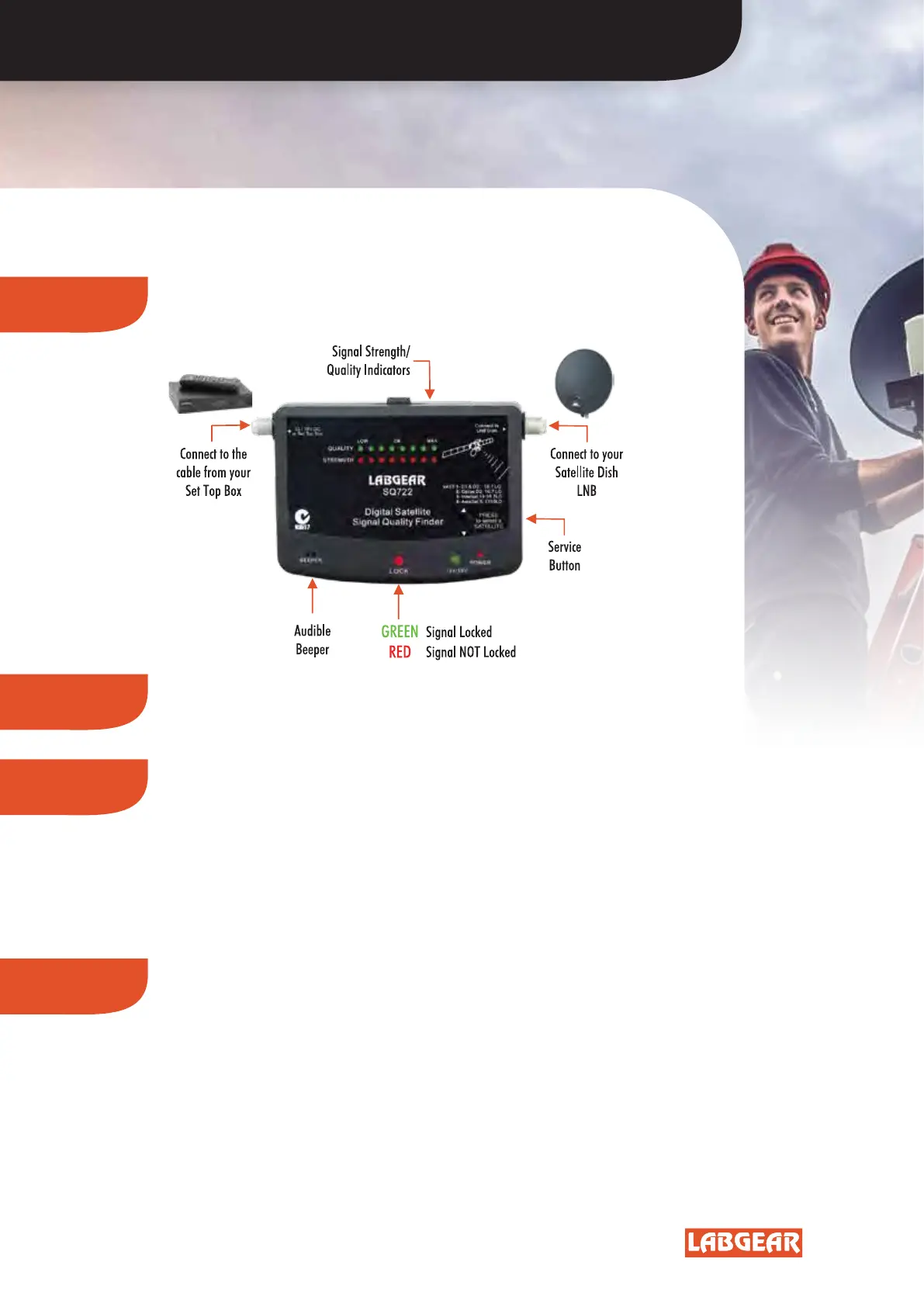
1. CONNECT
Connect the SQ722 as shown below.
Your Set Top Box will power it, external power is not required!
2. POWER
Ensure your Set Top Box is switched ON so that DC power is available
to your SQ722 and LNB.
4. SATELLITE
Satellite Button
Note: the Satellite button defaults to position 1 - Service 1 each time SQ722
starts up. Service 1 is for VAST and PayTV, use of Satellite button is unnecessary.
To change, press the Satellite button repeatedly:
1 Beep is for Service 1 - Optus 10/D3 at 156°E
2 Beeps is for Service 2 - Optus D2 at 152°E
3 Beeps is for Service 3 - Intelsat 19 at 166°E
4 Beeps is for Service 4 - AsiaSat 5 at 100.5°E
These 4 options have been carefully selected as
the Satellites in most demand from Australia.
Programming can be changed if necessary.
3. CHECK
Check your LNB suitability:
Services 1-3 are set for 10.7GHz Local Oscillator (LO) frequency
LNB’s. The label on your LNB should indicate LO. A 10.7GHz LNB
ensures all VAST transponders can be received.
Service 4 is set for C band, 5,150MHz LO LNB’s and larger
prime focus dishes.
COARSE ALIGNMENT SETTINGS
SQ722


 To Next Page