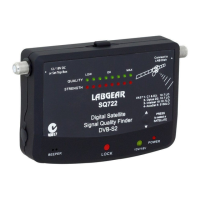
SQ722
IS LAB SQ722 0520.PDF | P 5-5 |
SATELLITE DISH ALIGNMENT SETTINGS
FINAL ADJUST
SATELLITE DISH ALIGNMENT COMPLETE
12. Make small adjustments to LNB Skew or Rotation, again watching
the
GREEN Signal Quality indicators for the maximum available value.
Note: stand to the side of the front of the Satellite Dish when
optimizing LNB Skew, so your body doesn’t block the signal.
13. Tighten the elevation nuts.
14. Tighten the azimuth nuts in an equal pattern.
Monitor green Signal Quality lights while tightening nuts as tightening
can move it slightly and detune.
Tech Tip: on the Signal Quality indicator you will notice...
LOW
indicates Satellite found but not enough Signal Quality
for reliable pictures.
OK indicates Satellite found and stable pictures should result.
Pixelization may occur with rain signal fade.
MAX indicates Satellite found and a stable picture with
margin above rain fade.
15.
Disconnect the SQ722 and reconnect coax cable directly
between your Satellite Dish and Receiver.
As SQ722 is a pre-programmed tool, signal does not fully
pass through.
16. All that is left to do is sit back and enjoy your Satellite reception!
Digital Satellite Signal Quality Finder
Set Up Instructions


 To Next Page