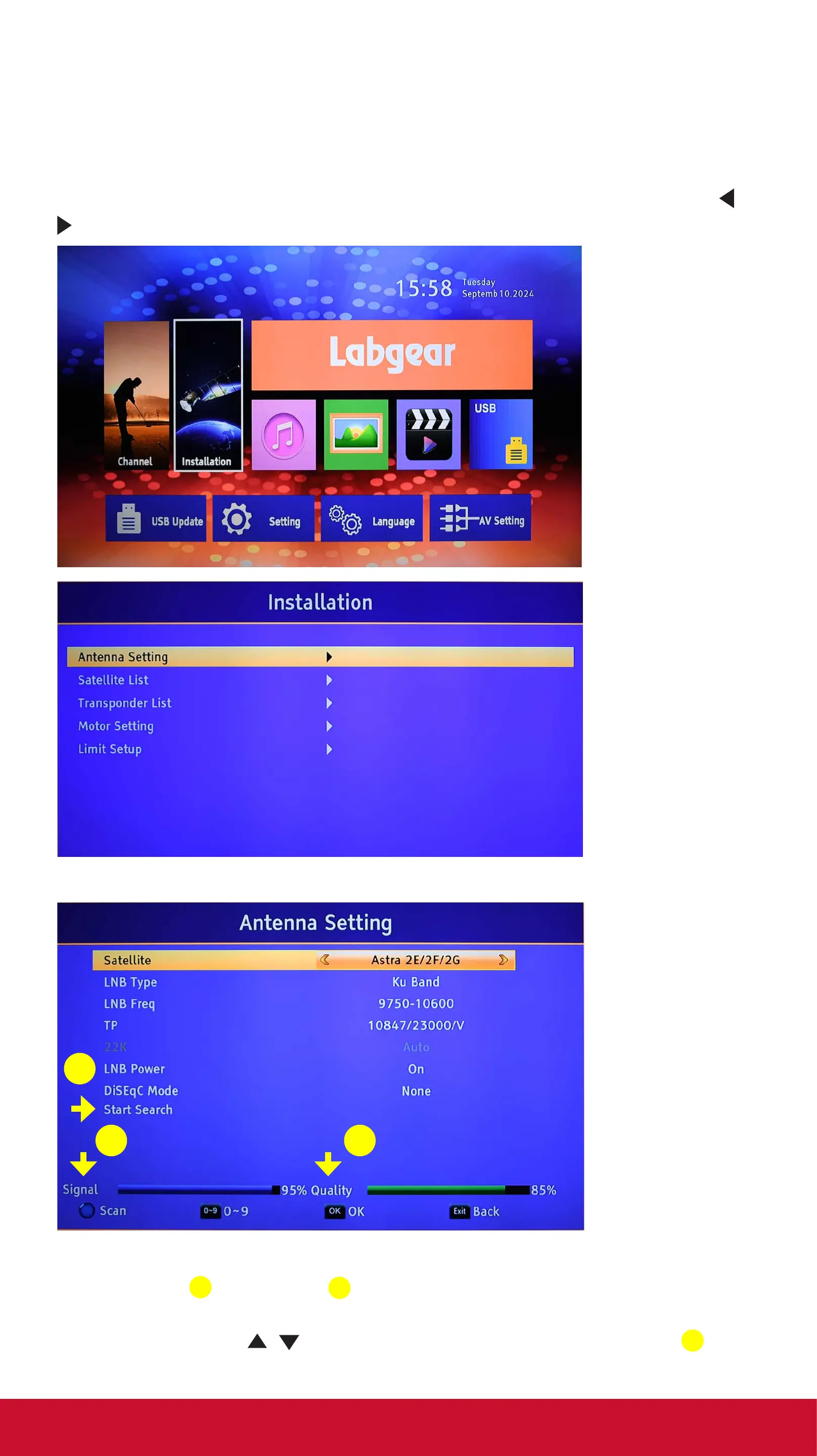
Installation
Because many Satellite TV channels change frequency often, we
recommend that you now scan the Satellite to ensure all
available Free-to-Air channels are included in the TV channel list.
Press the MENU key to open the main menu. Use the left/right
/
keys on the remote to highlight Installation, press the OK key.
Press OK to go to the Antenna Setting menu.
3
1 2
In this menu the Satellite should be set to Astra 2E/2F/2G and
both Signal
1
& Quality
2
should equal to or more than 50%,
if the dish is aligned accurately.
Use the up/down
/ keys to scroll down to Start Search
3
and press OK.
technical@philex.com 4 www.phil ex.com


 To Next Page