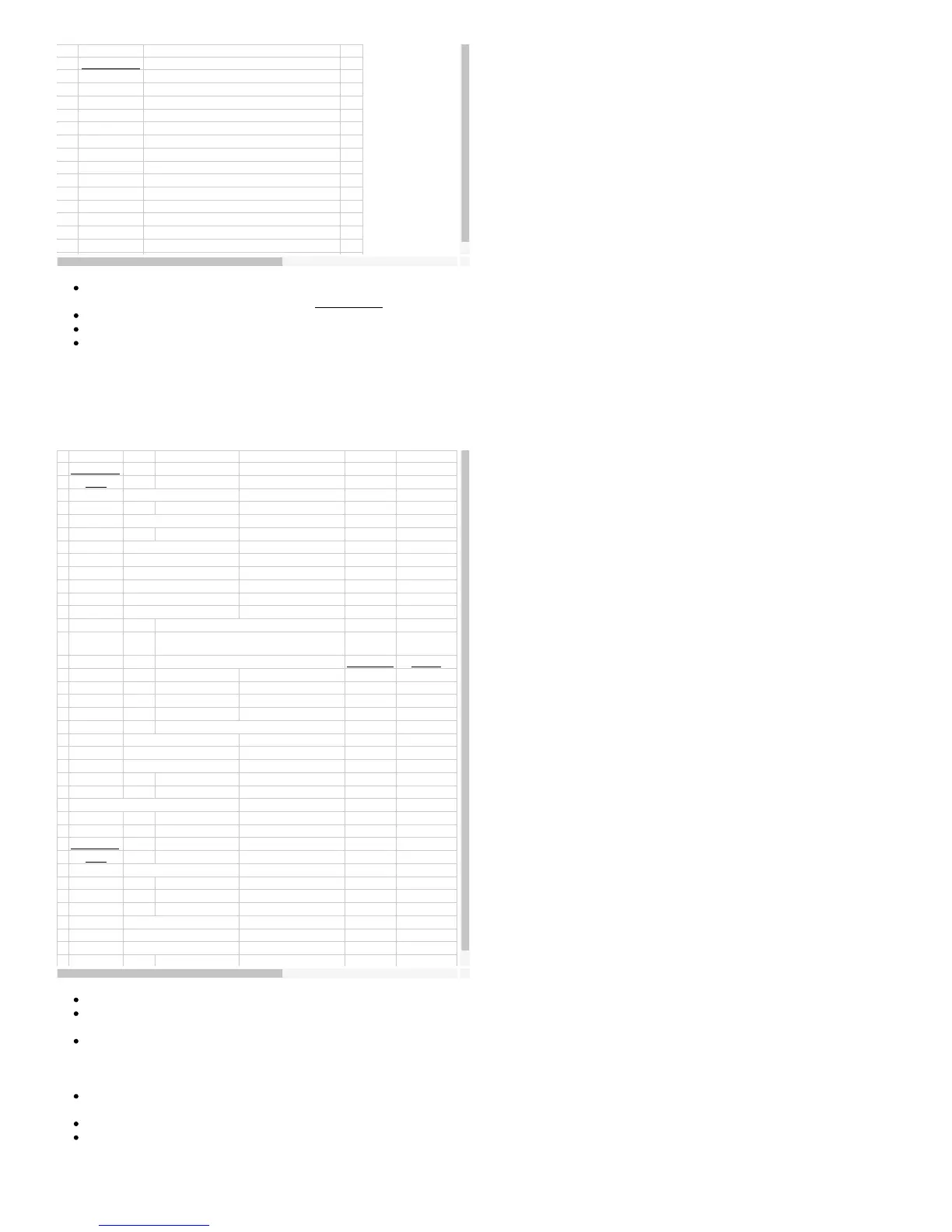
Period input (32-bit, rising edges)
Period input (32-bit, falling edges)
Firmware counter input (with debounce)
Timer stop input (odd timers only)
Period input (16-bit, rising edges)
Period input (16-bit, falling edges)
Timer#Value: These values are only updated if the UpdateConfig or associated UpdateReset bit is 1. The meaning of this
parameter varies with the timer mode. See Section 2.10 for further information.
Counter#Mode: Pass 0.
Timer#: Returns the values from the timer modules. This is the value before reset (if reset was done).
Counter#: Returns the current count from the counters if enabled. This is the value before reset (if reset was done).
5.3.6 - StreamConfig
Not supported over UDP. Stream mode operates on a table of channels that are scanned at the specified scan rate. Before
starting a stream, you need to call this function to configure the table and scan clock.
Bit 7: Enable scan pulse output.
Bit 6: Enable external scan trigger.
Bits 4-3: Internal stream clock frequency.
Bit 1: Divide Clock by 256
Repeat 12-13 for each Channel
NumChannels: This is the number of channels you will sample per scan (1-128).
Resolution: Determines the resolution setting for all analog inputs (12-16). See Section 3.2. This function does not support
the high-resolution converter on the UE9-Pro.
ScanConfig: If you enable the scan pulse output, Counter1 will pulse low just before each scan (master mode). If you enable
the external scan trigger, the UE9 scans the table each time it detects a falling edge on Counter1 (slave mode). Valid
combinations for bits 6 and 7 are b00, b01, or b10. You cannot pass b11. Counter1 is automatically enabled and disabled by
the stream functions. To provide the highest timing resolution, the scan clock is generally set to the highest setting possible.
ScanInterval: (1-65535) This value divided by the clock frequency defined in the ScanConfig parameter, gives the interval
(in seconds) between scans.
ChannelNumber: 0-143 for analog input channels or 193-224 for digital/timer/counter channels.
ChannelOptions: Contains the bipolar setting and gain options for the channel. Following are the nibble values for various
gains:
63


 To Next Page