EasyManua.ls Logo

Labomed TCM 400 - User Manual

Labomed TCM 400
26 pages
Print Icon
To Next Page IconTo Next Page
Loading...
Part No: 7125000-795
Issue 1.3
Printed on April, 2022
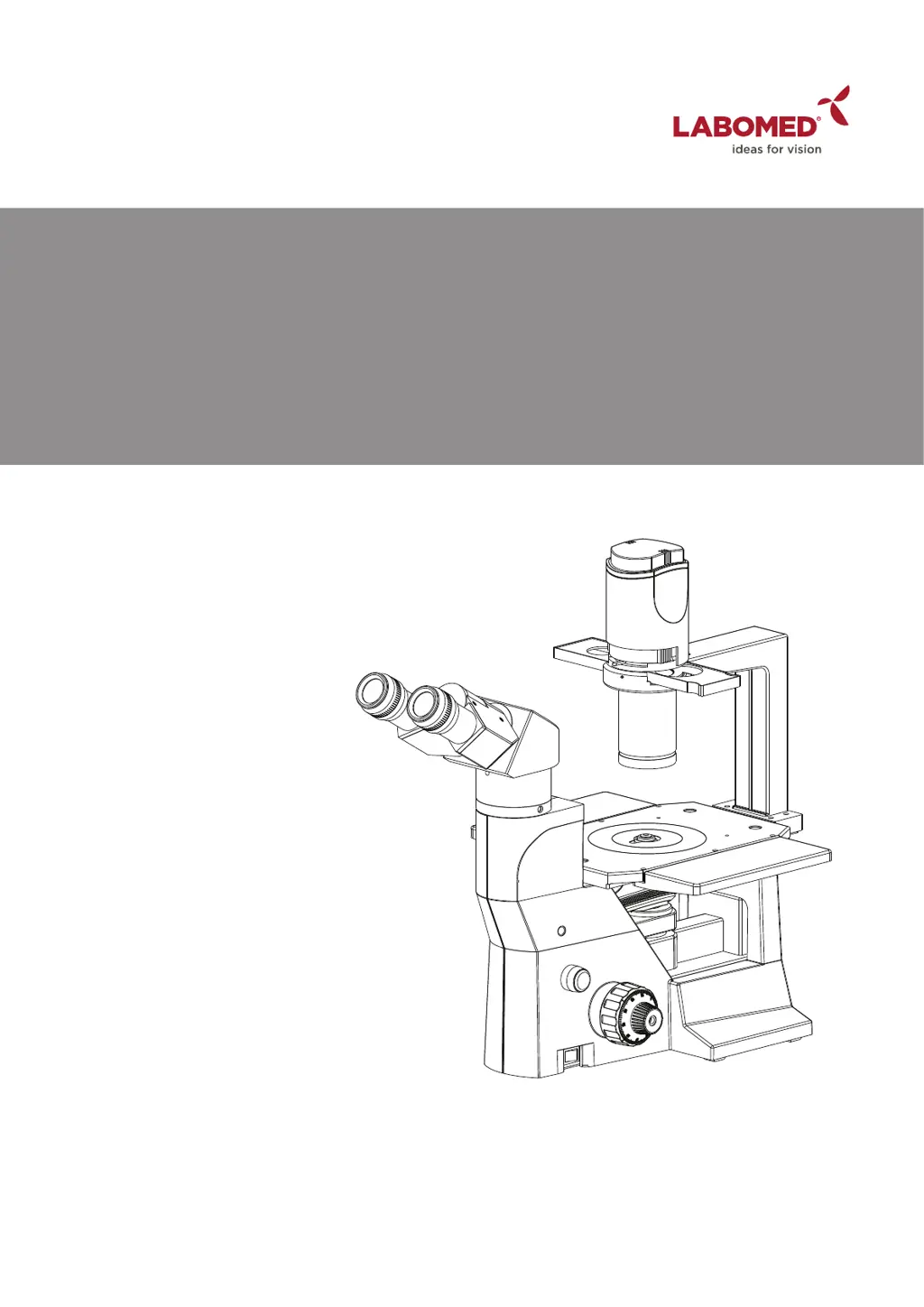
TCM 400
Inverted Tissue Culture Microscopy
User Manual
To ensure proper use of this instrument as well as to avoid injury while operating
Instrument, understanding this manual completely before use is highly recommended.

Questions and Answers

  • D
    daniel38Aug 3, 2025
    Why is the field of view dark on my Labomed TCM 400?
    • A
      Andrea GrossAug 3, 2025
      If your Labomed Microscope's field of view is dark even though the illumination is on, several factors could be at play. First, ensure the socket pin is securely connected to the illumination column. If that's not the issue, the bulb might be burned out and needs replacement. Also, check the light intensity control and set it to the desired position. Verify that the objective is correctly clicked into position. Finally, inspect the fuse and replace it if blown (250V / 5 Amps).
  • L
    logansusanAug 7, 2025
    What to do if the bulb flickers on my Labomed TCM 400?
    • V
      vpowellAug 7, 2025
      If the bulb flickers and the brightness is unstable on your Labomed Microscope, the issue could stem from a few sources. One potential cause is fluctuating line voltage, which can be resolved by using a voltage stabilizer. Another possibility is that the bulb is nearing the end of its life and needs to be replaced. Lastly, check the power cord to ensure it's securely connected.
  • A
    Ashley BaileyAug 11, 2025
    How to remove dirt from the field of view in Labomed Microscope?
    • K
      Kari WilkinsonAug 11, 2025
      If you notice dirt or dust in the field of view of your Labomed Microscope, the contamination may be on the specimen itself. Try cleaning the specimen. Alternatively, the eyepieces might be dirty; clean them thoroughly to resolve the issue.
  • D
    Dawn ReynoldsAug 15, 2025
    Why is the image not sharp on my Labomed TCM 400 Microscope?
    • J
      Jean WilliamsAug 15, 2025
      If you're experiencing poor visibility with your Labomed Microscope, resulting in a blurry image, indistinct details, or an inability to achieve a phase contrast effect, several factors could be responsible. Ensure that the objective is correctly engaged. Adjust the aperture iris diaphragm if it's opened or stopped down too far during brightfield observation. Also, check that the light annulus of the condenser matches the phase annulus and adjust their positions accordingly.
  • N
    Natasha GarzaAug 20, 2025
    What to do if one side of the image is blurred on Labomed Microscope?
    • B
      brianrayAug 20, 2025
      If one side of the image appears blurred when using your Labomed Microscope, there are a few potential causes. First, verify that the revolving nosepiece is correctly engaged, ensuring it clicks properly into place. Next, check that the specimen is correctly mounted on the stage. Finally, if you're using a culture vessel, ensure it has a good profile irregularity characteristic, as poor optical performance of the vessel bottom plate can also lead to blurring.
  • D
    David RojasAug 25, 2025
    How to adjust the coarse adjustment knob on Labomed Microscope?
    • J
      Jason AlvarezAug 25, 2025
      If the coarse adjustment knob on your Labomed Microscope is too difficult to rotate, the tension adjustment ring may be tightened too much. Try loosening it appropriately. Conversely, if the knob is too loose, the tension adjustment ring may be loosened too much, in which case you should tighten it appropriately.
  • M
    Matthew HowardAug 28, 2025
    How to match the field of view for both eyes on Labomed Microscope?
    • B
      Brian NelsonAug 28, 2025
      If the field of view doesn't match between your eyes when using the Labomed Microscope, it's likely due to an incorrect interpupillary distance adjustment. Adjust the interpupillary distance accordingly. Alternatively, it could be due to an incorrect diopter adjustment; in that case, adjust the diopter.

Summary

INTRODUCTION

SAFETY INFORMATION

SAFETY SYMBOLS

Explains symbols used in the manual indicating danger levels and icon directives.

WARNING

Indicates potential for death or serious injury.

ATTENTION

Indicates potential for product damage.

Icon directives

Explains symbols for "Refer to User Manual", "Caution", "Grounding", and "Alternating Current".

GETTING STARTED

MAINTENANCE AND STORAGE

Covers handling, cleaning, and storage procedures for the microscope.

CARE & MAINTENANCE

Optical Cleaning

Details methods for cleaning lens surfaces and optical components using specific solutions.

Cleaning of painted surfaces

Explains how to clean the exterior painted surfaces of the instrument.

TCM 400 BINOCULAR

TCM 400 TRINOCULAR

TCM 400 ERGONOMIC

UNPACKING YOUR MICROSCOPE

STANDARD COMPONENTS

OPTIONAL ACCESSORIES

CAMERA MODULE SYSTEM

Instructions for mounting camera adapters and modules to the trinocular head.

OPTIONAL EYEPIECES

Guides on how to replace the standard eyepieces with alternative ones.

INITIAL SETUP & ASSEMBLY

MOUNTING THE OBJECTIVES

Instructions for attaching objectives to the revolving nosepiece.

OBSERVATION HEAD

Steps to install the observation head onto the microscope body.

MOUNTING OF EYEPIECES

Procedure for inserting and securing the eyepieces into the observation head.

BASE UNIT

Describes the assembled base unit, including focus mechanisms and lamp housing.

INSTALLING THE TRANSMITTED LIGHT ILLUMINATOR

Step-by-step guide for installing the transmitted light illuminator.

PHASE SLIDER; FILTER

Instructions for inserting phase sliders and fitting filter cartridges into the lamp housing.

OBSERVATION HEAD

Details on loosening the head locking screw and attaching the observation head.

ADJUSTING THE INTERPUPILLARY DISTANCE AND DIOPTER

MOUNTING THE STAGE EXTENSION & MECHANICAL STAGE

BULB REPLACEMENT

SUMMARY OF BRIGHT FIELD OBSERVATION PROCEDURE

DETAILED OBSERVATION PROCEDURE

TURNING THE LAMP ON

Steps to power on the microscope and adjust light intensity.

PLACING SPECIMEN ON THE STAGE

Guidance on positioning specimens, including Petri dishes and flasks.

ADJUSTING THE FOCUS

Detailed instructions for coarse and fine focus adjustment.

ADJUSTING THE INTERPUPILLARY DISTANCE (IPD)

Steps for aligning eyepieces to match user's pupil distance for comfortable viewing.

ADJUSTING THE DIOPTER

Instructions for setting the diopter adjustment for optimal focus for each eye.

TROUBLESHOOTING GUIDE

TECHNICAL SPECIFICATIONS

Labomed TCM 400 Specifications

General IconGeneral
Magnification40x - 1000x
EyepiecesWF10x/18mm
ApplicationLaboratory
Objective Lens4x, 10x, 40x (Spring), 100x (Spring, Oil)
Light SourceLED
FocusingCoaxial Coarse and Fine Focus
StageMechanical Stage
CondenserAbbe Condenser NA 1.25 with Iris Diaphragm
Head30° Inclined, 360° Rotatable
Power SupplyAC 100-240V

Related product manuals