Daisy Chain, Power Delivery & Power
Pass-Through
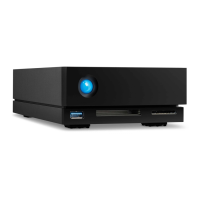
Use the peripheral Thunderbolt 3 port on the LaCie 1big Dock for:
Direct connection to a device or display that is compatible with Thunderbolt 3 technology.
Daisy chaining devices and displays that are compatible with Thunderbolt 3 technology.
Connecting a laptop USB-C power adapter in order to pass-through power to a laptop connected to 1big
Dock's host Thunderbolt 3 port.
How to daisy chain
The peripheral Thunderbolt 3 port on 1big Dock can be used to daisy chain compatible Thunderbolt 3
peripherals, such as hard drives and monitors. If you have another Thunderbolt 3 storage device, make
certain to connect it to the daisy chain before adding compatible displays or USB 3.1 (USB-C) devices. See
below for an example of the order of devices in a Thunderbolt 3 daisy chain.
1. Computer with a Thunderbolt 3 port.
2. LaCie 1big Dock (connected to computer via host Thunderbolt 3 port).
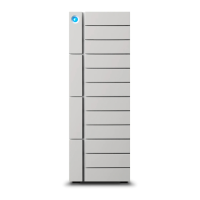
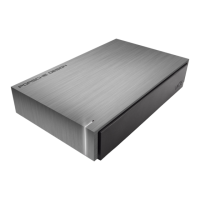
3. LaCie d2 Thunderbolt 3 (connected to 1big Dock's peripheral Thunderbolt 3 port).
4. Second LaCie d2 Thunderbolt 3 (connected to first d2 via Thunderbolt 3 port).
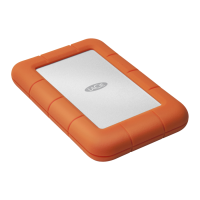
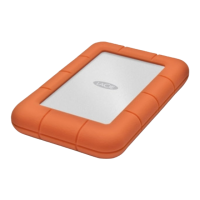
5. LaCie Rugged SSD (connected to second d2 via Thunderbolt 3 port).
USB 3.1 (USB-C) devices can terminate a Thunderbolt 3 daisy chain and should always be the last device. It
must be connected to the secondary Thunderbolt 3 port on the preceding device. (The USB 3.1 device will
not be recognized if connected to the preceding device’s USB-C port.)
Daisy chain: power-saving mode
You can daisy chain Thunderbolt 3 devices even when 1big Dock is in power-saving mode. See Operation.
Power delivery and power pass-through
1big Dock delivers power to your connected laptop and compatible peripheral devices.
Important cable info: When connecting 1big Dock's peripheral Thunderbolt 3 port to a
compatible device, use cables specifically constructed to support Thunderbolt 3.





 To Next Page