System Overview
Views
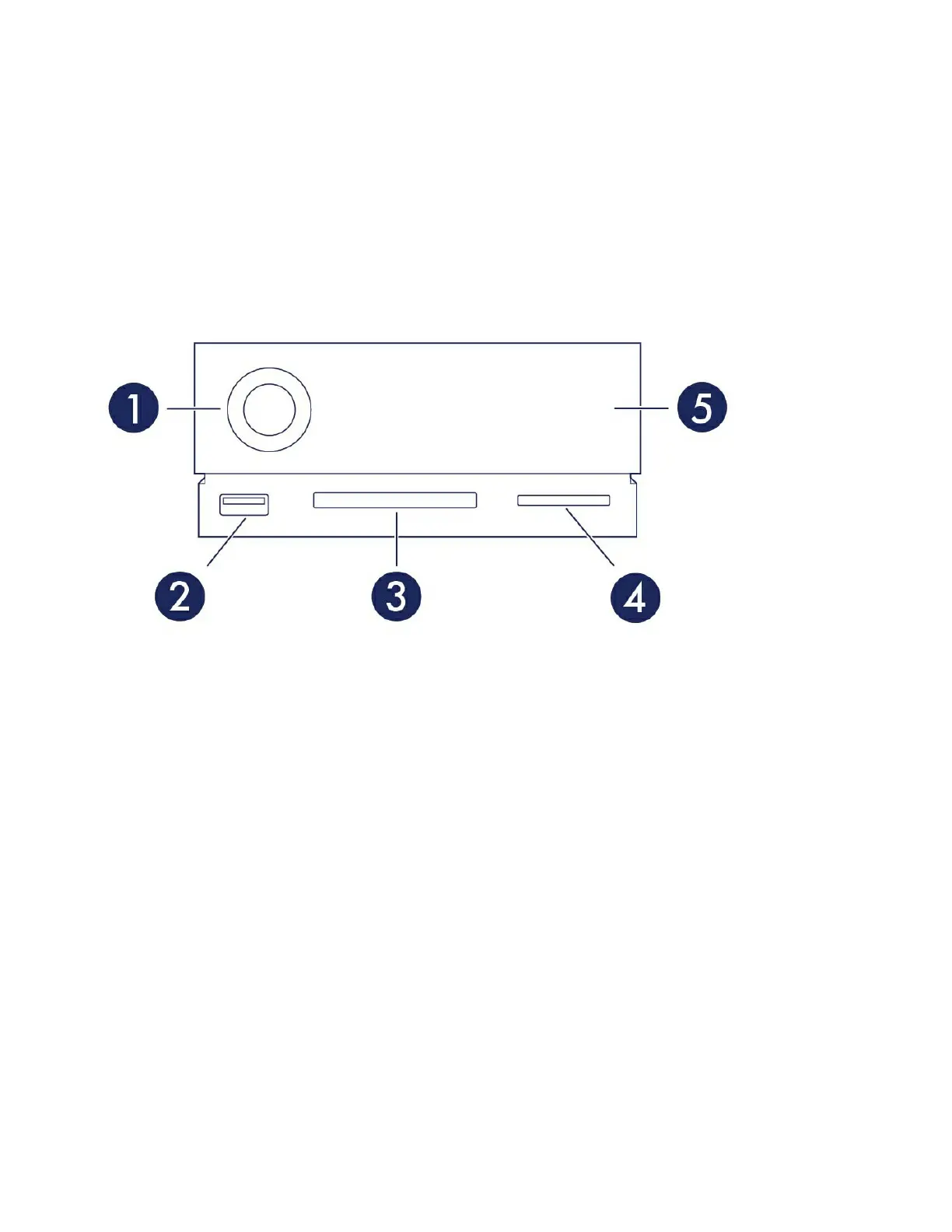
Front view
1. Status LED—The LED indicates that the device is powered on and provides status signals. See
Operation.
2. USB 3.0 Hub—Use the hub to charge devices like mobile phones (5W power output). Connect shuttle
drives, digital cameras, and other devices to transfer files. See Docking Features.
3. CompactFlash (CF) Slot—Use this slot to read CF memory cards. See Docking Features.
4. Secure Digital (SDXC) Slot—Use this slot to read SD memory cards. See Docking Features.
5. Swappable hard drive tray—Hard drive tray can be removed to replace a failed hard drive. See Hard
Drive Maintenance.
Rear panel view










 To Next Page