d2, 2big, and 5big Network 2 User Manual 103
CONFIGURE ISCSI
Note: This feature is available only with the 5big Network 2.
You can configure a 5big Network 2 share as an iSCSI target client, which allows you to mount a network share
as a local share. You can then format this share in a non-network file system such as NTFS, HFS+, or FAT32.
The way this works is you can allocate a portion of the 5big Network 2's storage to iSCSIShare. Once you do
this, iSCSIShare will be created automatically. To change the storage allocated to iSCSI:
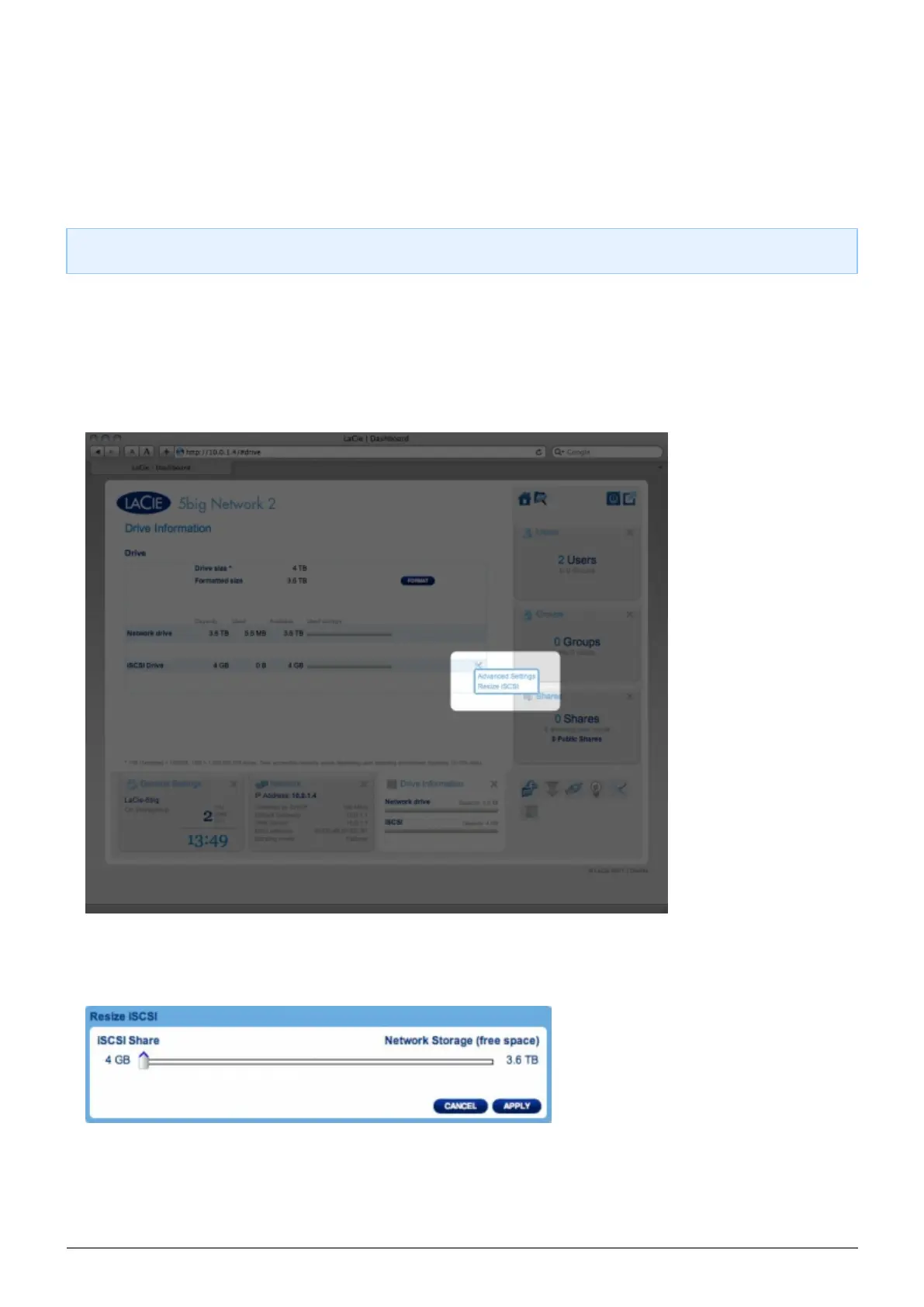
Click the configuration icon in the iSCSIShare row.1.
Drag the slider to change the amount of space allocated to iSCSIShare. After you click the slider, press the2.
right and left arrow keys on your keyboard to fine tune.
Click the Apply button, then confirm in the popup window.3.
If you set iSCSIShare to be greater than 2TB, you will need to format the share using your operating system's4.
disk management utility (Disk Utility for Mac and Disk Management for Windows).



 To Next Page