d2, 2big, and 5big Network 2 User Manual 98
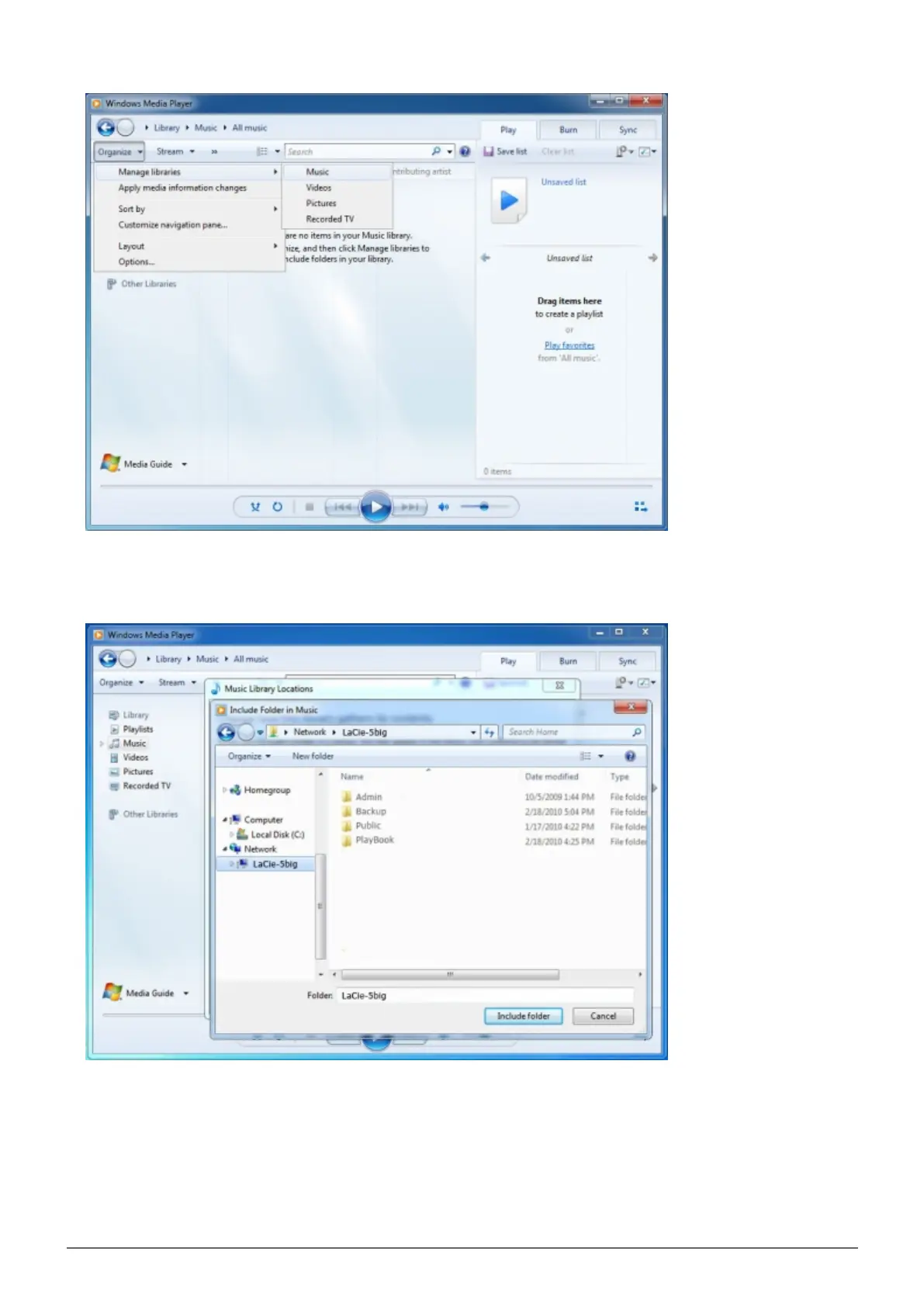
In the dialogue window, click Add, select your NAS' machine name under the Network section, and click4.
Include Folder.
WMP will begin indexing the media files. Once completed, they will appear in the WMP library.5.



 To Next Page