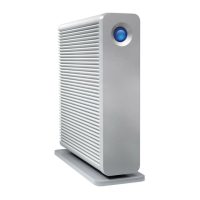
LaCie 2big USB 3.0 • DESIGN BY NEIL POULTON Table of Contents
User Manual page 1
Table of Contents
1. Introduction .............................................................................................................. 4
1.1. Minimum System Requirements ..................................................................................................... 5
1.2. Box Content ................................................................................................................................ 6
1.3. Views of the Drive ........................................................................................................................ 7
1.4. Cables and Connectors ................................................................................................................ 9
2. Setting Up Your LaCie 2big USB 3.0 ....................................................................... 10
2.1. Connect the Interface Cable ....................................................................................................... 11
2.2. Turn the Drive On ...................................................................................................................... 12
2.3. Disconnecting Your Hard Drive ................................................................................................... 13
3. RAID ....................................................................................................................... 14
3.1. About RAID Modes ..................................................................................................................... 14
3.1.1. RAID 0 (FAST - High performance) .................................................................................... 14
3.1.1.1. Swapping Drive Slots in RAID 0...................................................................................14
3.1.2. JBOD (Just a bunch of disks) ............................................................................................ 15
3.1.3. RAID 1 (SAFE - Data protection) ........................................................................................ 16
3.1.3.1. Rebuilding the RAID 1 Mirror on a Replacement Disk ....................................................16
3.2. Changing the RAID Mode ........................................................................................................... 17
3.3. Removing and Installing Drives .................................................................................................... 19
3.4. Formatting and Partitioning ......................................................................................................... 21
3.4.1. File System Formats ......................................................................................................... 21
3.4.2. Formatting for Window XP Users ....................................................................................... 23
3.4.3. Formatting for Windows Vista and Windows 7 Users ........................................................... 26
3.4.4. Formatting for Mac Users ................................................................................................. 30
4. Troubleshooting ..................................................................................................... 32
4.1. LED Status Indicators .................................................................................................................. 33
4.2. Basic Troubleshooting Topics ...................................................................................................... 34
5. Contacting Customer Support ................................................................................. 35
5.1. LaCie Technical Support Contacts ............................................................................................... 36
6. Warranty Information ............................................................................................. 37



 To Next Page

 General