11
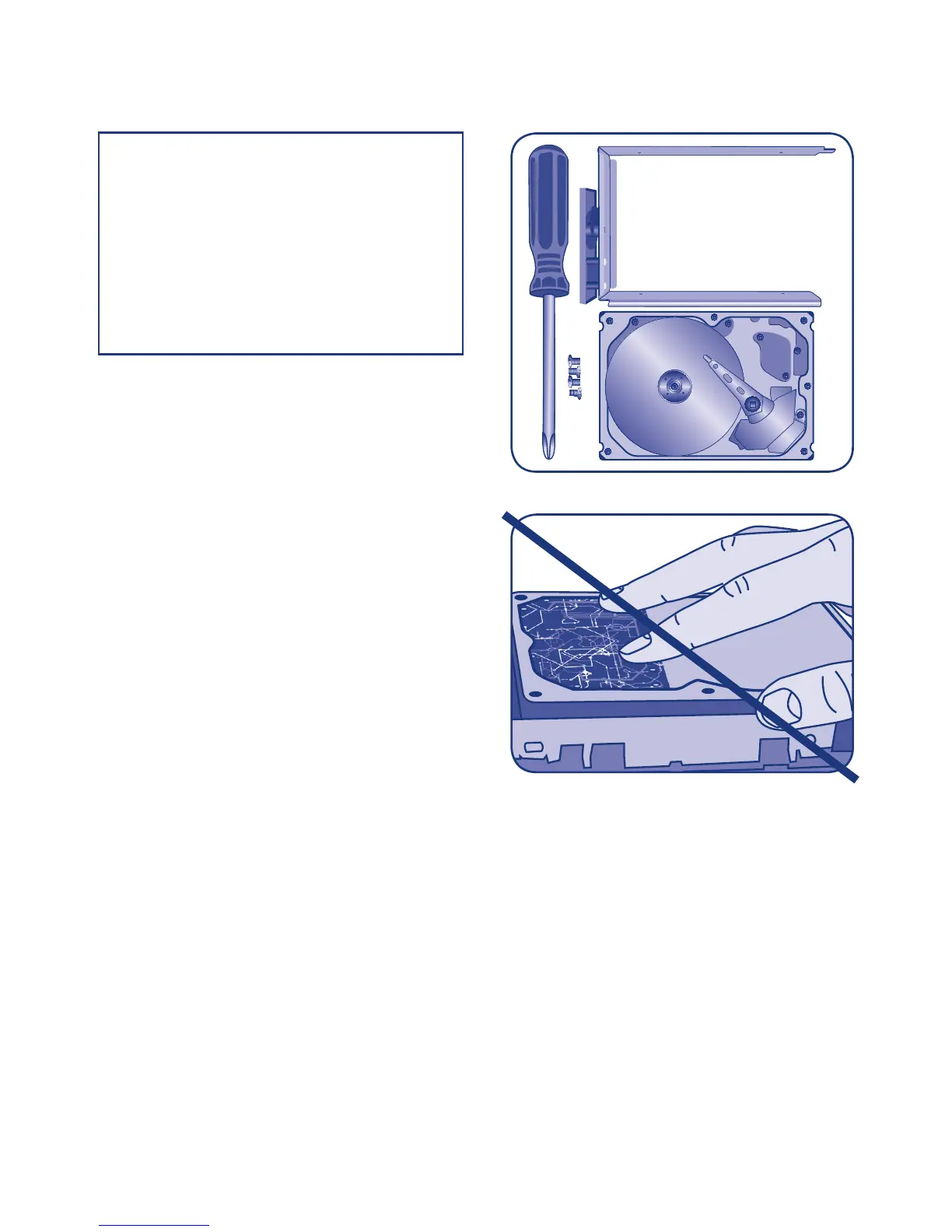
Fig. 07 - 5big Drive Tray and Four Screws
Fig. 08 - To avoid ESD, do not touch the
hard drive printed circuit board.
1.9. Fastening a non-LaCie Hard Disk
to a 5big Enclosure Drive Tray
Please note the following before fastening your
non-LaCie hard drive to the drive tray:
• Only 3.5” SATA II drives may be used in the 5big
enclosure. Please visit the Support page at www.
lacie.com for a list of drives that have been tested
by LaCie. LaCie cannot guarantee performance
or functionality when using non-LaCie drives
that have not been tested with the 5big
Storage Server.
• Use only the screws supplied in your packaging
when fastening the non-LaCie hard drive to the
drive tray (Fig. 07)
• To avoid potential problems caused by electrostatic
discharge (ESD), it is recommended that you do not
touch the hard drive’s printed circuit board (Fig.
08). As a further precaution against ESD, please
use an anti-static wristband or an anti-static mat to
ground yourself when handling the hard drive.
NOTE: Drives sold by LaCie are the
preferred choice when using your 5big
Storage Server. LaCie disks specially
prepared for the 5big enclosure are
tested and shipped in a drive tray for
easy installation. Additionally, all 5big
Drives include a 3-year warranty. Visit
www.lacie.com for more information on
purchasing a 5big Drive.



 To Next Page