EasyManua.ls Logo

LaCie CloudBox - 1.B Views of the LaCie CloudBox

LaCie CloudBox
Print Icon
To Next Page IconTo Next Page
To Previous Page IconTo Previous Page
Loading...
1-Year Online Backup Contract
CONTRACT NUMBER
CONTRACT NUMBER
DEVICE ID NUMBER
1111-2222-3333-4444
1111-2222-3333-4444
00-0C-F1-56-98-AD
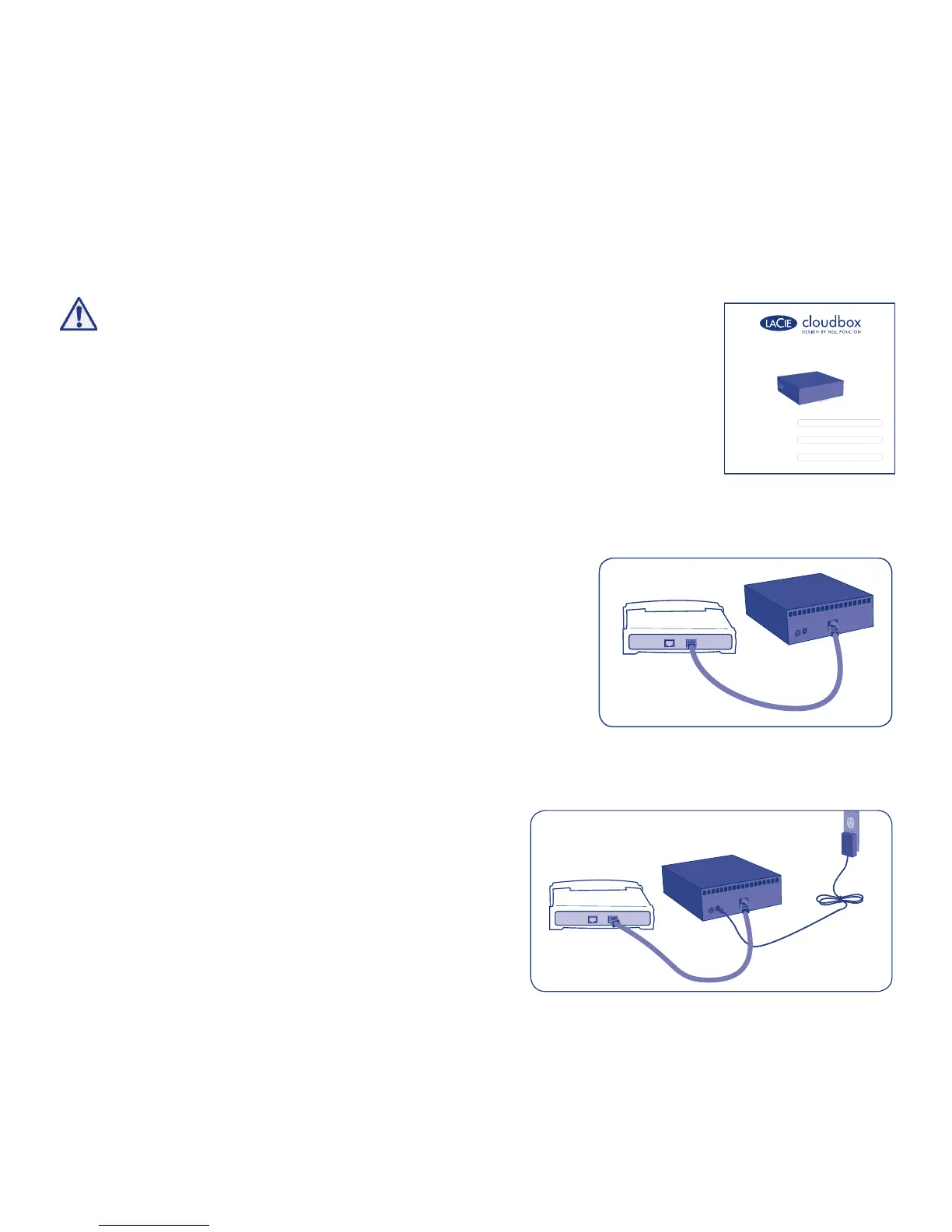
Router or Hub
Router or Hub
2. Connect the power supply.
Before starting the installation, please:
• Locate the included Leafl et with your 1-Year
Online Backup Contract number. You will be
asked for the number during the Setup.
• Read the User Manual
1. Connect the included Ethernet cable
to the CloudBox and to your local
network (router or hub).
Fig. 1 - Leafl et
Fig. 2
Fig. 3
Installation


Other manuals for LaCie CloudBox

Related product manuals