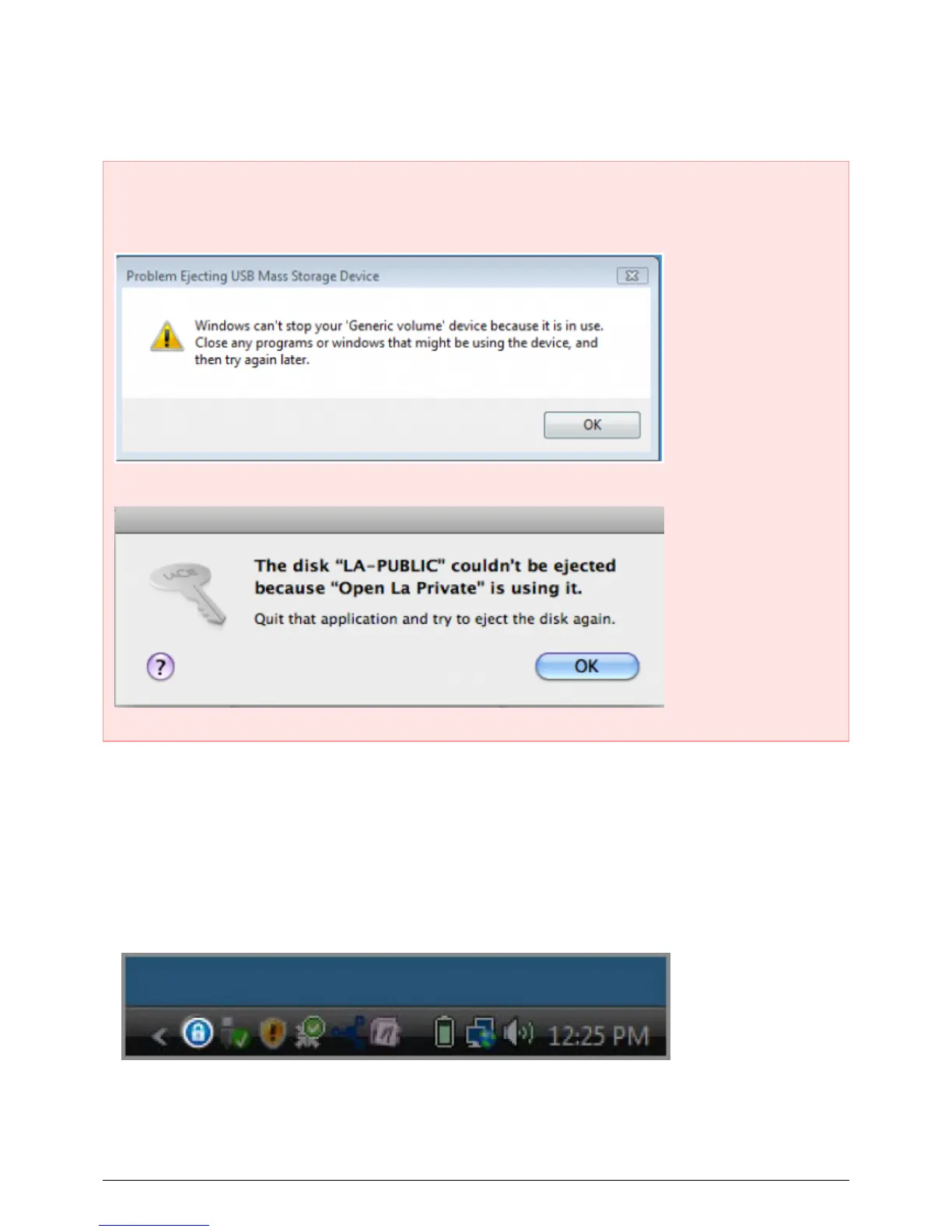
UNMOUNTING AND LOCKING LA-PRIVATE
Important Info: You may wish to unmount both LA-PRIVATE and LA-PUBLIC at the same time. For your
security, LA-PRIVATE must be unmounted before LA-PUBLIC. Your operating system will alert you when
attempting to unmount LA-PUBLIC first.
Unmounting LA-PRIVATE will prevent others from accessing your private data. It is a great way to lock
LA-PRIVATE since the secure volume will no longer be available for unauthorized use. Follow the steps below to
unmount and lock LA-PRIVATE.
Windows
The LaCie Private-Public icon will appear in the System Tray when LA-PRIVATE is mounted. The System Tray1.
is on the lower right side of the computer monitor.
Right-click on the LaCie Private-Public icon and select Dismount Private-Public.2.
LaCie User Manual 24










 To Next Page