EasyManua.ls Logo

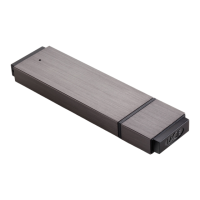
LaCie FASTKEY - User Manual

LaCie FASTKEY
54 pages
Print Icon
To Next Page IconTo Next Page
Loading...
LACIE FASTKEY: USER MANUAL
CLICK HERE TO ACCESS UP-TO-DATE ONLINE VERSION
of this document for the most recent content as well as for features such as expandable
illustrations, easier navigation, and search capability.
1 LaCie User Manual

Other manuals for LaCie FASTKEY

Question and Answer IconNeed help?

Do you have a question about the LaCie FASTKEY and is the answer not in the manual?

Summary

Minimum System Requirements

USB Interface Technology

Connecting and Setup

Connecting the FastKey to a Computer

Instructions on how to connect the LaCie FastKey to a computer's USB port.

Running LaCie Setup Assistant

Guide to launching and using the LaCie Setup Assistant for device configuration.

Unmounting the LaCie Key Safely

Secure LA-PRIVATE Volume Management

Creating and Using the Secure LA-PRIVATE Volume

Steps for creating and managing a password-protected, encrypted LA-PRIVATE volume.

Mac Users: Install MacFUSE Before Creating LA-PRIVATE

Instructions for Mac users on installing MacFUSE required for LA-PRIVATE.

Mounting the LA-PRIVATE Volume

LA-PRIVATE Volume Operations

Unmounting and Locking LA-PRIVATE

Procedures for safely unmounting and locking the secure LA-PRIVATE volume.

Managing the LA-PRIVATE Password

Changing the LA-PRIVATE Password

Steps to modify the password for the LA-PRIVATE secure volume.
Deleting the LA-PRIVATE Volume

Formatting Your LaCie USB Key

Formatting Instructions

Troubleshooting Common Issues

Important Precautions

Summary

Minimum System Requirements

USB Interface Technology

Connecting and Setup

Connecting the FastKey to a Computer

Instructions on how to connect the LaCie FastKey to a computer's USB port.

Running LaCie Setup Assistant

Guide to launching and using the LaCie Setup Assistant for device configuration.

Unmounting the LaCie Key Safely

Secure LA-PRIVATE Volume Management

Creating and Using the Secure LA-PRIVATE Volume

Steps for creating and managing a password-protected, encrypted LA-PRIVATE volume.

Mac Users: Install MacFUSE Before Creating LA-PRIVATE

Instructions for Mac users on installing MacFUSE required for LA-PRIVATE.

Mounting the LA-PRIVATE Volume

LA-PRIVATE Volume Operations

Unmounting and Locking LA-PRIVATE

Procedures for safely unmounting and locking the secure LA-PRIVATE volume.

Managing the LA-PRIVATE Password

Changing the LA-PRIVATE Password

Steps to modify the password for the LA-PRIVATE secure volume.

Deleting the LA-PRIVATE Volume

Formatting Your LaCie USB Key

Formatting Instructions

Troubleshooting Common Issues

Important Precautions

LaCie FASTKEY Specifications

General IconGeneral
BrandLaCie
ModelFASTKEY
CategoryStorage
LanguageEnglish

Related product manuals