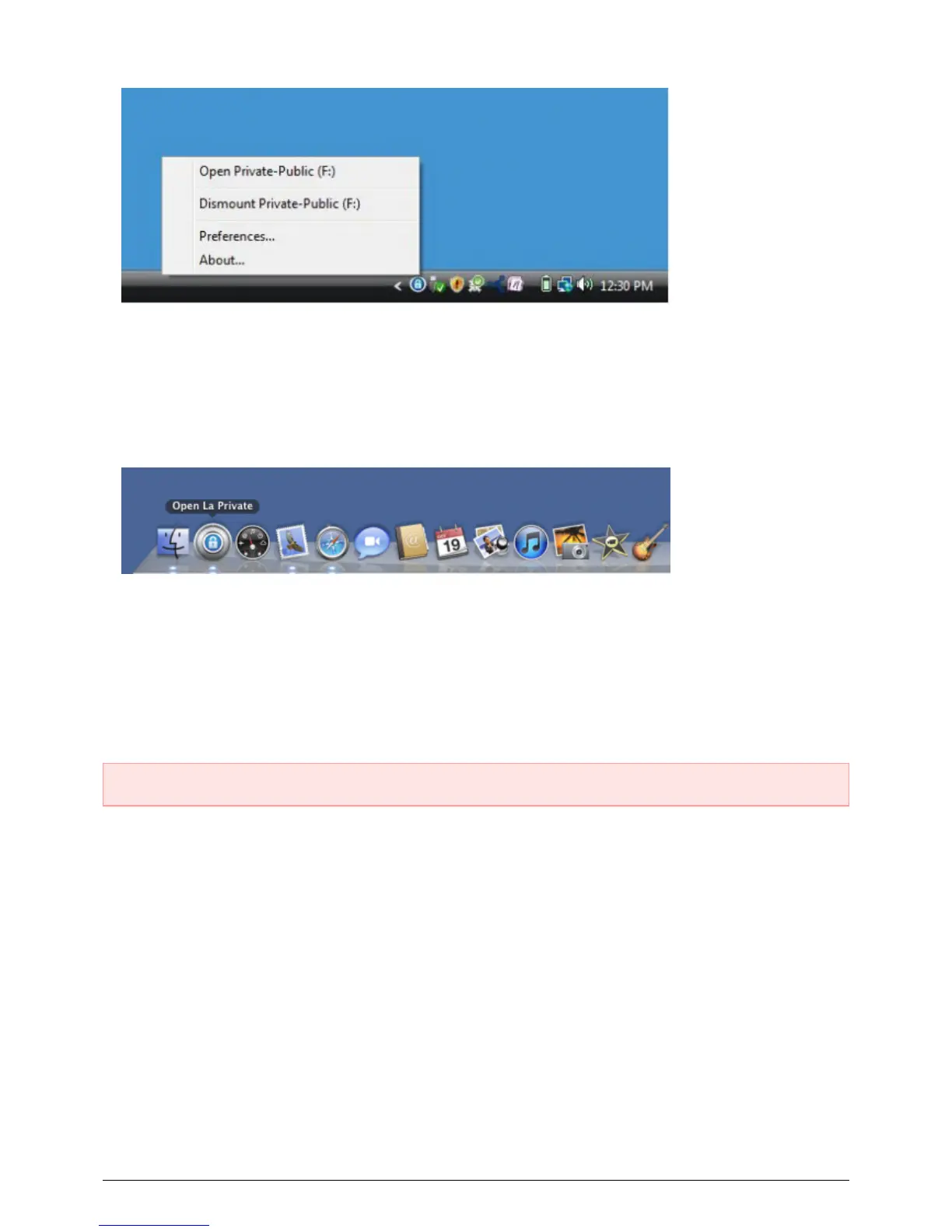
The LA-PRIVATE volume has been unmounted and locked. 3.
Mac
Go to the Dock and search for the LaCie Private-Public icon.1.
Select the LaCie Private-Public icon to choose the application. 2.
Go to the pulldown menu File > Quit.3.
LA-PRIVATE has been unmounted and locked. 4.
CHANGING THE LA-PRIVATE PASSWORD
Important Info: You must create the LA-PRIVATE volume before attempting to change its password.
Follow the steps below to change the password to LA-PRIVATE.
Insert the LaCie storage device into the compatible interface port on your computer. The LA-PUBLIC partition1.
will appear in My Computer/Computer (Windows) or on your desktop (Mac).
Click twice on the LA-PUBLIC icon in My Computer/Computer (Windows) or on the desktop (Mac).2.
LaCie Private-Public will recognize that you have created a LA-PRIVATE volume and prompt you for the3.
password. (If you have not created LA-PRIVATE, the application will guide through the process. See the steps
above.)
25 LaCie User Manual






 To Next Page