Set up Mobile SSD Secure
The setup process lets you:
Register Mobile SSD Secure Get the most from your drive with easy access to information
and support.
Install Toolkit Set up security, backup plans, and more.
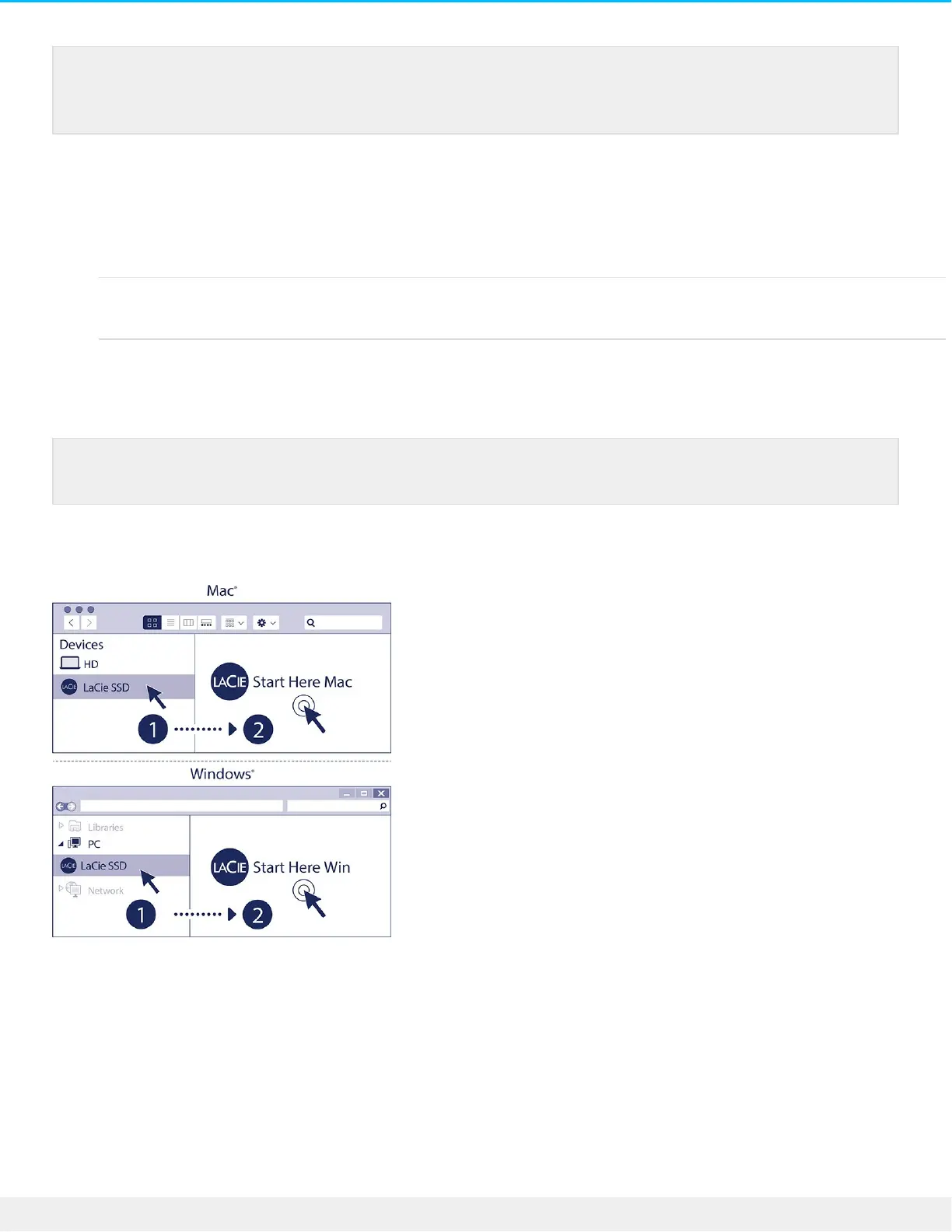
Start here
Using a file manager such as Finder or File Explorer, open Mobile SSD Secure and launch Start Here Win or
Start Here Mac.
Register your device
You can connect your LaCie device to a USB-A port on your computer. A USB-C to USB-A cable
is not included with this device.
Your computer must be connected to the internet to register your device and install Toolkit.











 To Next Page