20-18071 Rev A
Prepare Wound Kit
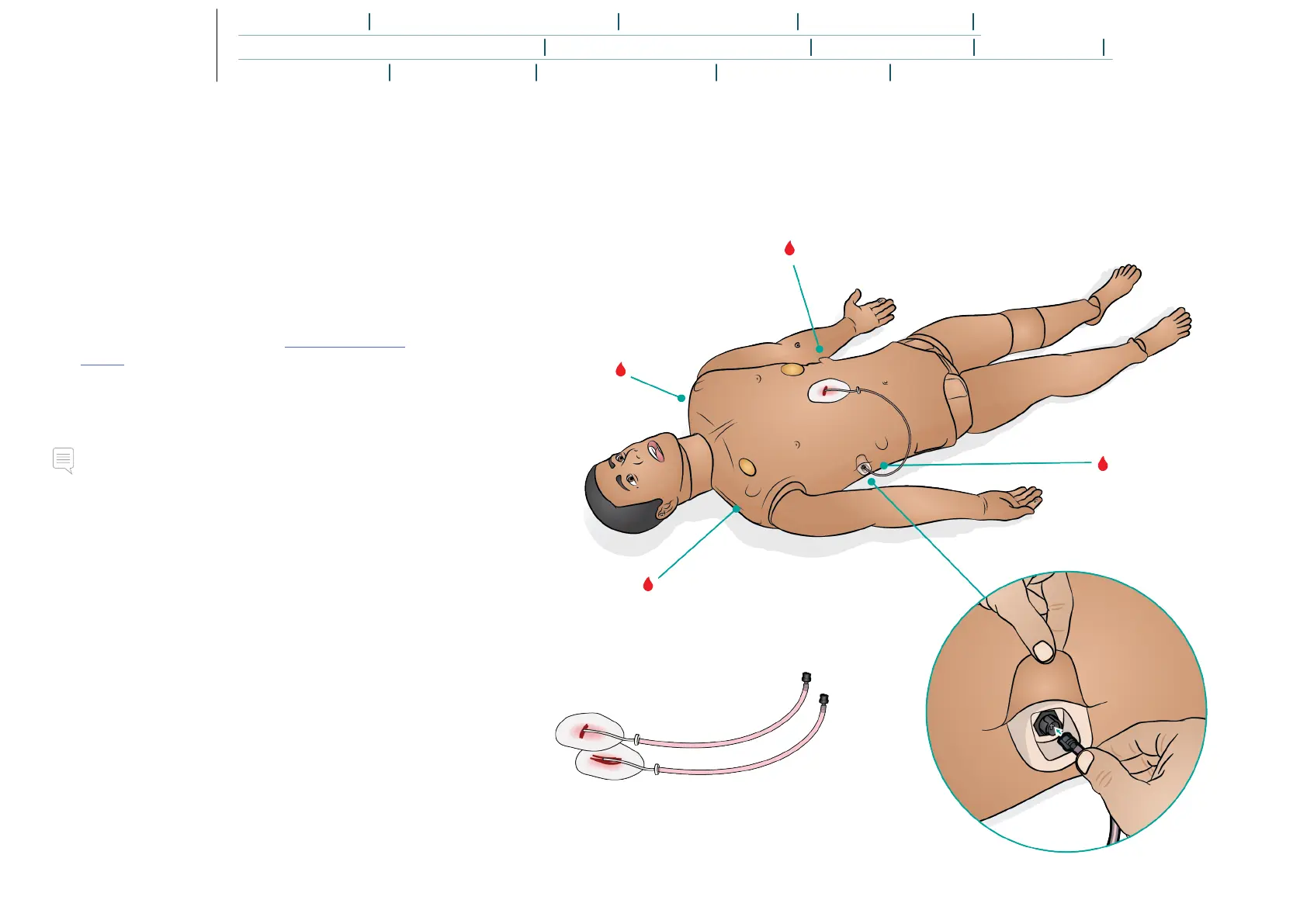
Attaching Wound
1. Ensure that the area where the wound is to be applied is
clean and dry.
2. Apply the wounds with double-sided tape provided.
3. Connect the tube from the wound to the desired port.
Removing Wound
1. Follow the cleaning procedure in Cleaning the Blood
System with the wounds still attached.
2. Remove wounds kit once cleaning is complete.
3. Clean any tape residue left on the Patient Simulator skin
with Laerdal Manikin Wipes.
Note
When removing wound tubing from the blood ports, cover the
Patient Simulator skin with a cloth to prevent staining.















 To Next Page