20-18071 Rev A
Air/CO
2
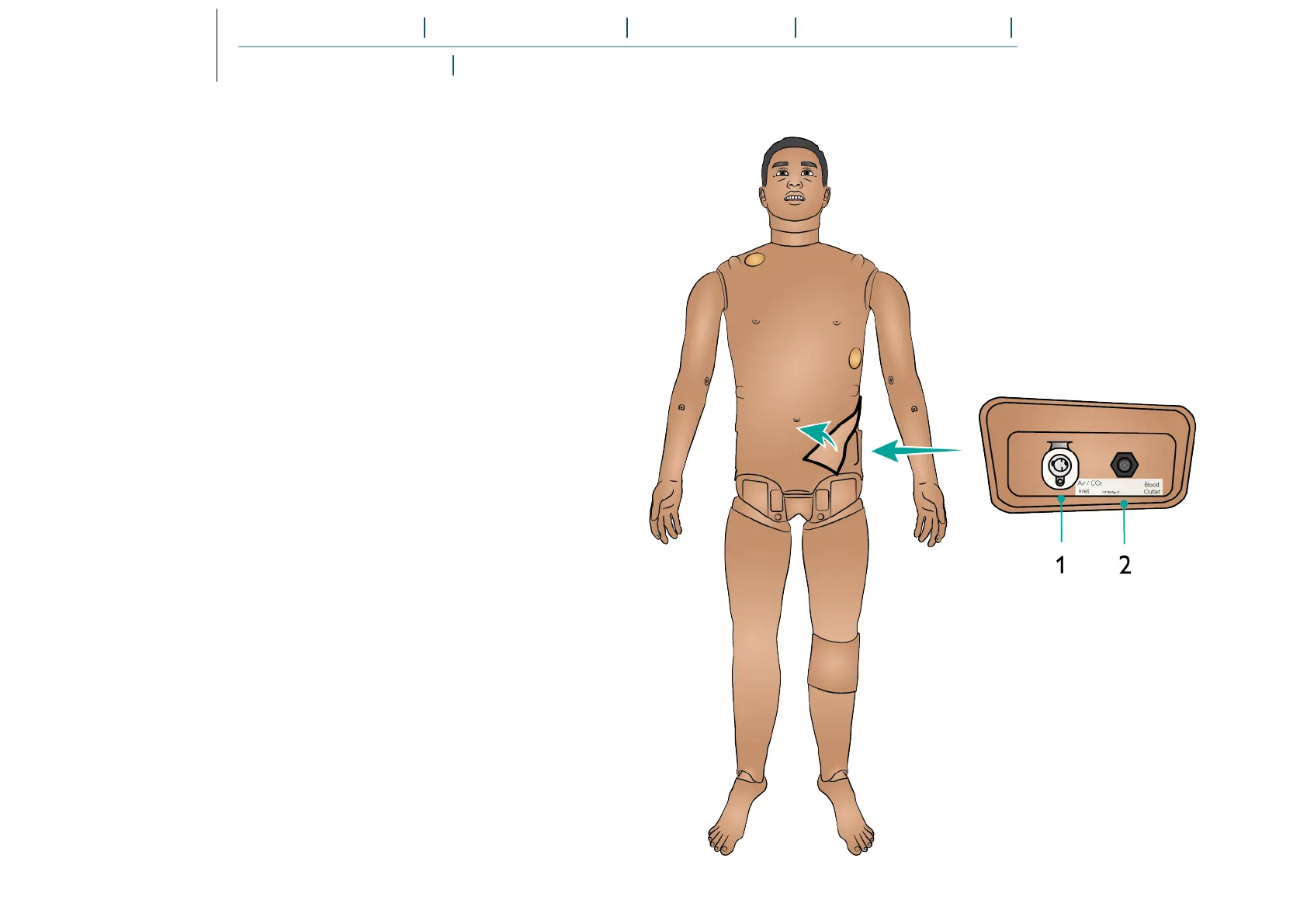
Panel Overview
The Air/CO
2
panel is located on the left side of the Patient
Simulator’s torso. Access the panel by lifting up the skin flap
and removing the protective covering.
If the Patient Simulator is required to exhale CO
2
with each
ventilation, connect an external CO
2
supply. An external
supply of compressed air can be connected when the Patient
Simulator is stationary over extended periods.
Connect a suitable CO
2
/external air source to a Laerdal
external compressor or regulator panel.
Connect a Laerdal double-lumen Air/CO
2
tube from the
external compressor or regulator panel to the Air/CO
2
inlet on
the panel.
Refer to the Important Product Information booklet for
information on maximum external air and CO
2
connection
limits.
For more information on external compressors and regulator
panels compatible with SimMan 3G PLUS, contact your local
Laerdal representative.















 To Next Page