22
HOW TO START THE COUNTRY SWITCHING
(EUROPEAN MULTI-STANDARD SUPPORT)
Evolution radio must be programmed and exclusively used on a Multi stdandard band
allowed in the country where the radio is used. When radio is switched ON, the current
programmed country band code will be displayed (blinking) for around 3 seconds.
To program a different country band, proceed as follows:
1. Turn the radio OFF.
2. Press and hold the SCAN/MENU key, then turn the radio ON using the OFF/VOLUME knob.
3. The current country band code will be displayed on the LED display.
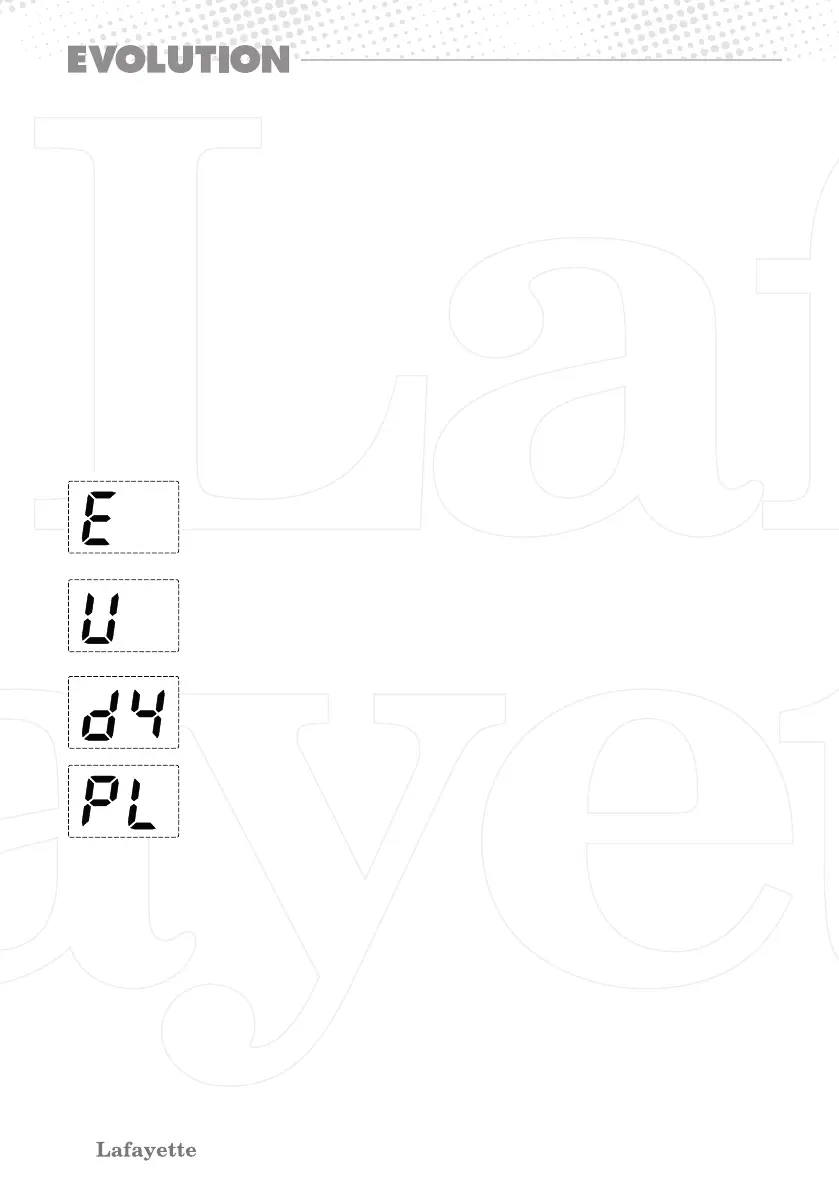
4. Now select the new desired country band code by channel selector; during the country
band selection process, the country band display will change as below.
5. You select any country and then press SCAN/MENU button, it will be restarted.
FACTORY RESET
To restore the original factory settings, follows the below process:
1. Turn the radio OFF.
2. Press and hold PTT key and SCAN/MENU, then the radio ON using the OFF/VOLUME knob.
3. The “E” country band code will blink on the display for 3 seconds.
Europe AM / FM 4 W 40 CH
26,965 ~ 27,405 MHz (AM - FM)
Germany AM 40 CH 4W / FM 80 CH 4 W
26,965 ~ 27,405 MHz (AM - FM)
26,565 ~ 26,955 MHz (AM rx only - FM)
Poland AM / FM 4 W 40 CH
26,960 ~ 27,400 MHz (AM - FM)
UK frequencies MPT and Europe AM / FM 4 W 40 CH
26,965 ~ 27,405 MHz (AM - FM)
27,60125 ~ 27,99125 MHz (FM)


 To Next Page