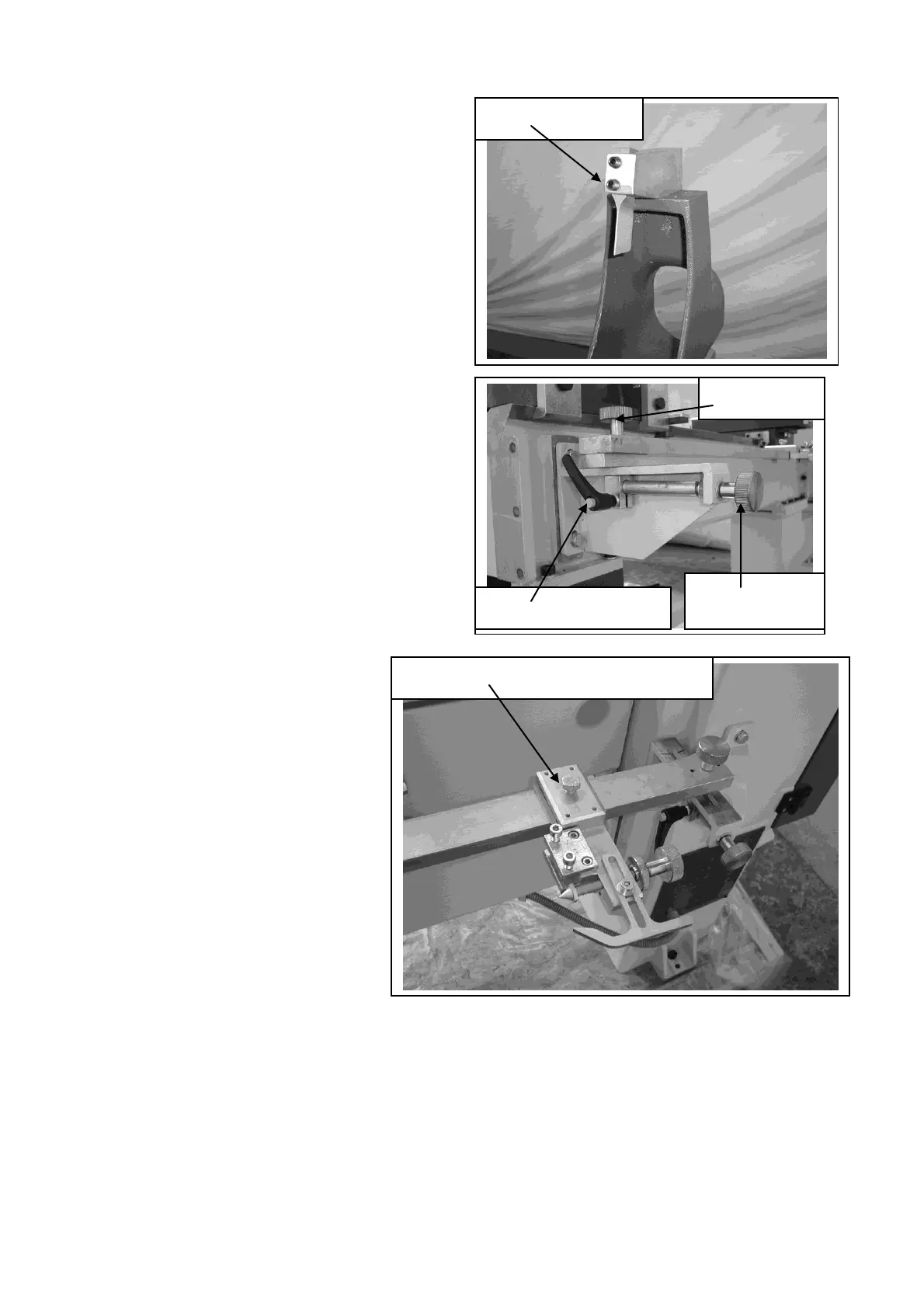
Assemble the cutting tool as shown
There are two methods of adjusting the
main bar towards or away from the bed of
the lathe.
1/ Rough adjustment is done by loosening
the black plastic clamp handle and pushing
the bar to the approximate position then.
Once in position lock the black plastic
handle.
2/ For fine adjustment. Loosen the round
clamp knob on top of the main copy bar
and adjust the position with the round
knob at the end of the bracket. Once in
position clamp the top clamp knob.
The template holders can be
adjusted to any position on the
main copy bar by loosening the
clamp bolt and sliding the
holder to the required position
and tightening the clamp bolt.
The template holder will accept
both templates and round
masters.
It is strongly recommended
that all masters and templates
are made from a hard marerial
as soft material such as pine
will become dammaged by the follower and give poor results.
Template / master holder clamp bolt


 To Next Page