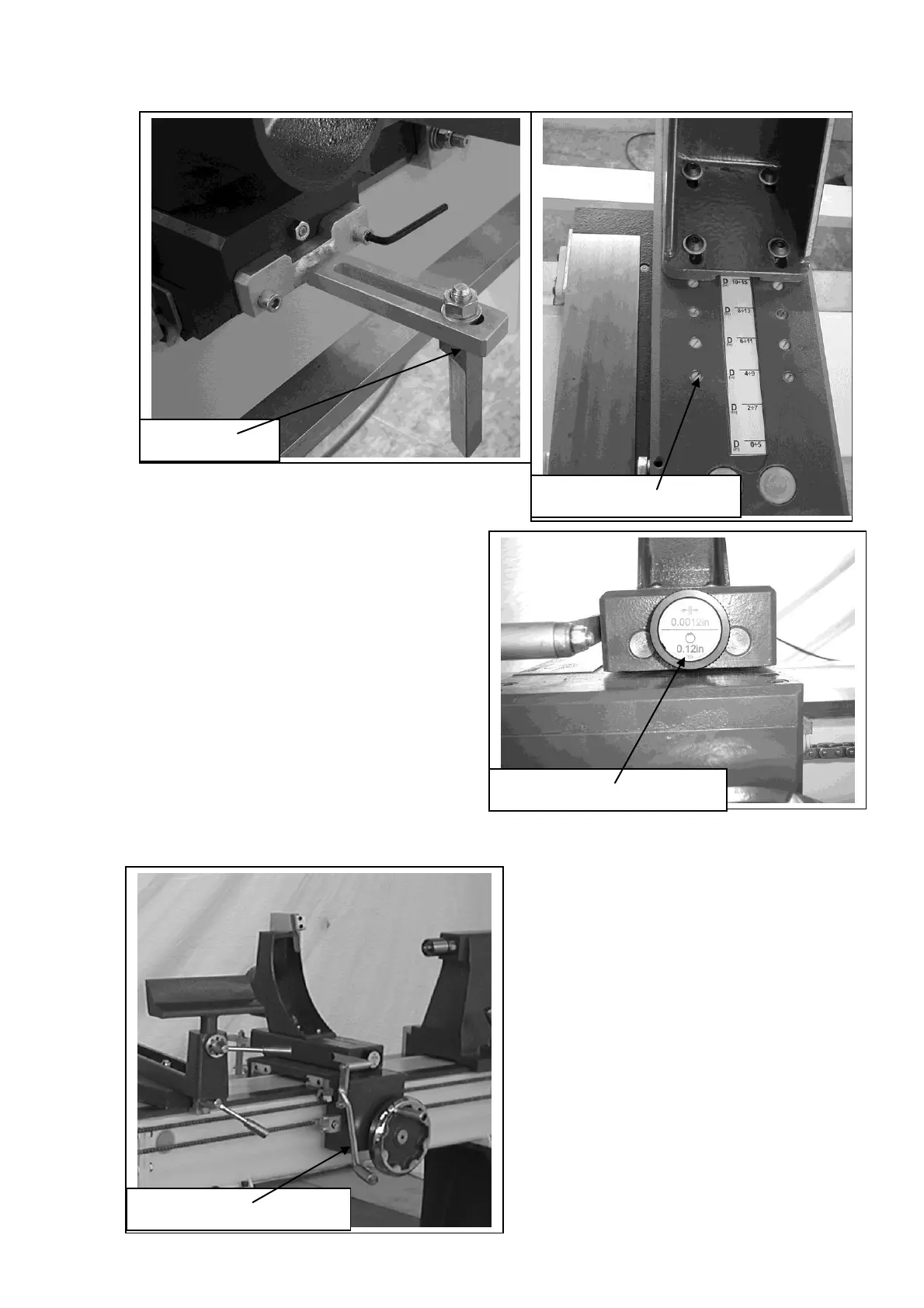
To adjust the copy tool, fit the rotating center into
the tailstock. Adjust the cutting tip of the tool so
that it is level with the point of the rotating
center. This will bring the cutting point of
the tool onto the centerline of the spindle.
The lathe tool holder can be adjusted to
suite various diameters of job. Remove the
holder fixing screws and reposition the
holder to the required position and re clamp
in position. Remember to re fit the plastic
blanking screws into the holes as this will
stop saw dust and dirt getting into the
threads. There is a handy reference on the
bed of the copy saddle that shows you the
range of diameters that can be
accommodated for the various positions.
The knob at the front of the copy saddle controls adjustment of the cutting tool for
different diameters. One complete rotation of the knob is 0.12”.
The handle on the copy saddle
pulls the copy saddle forward and
back against the spring and when
completely released will allow the
copy saddle to move to the
position set by the control knob at
the front of the copy saddle.


 To Next Page