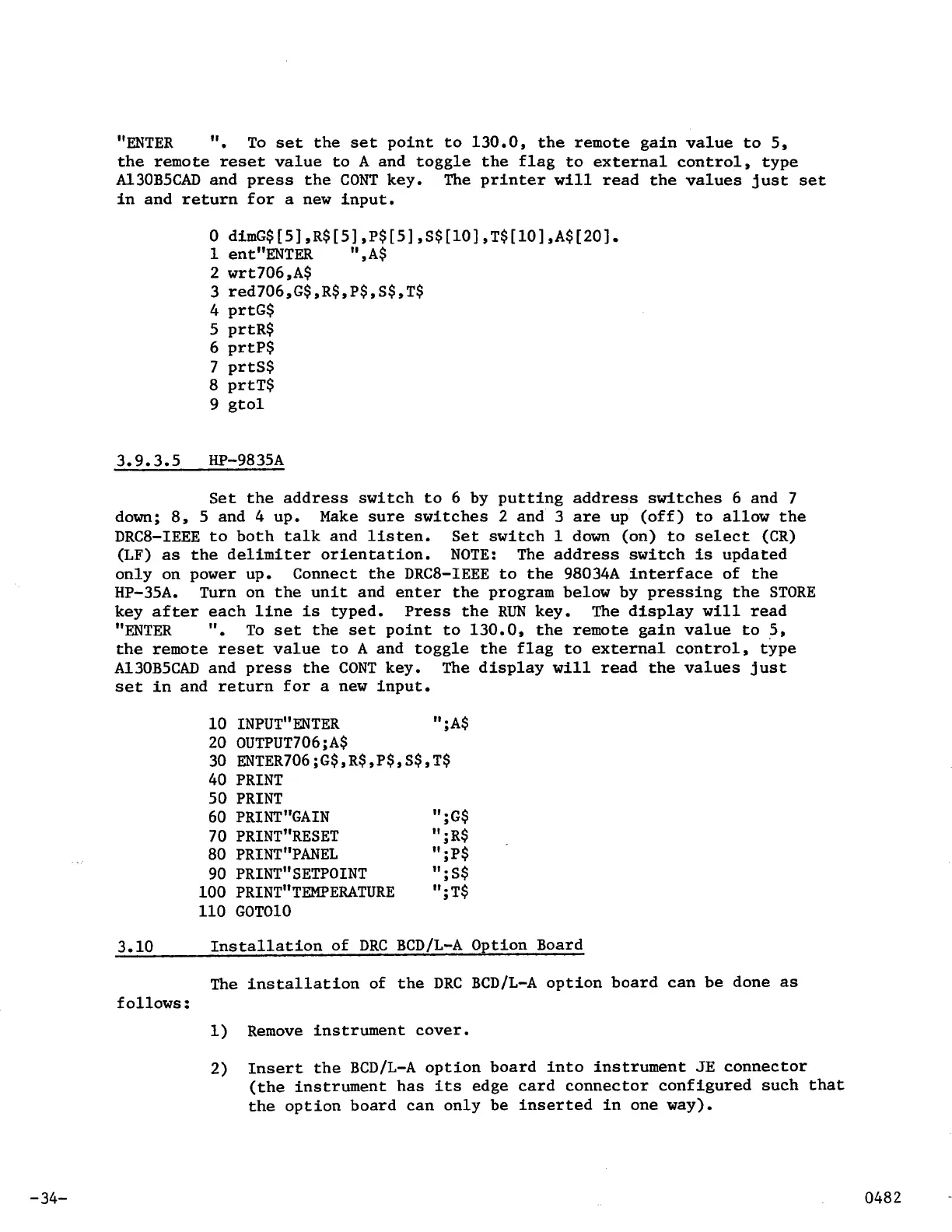
"ENTER
".
To
set
the
set
point to 130.0, the remote gain value to
5,
the remote
reset
value to
A
and toggle the flag
to
external control, type
A130B5CAD and press the
CONT
key. The printer
will
read the values just
set
in and return for
a
new input.
0
dimG$[5] ,R$[5] ,P$[5] ,S$[10] ,T$[10] ,A$[20]
1
ent"ENTER
",A$
2
wrt706,A$
3
red706,G$,R$,P$,S$,T$
4 prtG$
5 prtR$
6 prtP$
7
prtS$
8
prtT$
9 gtol
3.9.3.5 HP-9835A
Set
the address
switch to 6 by putting address switches 6 and 7
down;
8,
5 and 4 up. Make sure switches
2
and
3
are
up (off) to allow the
DRC8-IEEE to both talk and listen. Set switch
1
down (on) to select (CR)
(LF)
as
the delimiter orientation.
NOTE:
The address switch
is
updated
only on power up. Connect the
DRC8-IEEE
to
the 98034A interface of the
HP-35A.
key after each line
is
typed.
Press
the
RUN
key. The display
will
read
"ENTER
".
To
set
the
set
point to 130.0, the remote gain value
to
5,
the remote
reset
value to
A
and toggle the flag to external control, type
A130B5CAD and press the
CONT
key. The display
will
read the values just
set
in and return for
a
new input.
Turn on the unit and enter the program below by pressing the
STORE
10
INPUT"ENTER
"
;A$
20 OUTPUT706;A$
30 ENTER706;G$,R$,P$,S$,T$
40
PRINT
50
PRINT
60
PRINT"GAIN
";G$
70
PRINT"RESET
";R$
80
PRINT"PANEL
";P$
90
PRINT"SETPOINT
";S$
100
PRINT"TEMPERATURE
";
T$
110 GOTO10
3.10
Installation of
DRC
BCD/L-A
Option Board
The installation of the
DRC
BCD/L-A
option board can be done
as
follows
:
1) Remove instrument cover.
2)
Insert the
BCD/L-A
option board into instrument
JE
connector
(the instrument has
its
edge card connector configured such that
the option board can only be inserted in one way).
-34-



 To Next Page