5. CALIBRATION AND MAINTENANCE
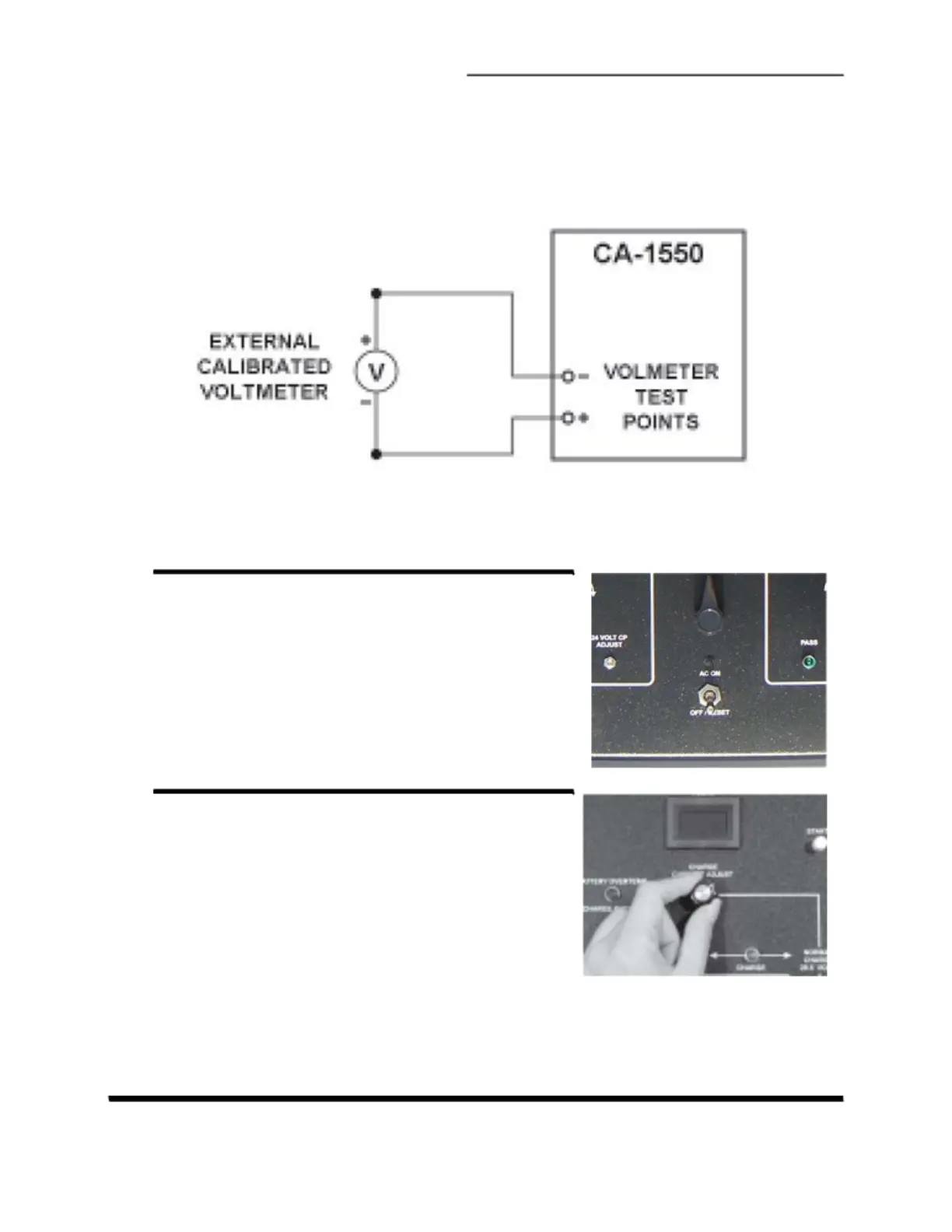
for the calibration can be seen in Figure 5-1. The calibration steps are outlined
below.
Figure 5-1. Circuit diagram for voltmeter calibration
A.
SWITCH OFF MAINS POWER
Turn off the AC on-off/reset power switch.
B.
SET LOW CHARGE CURRENT
Repeatedly turn the Ampere Adjust knob fully
counter-clockwise to set zero. Turn the knob
forward a few turns to enable the unit to
provide voltage. No current will be drawn as no
battery is connected.
CA-1550 CHARGER / ANALYZER - OPERATING MANUAL LI-4159-CML Rev A Page 25



 To Next Page