- 5 - - 6 -
– Speed camera
– Average speed measurement
– Red light cameras
– Combined red light and speed cameras
7. WIFI APPLICATION
A
Scan the QR code or go to the URL
lamax-electronics.com/c11/app
B
Install the app on your smart device.
C
Activate the Wi-Fi function on your camera – camera menu
-> WiFi.
D
You can locate the network name and password in the
About Camera section of your camera.
E
On your device, join the Wi-Fi network named after your
camera. Once connected, input the password, open the app,
and establish a connection with your dashcam.
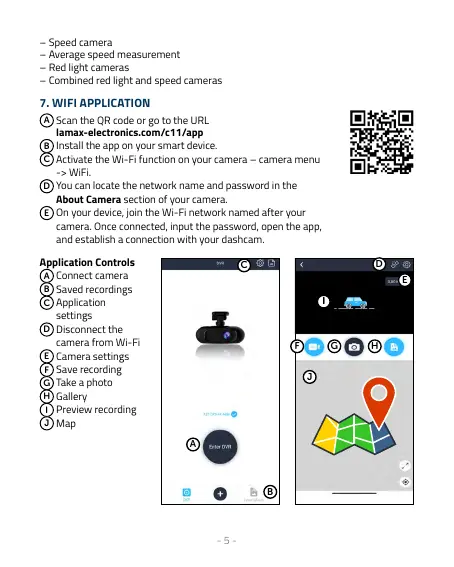
Application Controls
A
Connect camera
B
Saved recordings
C
Application
settings
D
Disconnect the
camera from Wi-Fi
E
Camera settings
F
Save recording
G
Take a photo
H
Gallery
I
Preview recording
J
Map
B
A
II
G H
D
E
F
C
J



 To Next Page