6
PLACEMENT ON THE WINDSCREEN
DC E
A
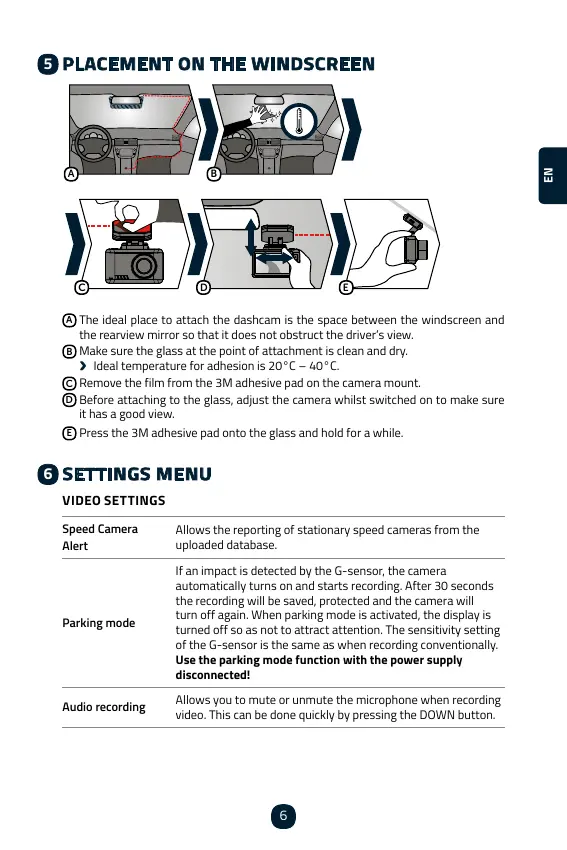
The ideal place to attach the dashcam is the space between the windscreen and
the rearview mirror so that it does not obstruct the driver’s view.
B
Make sure the glass at the point of attachment is clean and dry.
›
C
Remove the film from the 3M adhesive pad on the camera mount.
D
Before attaching to the glass, adjust the camera whilst switched on to make sure
it has a good view.
E
SETTINGS MENU
VIDEO SETTINGS
Speed Camera
Alert
Allows the reporting of stationary speed cameras from the
uploaded database.
Parking mode
automatically turns on and starts recording. After 30 seconds
the recording will be saved, protected and the camera will
turned off so as not to attract attention. The sensitivity setting
Use the parking mode function with the power supply
disconnected!
Audio recording
Allows you to mute or unmute the microphone when recording
5
6
ENCSCSCSCSCSCSCSCSCS



 To Next Page