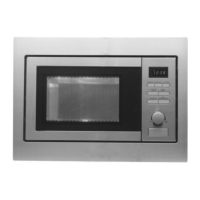
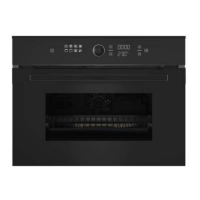
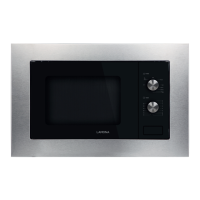
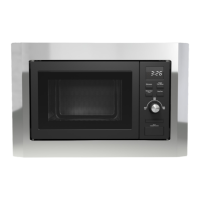
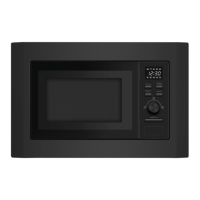
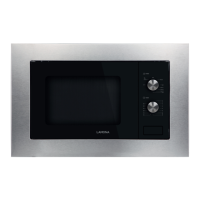
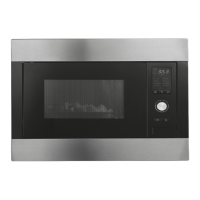
This document describes the Lamona HJA7040 Built-in Microwave Oven with Grill, also available with Trim Kit HJA7041. It provides comprehensive information on its functions, technical specifications, usage, and maintenance.
Function Description
The Lamona HJA7040 is a versatile built-in microwave oven with an integrated grill function, designed for domestic kitchen use. It offers multiple cooking modes including microwave, grill, and combination cooking, allowing for a wide range of food preparation. The appliance features an LED display for showing the clock, cooking time, and remaining operation time.
Key functions include:
- Microwave Cooking: Offers 5 power levels (100%, 80%, 60%, 40%, 20%) suitable for various tasks from full power cooking of meat and vegetables to low power keeping food warm.
- Grill Cooking: Provides a dedicated grill function for browning and crisping foods like thin meats, pork, sausage, and chicken wings.
- Combination Cooking (Grill/Microwave): Combines microwave and grill functions for faster cooking and browning. Two combination modes are available: C.1 for thicker food requiring thorough cooking and browning, and C.2 for longer browning periods.
- Automatic Defrost Programmes: Features three automatic defrost settings for meat (0.1 – 2.0 kg), poultry (0.2 – 3.0 kg), and seafood (0.1 – 0.9 kg), based on weight.
- Automatic Cooking Programmes: Includes 8 pre-set automatic cooking programmes (A.1 to A.8) for common foods such as popcorn, pizza, beverages, potato, and fish, simplifying cooking by automatically setting time and power based on food category and weight.
- Setting Multiple Cooking Phases: Allows users to program up to 4 consecutive cooking phases, combining different power levels, cooking times, and functions (microwave, grill, combi) for complex recipes.
- Setting a Delay Start: Enables programming a delayed start for cooking, allowing the microwave to begin operation at a pre-set time.
- Clock Function: Displays the current time in a 24-hour format.
- Instant/Start Button: Initiates cooking or confirms settings.
- Stop/Clear Button: Cancels input programs or stops operation.
- Time and Weight +/- Buttons: Adjusts cooking time, weight, or clock settings.
- Door Open Button: Releases the oven door.
The appliance is designed with safety features such as a door interlock and a safety lock function to prevent unintended operation.
Important Technical Specifications
- Product Dimensions:
- Height: 265.2 mm
- Width: 458.0 mm
- Depth: 369.2 mm
- Facia Dimensions:
- Height: 458.5 mm
- Width: 595.0 mm
- Depth: 18.0 mm
- Aperture Dimensions:
- Height: 460 mm
- Width: 560 mm
- Depth: 550 mm
- Capacity: 23 litres
- MAX Microwave Power: 800 W
- MAX Grill Power: 1000 W
- Power Levels: 5 (100%, 80%, 60%, 40%, 20%)
- Auto Programmes: 8
- Control Operation: Electronic control
- Display: LED Display
- Interior: Stainless steel exterior and interior
- Turntable: Glass turntable
- Safety Features: Safety lock, door interlock
- Additional Features: Interior light, weight defrost, auto-programmes, quartz grill mode.
The appliance requires specific ventilation gaps for proper operation, as detailed in the installation section. The rating plate, located on the rear of the microwave oven and on the right-hand side of the chassis, contains important information such as the model number, serial number, and date of purchase.
Usage Features
Setting the Clock:
Upon connecting to power, the clock can be set to the correct time. Pressing the clock button (9) initiates the setting mode, allowing adjustment of hours and minutes using the plus (2) and minus (5) buttons, confirmed by pressing the clock button (9) again.
Before First Use:
To remove any manufacturing residue, a cup of water with half a filled lemon should be placed in the microwave and heated on its highest power level for 2 minutes. The oven cavity and outside surfaces should be cleaned with warm soapy water and dried thoroughly. Stainless steel cleaner and polish are recommended for stainless steel surfaces.
Microwave Cooking:
- Ensure the rotating plate and base are correctly assembled.
- Place food in the centre of the microwave cavity.
- Close the door securely.
- After supplying power, the colon on the LED display will flash. Press the stop/clear button (3) to enter manual mode.
- Press the micro power button (6) repeatedly to select the desired cooking power level.
- Use the plus (2) and minus (5) buttons to set the desired cooking time (maximum 60 minutes).
- Press the instant/start button (4) to begin cooking. The LED display will count down the remaining time.
- To change cooking time during operation, use the plus and minus buttons.
- If cooking is interrupted, press the instant/start button (4) to continue. To cancel, press the stop/clear button (3).
Grill/Combi Mode:
- Ensure the rotating plate and base are correctly assembled.
- Place food on the grill rack in the centre of the microwave cavity.
- Close the door securely.
- Press the grill/combi button (7) repeatedly to select the desired grill function (G.1, C.1, or C.2).
- Use the plus (2) and minus (5) buttons to set the desired cooking time.
- Press the instant/start button (4) to begin cooking. The LED display will count down the remaining time.
- Preheating is not required for grill modes.
Automatic Defrost:
- Ensure the rotating plate and base are correctly assembled.
- Place food in the centre of the microwave cavity.
- Close the door securely.
- Press the defrost button (8) repeatedly to select the desired defrost level (d.1 for meat, d.2 for poultry, d.3 for seafood).
- Use the plus (2) and minus (5) buttons to set the appropriate weight of the food.
- Press the instant/start button (4) to begin defrosting. The LED display will count down the remaining time.
- During defrosting, the microwave will beep, indicating that the food needs to be turned over. Press the instant/start button (4) to continue.
- For optimal results, follow the defrosting guidelines provided in the manual, including shielding thin ends with foil, turning food, and allowing resting periods.
Automatic Cooking:
- The oven has default cooking menus for simple operation.
- Press the auto cooking button (2) and then the minus (5) and plus (2) buttons to select the desired menu from A.1 to A.8.
- Press the instant/start button (4) and the LCD display will count down the remaining cooking time.
Setting Multiple Cooking Phases:
- This feature allows programming up to 4 cooking phases.
- For each phase, press the micro power button (6) or the grill/combi button (7) to select the function, then use plus (2) and minus (5) to set the desired cooking time.
- Repeat for subsequent phases.
- Press the instant/start button (4) to begin.
Setting a Delay Start:
- Set the current time correctly.
- Press the clock button (9) for 3 seconds until a beep sounds.
- Use the plus (2) and minus (5) buttons to set the desired cooking program start time (hours and minutes).
- Press the clock button (9) to confirm. The delayed cooking function will be activated, and the display will show the starting time.
- IMPORTANT: Do not use delay start for food that could spoil if left unattended.
Materials for Microwave Use:
- Safe: Aluminium foil (for shielding), browning dish, dinnerware, glass jars, glassware, oven cooking bags, paper plates and cups, paper towels, parchment paper, plastic, plastic wrap, thermometers, wax paper.
- Unsafe: Aluminium tray, food carton with metal handle, metal or metal-trimmed utensils, metal twist ties, paper bags, plastic foam, wood.
Utensils Table:
Provides a quick reference for suitable cookware materials for Microwave, Grill, and Combination modes. Heat-resistant glass, heat-resistant ceramics, and microwave-safe plastic dishes are generally suitable for microwave use. Metal trays and racks are only suitable for grill mode.
Maintenance Features
Cleaning & Maintenance:
- Always disconnect the appliance from the mains supply before cleaning.
- Appliance Exterior: Wipe with a soft cloth and warm water with a little washing-up liquid. Do not use abrasive cleaners or sharp objects.
- Appliance Interior: Wipe with a soft cloth and warm water with a little washing-up liquid. Do not use abrasive cleaners or sharp objects. Pay particular attention to the door seal and surrounding area.
- Rotating Plate and Rotating Base: Remove from the microwave after each use and clean with warm water and a little washing-up liquid.
- General Cleaning Advice:
- To remove condensation, wipe with a soft cloth as soon as you have finished using the microwave.
- To remove odours, boil one cup of water mixed with several tablespoons of lemon juice inside the cavity.
- The microwave should be thoroughly cleaned first and after each use. Any food residue baked on is more difficult to remove.
- Never clean the oven surfaces by steam cleaning.
- Use an appropriate stainless steel cleaner and polish for stainless steel surfaces.
- If using a commercial cleaner, check its suitability for your appliance.
- Any damage caused by a cleaning product will not be fixed by Lamona free of charge under the warranty.
Troubleshooting:
The manual provides a troubleshooting guide for common issues:
- Microwave not switching on: Check power connection, fuse, and ensure the door is properly shut. Call a qualified electrician if issues persist.
- Microwave not starting cooking: Check door closure and seal.
- Turntable not turning: Check connection to the drive motor, ensure it's not overloaded, and that there's nothing underneath the rotating base.
- Microwave does not switch off: Isolate from mains supply and contact Lamona Customer Care.
- Food not cooking properly: Check power level, cooking time, and if food is placed correctly in the cavity.
- Steam and condensation: Natural by-product of cooking. Use a covered container, reduce amount of condensation, and wipe away any condensation after cooking.
Environmental Note:
The appliance is marked according to European directive 2002/96/EC on Waste Electrical and Electronic Equipment (WEEE). It should not be disposed of with general household waste. Contact local authorities or the retailer for proper disposal information. Packaging materials are recyclable.
Safety Information:
The manual emphasizes important safety precautions, including proper installation by a qualified person, avoiding use of damaged appliances, and ensuring children are supervised when near the microwave. It also details materials safe and unsafe for microwave use.
Contact Details:
For customer care, the Lamona Customer Care telephone number is (0845) 006 0006.

 Need help?
 General

 To Next Page