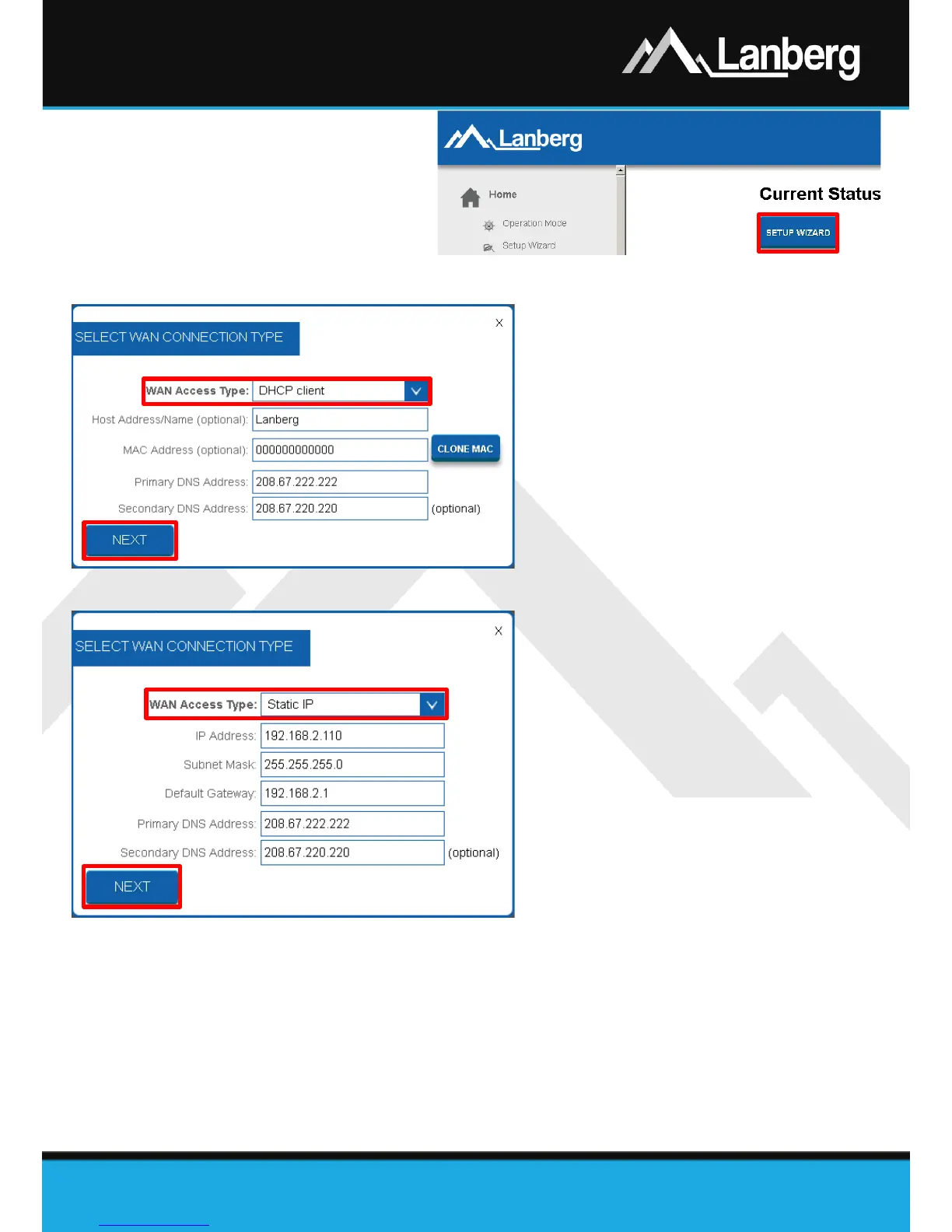
If you need to configure one of
following Internet connection
(WAN) modes: DHCP, Static IP
address, PPPoE, PPTP, L2TP (3.5.1 -
3.5.5), press the „Setup Wizard”
button.
3.5.1) WAN interface setup of the router in DHCP mode
Step 1) On newly opened window, select the
entry „DHCP client” from the „WAN
Access Type” drop-down list,
Step 2) If your Internet provider (ISP) filters the
access to the network using the expected
MAC address, enter this value in the
„MAC address” field,
Step 3) Press „Next” button,
Step 4) Further part of the configuration (Wi-Fi)
is described in 3.5.11 section.
3.5.2) WAN interface setup of the router in the static IP address mode
Step 1) On newly opened window, select the
entry „Static IP” from the „WAN Access
Type” drop-down list,
Step 2) Input the value of the „IP Address” field
by entering the IP address on which the
router will be available on the WAN
interface. Complete „Subnet Mask” and
„Default Gateway” value fields as well,
so they are compatible with the values
defined on the WAN interface. Next fill in
„Primary DNS Address” field, by entering
the IP address of the server translating
domain names into IP addresses. You can
additionally complete the field
„Secondary DNS Address” with an additional IP address in case of communication failure with the
primary DNS server,
Step 3) Press „Next button”,
Step 4) Further part of the configuration (Wi-Fi) is described in 3.5.11 section.



 To Next Page
 Loading...