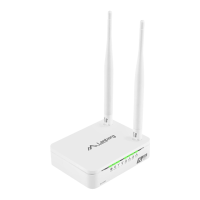
If you need to configure one of the Internet connection modes (WAN):
Client, WISP, Repeater (3.5.8 - 3.5.10):
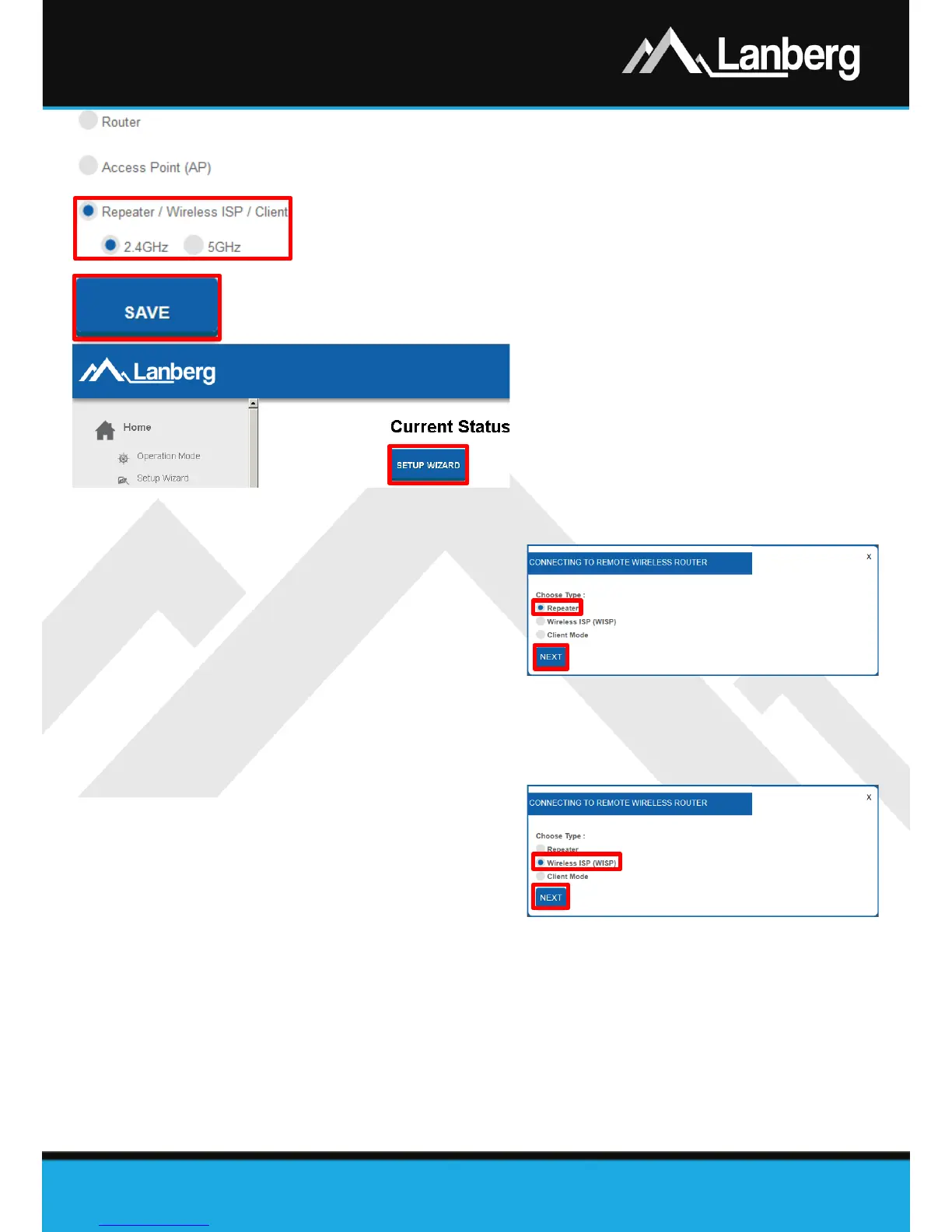
Step 1) On the left multilevel menu, expand the „Home”
drop-down list, and then click on the following sub-
section „Operation Mode”,
Step 2) From the select list of device’s possible operation
modes, select flag „Repeater / Wireless ISP / Client”,
then choose below on what frequency „2.4GHz” or
„5GHz” router is to connect to wireless network to the
target device and press „Save”. The router will apply
new settings in approx. 30 seconds,
Step 3) After the device window is reloaded, press the „Setup Wizard”.
3.5.8) Repeater mode setup of the device
Step 1) On the newly opened window select the
internet connection type by choosing
the „Repeater” flag,
Step 2) Press „Next” button,
Step 3) Further part of the configuration (Wi-Fi)
is described in 3.5.12 section. Please
refer to annotation no. 1,
Step 4) Further part of configuration of connection of the router with the target access point via the Wi-Fi
network is described in 3.5.13 section.
3.5.9) Wireless ISP (WISP) mode setup of the device
Step 1) On the newly opened window select
the internet connection type by
choosing the „Wireless ISP (WISP)”
flag”,
Step 2) Press „Next” button,
Step 3) Further part of the configuration (Wi-Fi)
is described in 3.5.12 section,
NOTE: Access to the WAN section will be hidden.
Step 4) Further part of configuration of connection of the router with the target access point via the Wi-Fi
network is described in 3.5.13 section.


 To Next Page
 Loading...