Heartland Owners Forum http://manuals.heartlandowners.org
Landmark 365 User Guide V1.1.pdf P a g e | 47 Version 1.1, March 10, 2016
Satellite TV
External Connections
Your Landmark 365 is wired so that you may use either a standalone satellite dish on a tripod, an auto-
aiming dish in a small dome (carry-out) that sits on the ground, or a rooftop satellite dish.
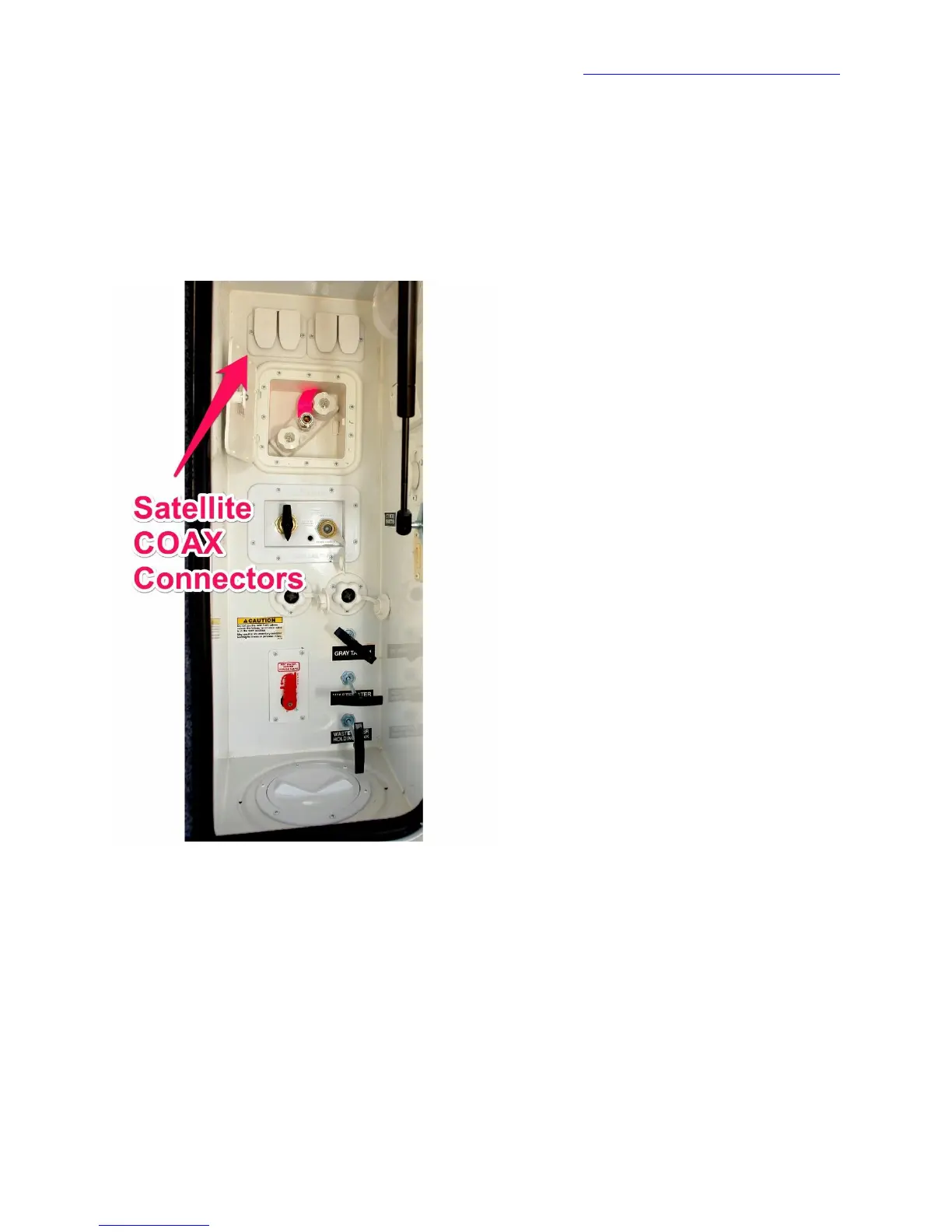
The Universal Docking Center (UDC) has four satellite COAX connectors along the top of the UDC.
Of the two pairs of connectors, the right connector of each pair goes to the rooftop pre-wiring. The left
goes to the living room or bedroom. If you have a rooftop installation, the rooftop connector must be
jumpered to the living room or bedroom connector. The drawing below provides additional detail.


 To Next Page