Heartland Owners Forum http://manuals.heartlandowners.org
Landmark 365 User Guide V1.1.pdf P a g e | 7 Version 1.1, March 10, 2016
Landmark 365 User Guide
Landmark Evolution to the Landmark Three Sixty Five
Heartland RV’s first product was the 2005 model year Landmark, released in mid-2004. Since
then, Landmark has gone through many changes. In mid-2014, Heartland re-launched the
Landmark as the Landmark 365 product. Landmark 365 was designed with the full-timer and
any-timer RVer in mind.
While some aspects of this guide would apply to all Landmarks, many items covered are
Landmark 365 specific.
Introduction to Landmark 365 Features
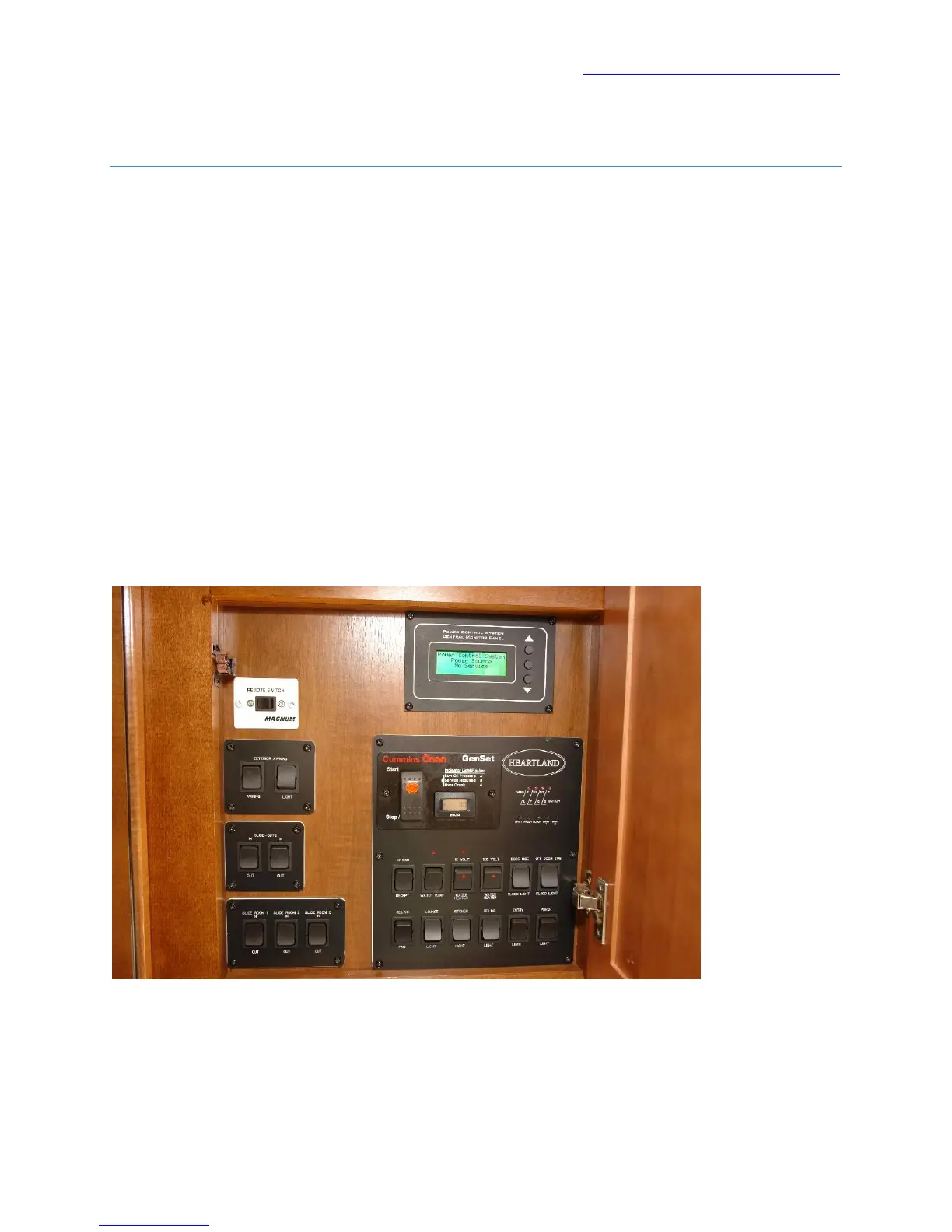
There’s a lot to cover in a Landmark 365, but the Control Panel is central to using the coach. Let’s start
there.
Control Panel
Most controls for the Landmark 365 are grouped together and are labeled clearly. Additional
explanation follows on several controls.


 To Next Page