Home
Lanner
Network Hardware
NCA-1516
Page 52 (Legacy Console Redirection Settings)
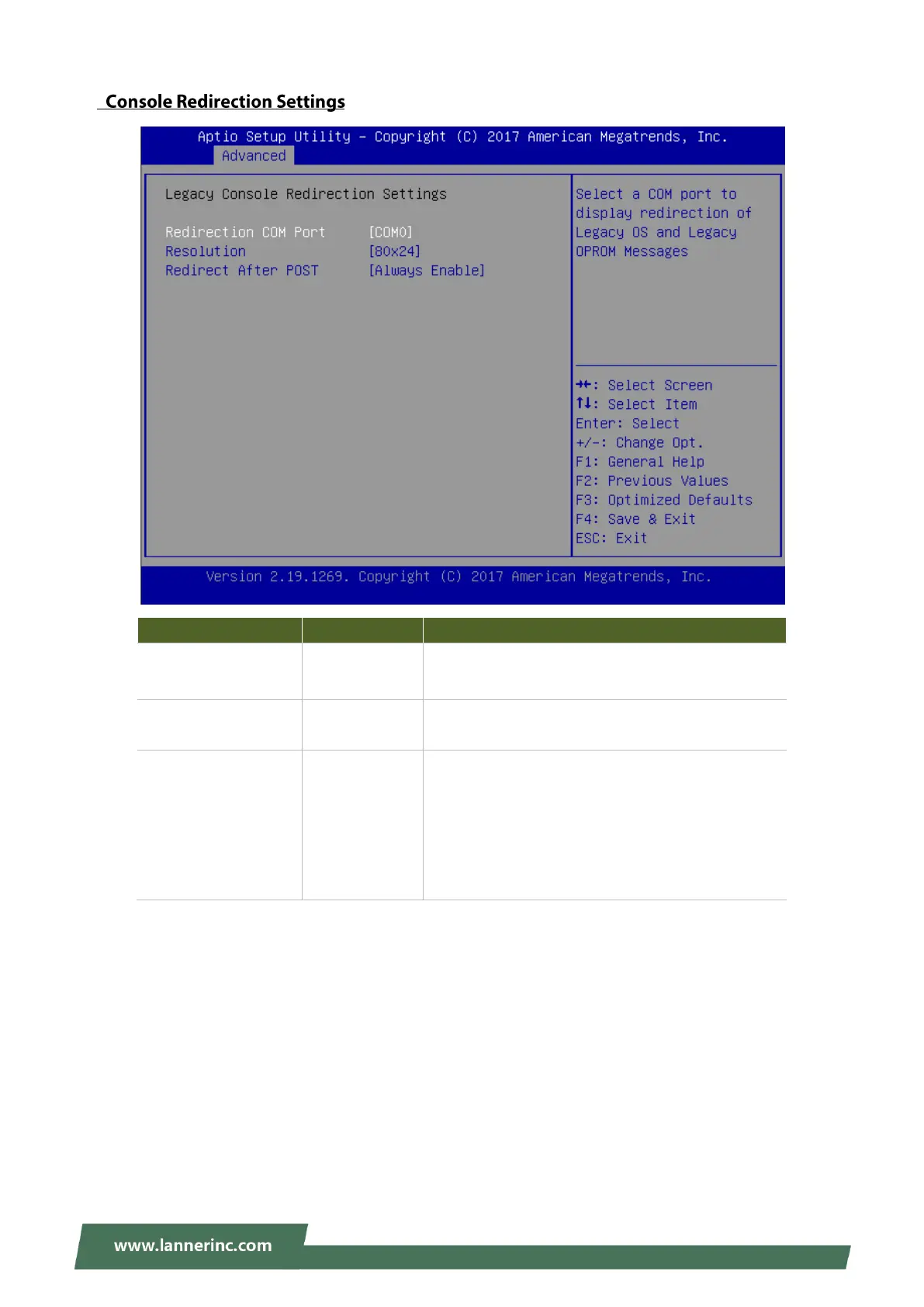
Lanner NCA-1516 - Legacy Console Redirection Settings; Legacy COM Port Selection; Redirection Resolution Setting; Redirect After POST Behavior
87 pages
Manual
Save Page as PDF
To Next Page
To Next Page
To Previous Page
To Previous Page
Loading...
NCA-1516 User Manu
al
52
Feature
Options
Description
Redirection COM
Port
COM0
Select a
COM
port
to
display
redirection
of
Legacy
OS and Legacy OPROM
Messages.
Resolution
80x24
80x25
On
Legacy
OS,
the
Number
of
Rows
and
Columns
supported redirection.
Redirection After
BIOS POST
Always Enable
BootLoader
When
Bootloader
is selected, Legacy Consol
e
Redirection is disabled b
efore booting to
legacy
OS. When
Always Ena
ble
is sel
ected, then Legacy
Console Redirection is en
abled for legacy OS.
Default setting fo
r this option is set to
Always
Enable
.
51
53
Table of Contents
Main Page
Trusted Computing
40
Super IO Configuration
42
Watchdog Timer Configuration
46
Digital I/O Configuration
47
Status LED Configuration
48
Serial Port Console Redirection
49
PCI Subsystem Settings
53
Network Stack Configuration
54
CSM Configuration
55
SDIO Configuration
56
USB Configuration
57
Nvme Configuration
60
Processor Configuration
62
Server ME Configuration
64
North Bridge Chipset Configuration
65
South Bridge Chipset Configuration
66
System Event Log
72
Secure Boot
75
Save and Exit Menu
78
Related product manuals
Lanner NCA-1515
19 pages
Lanner NCA-5710
132 pages
Lanner NCA-4020
139 pages
Lanner NCA-5210
95 pages
Lanner HCP-72i1
116 pages



 To Next Page