10
SETTINGS
Wi-Fi
Note: a WiFi connection is required if connecting to the internet (for email, Play Store or web
browsing)
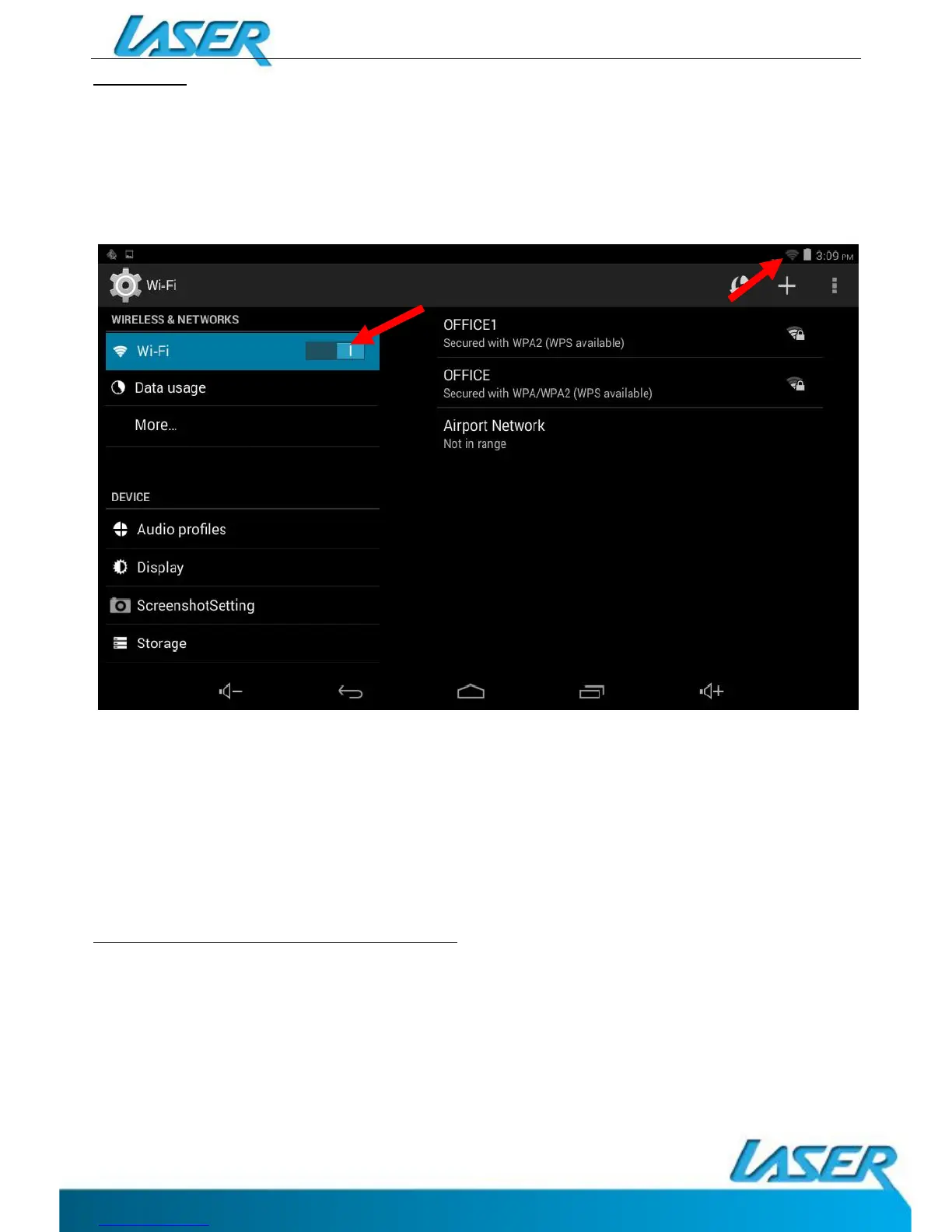
When WiFi is turned on it will automatically scan for all available WiFi networks
Tap the desired NETWORK name. If this NETWORK connects successfully, “Connected”
will appear. If the NETWORK is encrypted, enter the password then tap “Connect”.
Your Tablet will indicate when the NETWORK connection is ready for use when the WiFi icon
appears on the top right notification bar.
CONNECTING TO A PC / MAC VIA USB
Connect the USB cable to your Tablet and PC/MAC, making sure you are using the correct
MICRO USB cable supplied.


 To Next Page