9
WIDGETS
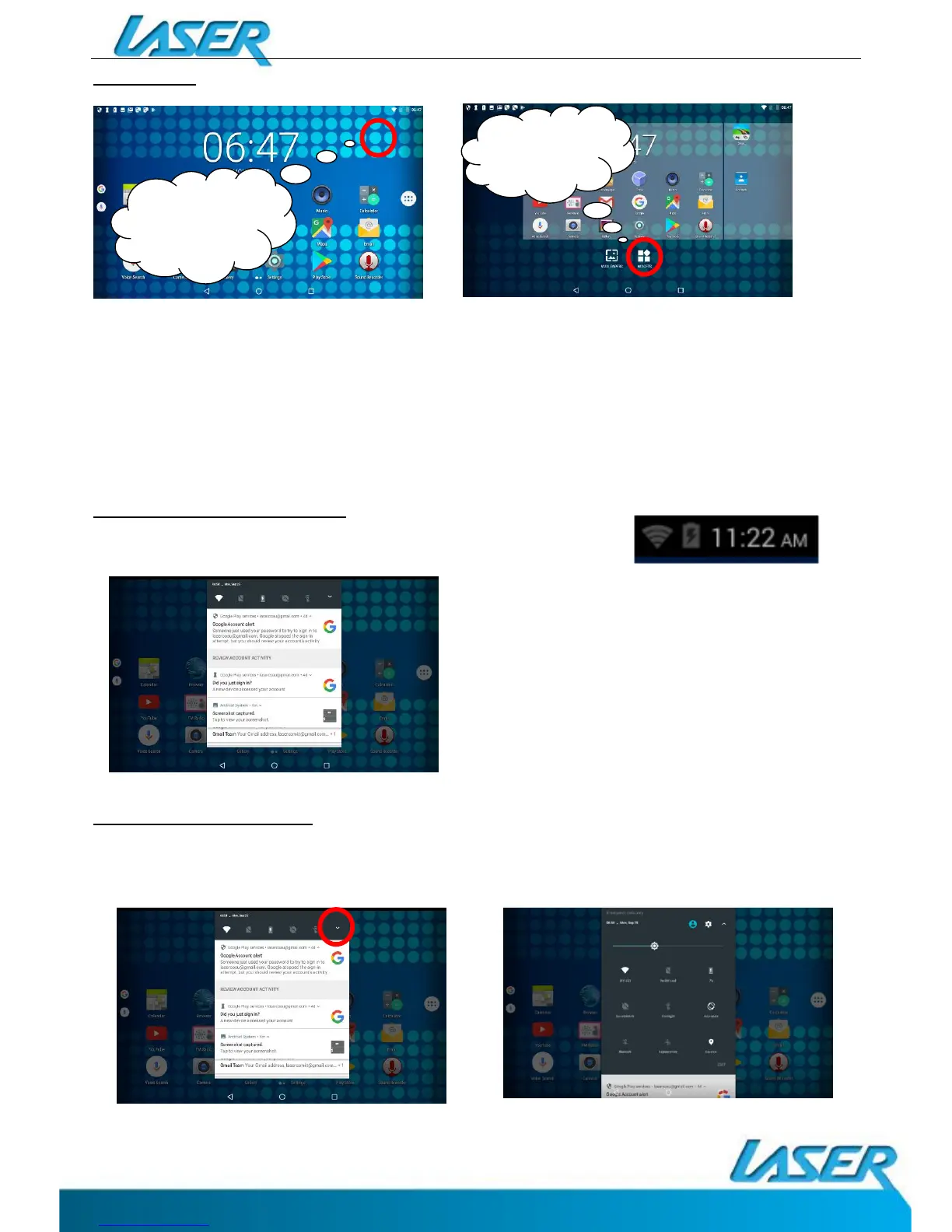
Users can add or remove Widget program icons (shortcuts) from the desktop as well as move
them to different desktop screens.
To add a Widget, press and hold the desired widget, drag and drop it to the desired position
on the desktop.
To delete an icon, press and hold the icon until the “X” icon appears at the top LEFT of the
screen. Drag the icon to the “X” and then release to delete.
NOTIFICATION MENU BAR
Swipe down over the Notification Menu Bar (top RIGHT of the
screen) to bring up any notifications you may have.
SHORTCUT MENU BAR
Press the drop down arrow from the NOTIFICATIONS MENU bar to display your shortcuts
menu such as: Battery charge, Settings, WiFi, Location, Audio Profiles, screen rotation.
PRESS AND
HOLD A
BLANK SPACE
PRESS
WIDGETS


 To Next Page