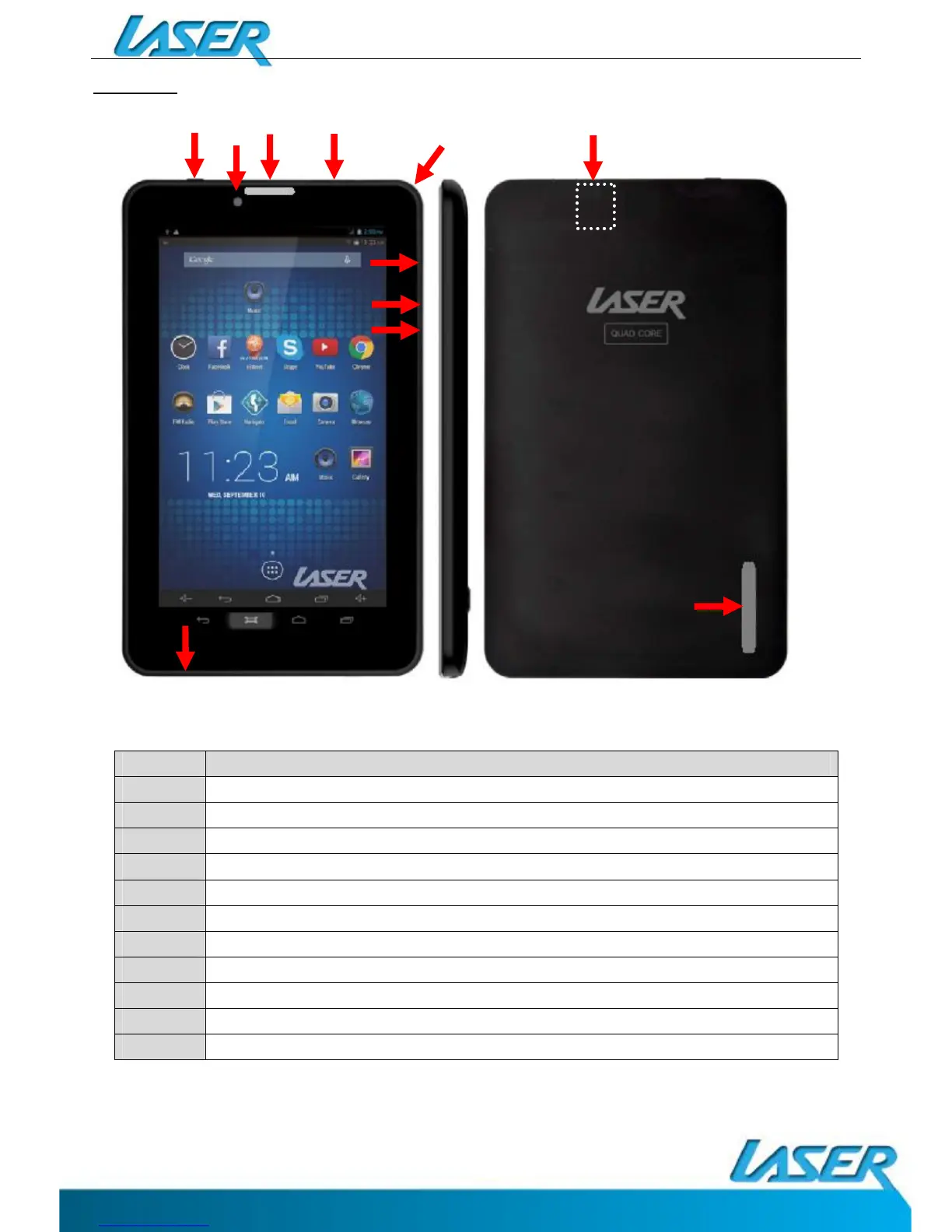
Description
1 Micro USB interface (Data Transfer, Charging, USB Storage flash drive).
2 Front mount camera
3 Internal speakers
4 Stereo Earphone Socket (3.5mm Jack)
5 SD Card Release Panel Access Point
6 Volume Up / Volume Down
7 On / OFF button (*Press and hold to turn ON and OFF)
8 Reset button
9 (Internal) Micro SD Card slot (Supports cards up to 32GB)
10 Internal speakers
11 Microphone


 To Next Page