18
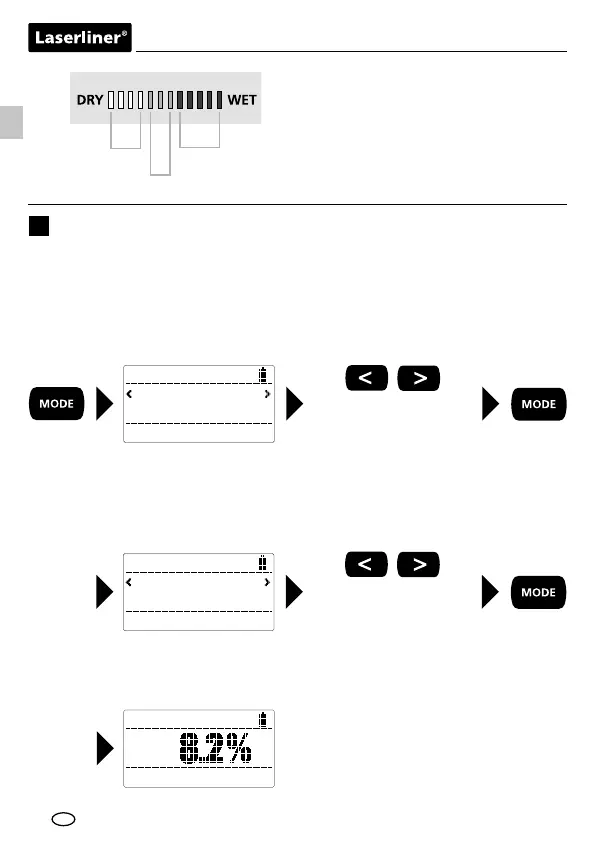
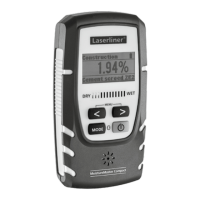
Wet/dry LED display
12-position LED:
0…4 LEDs green = dry
5…7 LEDs yellow = moist
8…12 LEDs red = wet
green
yellow
red
Selecting the material
4
The device features 5 modes for measuring moisture, depending on the material
in question. Press the "MODE" button to view the available types of wood, kinds
of construction material, CM mode and the index mode / Index Zoom mode
(which is independent of the material type). Use the arrow buttons to select the
relevant material group and conrm your selection by pressing the "MODE"
button.
Wood mode
Building Material mode
CM mode
Index mode
Index Zoom mode
Material
Wood
Wood
Teak
Depending on your selection you will now be presented with a variety of woods
or construction materials, which can also be selected using the arrow buttons
and conrmed via the "MODE" button. Complete lists of all these materials can
be found in the tables on the next page.
Once the material has been selected, the chosen mode will appear at the top of
the display and the corresponding material at the bottom. The current measured
value as a % of the material moisture can be read from the centre of the display.
see Point 5:
Table of materials
Wood
Teak
EN




 To Next Page