MoistureMaster Compact Plus
21
EN
8.2% 0.0%
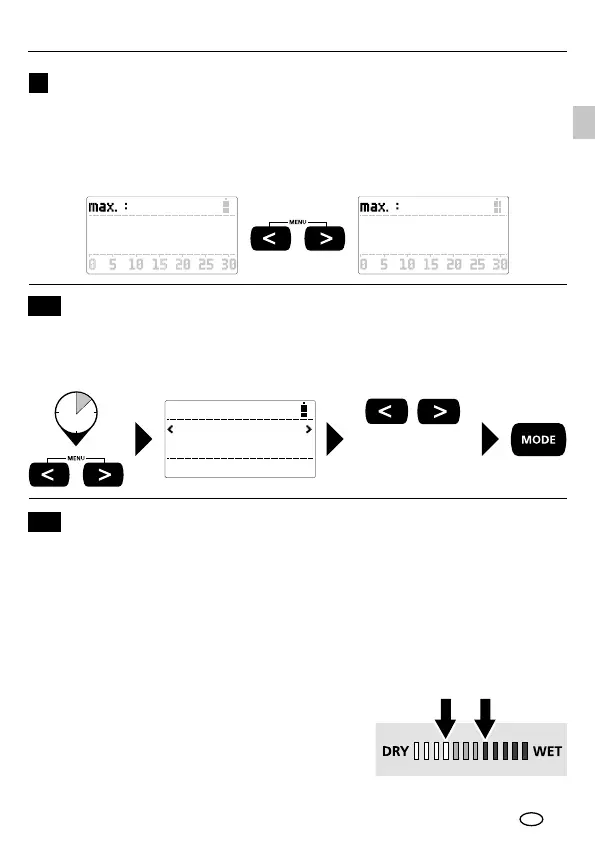
The MAX value is the maximum measured value within a single measurement.
Press both arrow buttons at the same time to reset the MAX value to zero. Do
make sure that the Sensor pads on the rear of the device do not come into
contact with the material being measured or with your hands when you press
these buttons.
MAX value
9
2 sec
Language
ENGLISH
To access the menu, simultaneously press and hold the two arrow buttons
in the "measured value" display. Now you can use the arrow buttons to set
the required language; conrm your selection with "MODE".
Select language
Menu language
10
limit
Setting the wet/dry threshold values in index mode and
Index Zoom mode
11
The wet/dry LED indicator is programmed in line with the relevant material
characteristics so the LEDs also provide information about whether the material
should be classied as dry, moist or wet. However the values in index mode
and Index Zoom mode, which is independent of the material type, are output
on a neutral scale whose value increases as the moisture level rises.
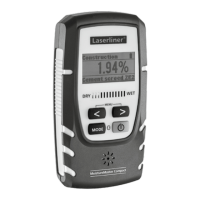
The LED indicator can be specically programmed
for index mode and Index Zoom mode by
dening the end values for "dry" and "wet".
The difference between the value set for
"dry" and that set for "wet" is converted
and displayed by the 12 LEDs.




 To Next Page