EasyManua.ls Logo

Lasonic i-931X - USB and SD;MMC Operations; MP3 Playback and File Management

Lasonic i-931X
28 pages
Print Icon
To Next Page IconTo Next Page
To Previous Page IconTo Previous Page
Loading...
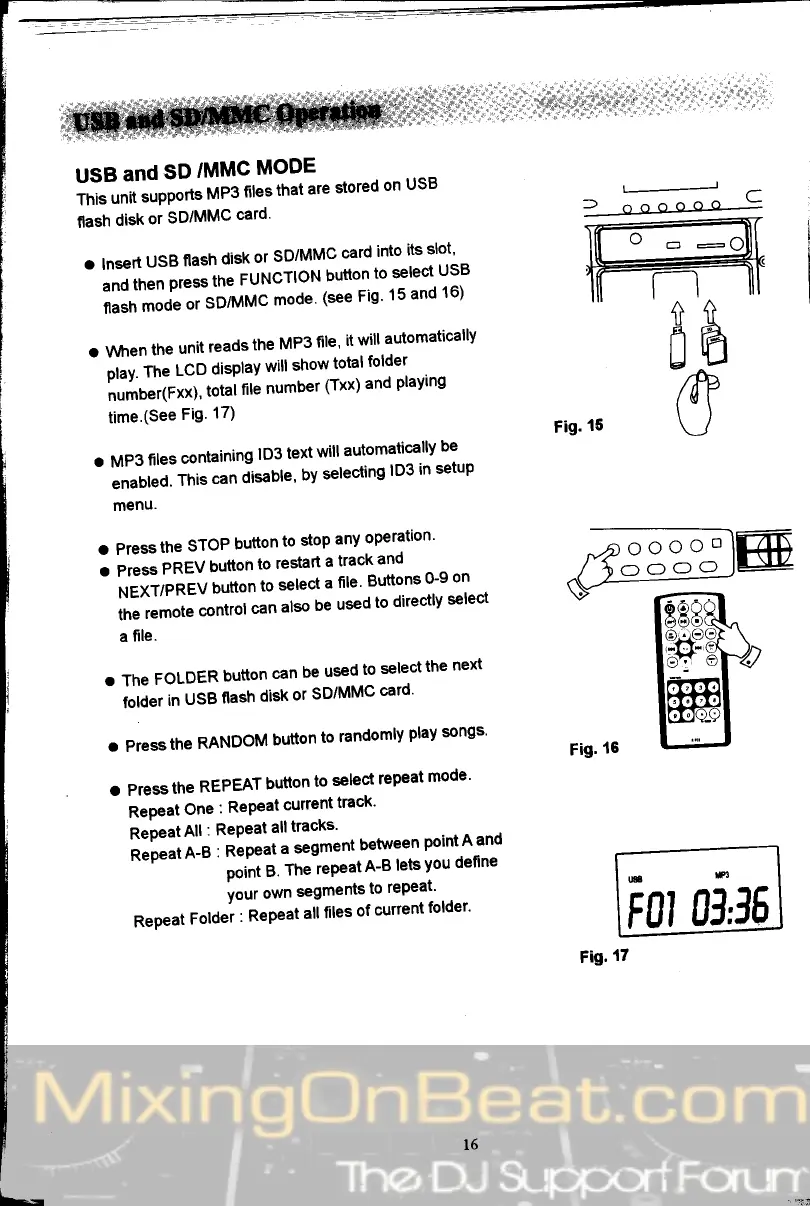
USB
and
SD
/MMC
MODE
ii**
"tpp"rts
MP3
filesthat
are
stored
on
USB
flash
disk
or
SD/MMC
card'
.
lnsert
USB
flash
disk
or
SD/MMC
card
into
its
slo:l
-
;;il;;;,"ss
the
FUNCTIoN
button
to
select'
usB
;;;;"
or
SD/MMC
mode'
(see
Fis'
15
and
16)
o When
the
unit
reads
the
MP3
file'
it
will
automatically
-
Oi.r.
t*
LCD
display
will
show
total
folder
lriu"rtrttl,
total
file
number
(Txx)
and
playing
time.(See
Fig'
17)
o
MP3
files
containing
lD3
text
will
automatically
be
-
"""OLO.
This
can
disable'
by
selecting
lD3
in
setup
menu.
o Press
the
STOP
button
to
stop
any
operation'
a
pt"""
PREV
button
to
restart
a
track
and
-
tfgXlpnEV
bufton
to
select
a
file
Buttons
0-9
on
the
remote
control
can
also
be
used
to
directly
select
a
file.
o The
FOLDER
button
can
be
used
to
select
the
next
-
ioiJ"t
in
USB
flash
disk
or
SD/MMC
card'
o Press
the
RANDOM
button
to
randomly
play
songs'
a Press
the
REPEAT
button
to
select
repeat
mode'
nePeat
One
:
RePeat
current
track'
RePeat
All
: RePeat
all
tracks'
Repeat
A-B
:
Repeat
a
segment.betw:-":
f:::o
""0
point
B'
The
repeat
A-B
lets
you
define
Your
own
segments
to
t"P"1l'
.--
Repeat
Folder
:
Repeat
all
liles
of
current
folder'
(-
)
oooooo
-
@
lll
'
+'+
aR
Fis.15
(T
Fig.
t7
r,8
ffi
tll
01,fr